Portfolio Management
Portfolio Management permissions allow staff to manage end user permissions at the institution, group, portfolio, or role levels.
- Institution Level
- This level determines feature availability and maximum limits across the entire financial institution.
- Group Level
- Portfolios (i.e. a collection of entities) are put into groups. Groups contain the maximum permissions and limits that portfolios within the group are allowed to have. Groups allow financial institutions to segment different types of users or businesses together (like small businesses, commercial businesses, retail users, etc.) and manage their permissions at a single level without having to manually update individual portfolios.
- Portfolio Level
- In addition to the group permissions, each portfolio can have its own unique permissions as long as they don’t override the maximums set at the group or institution levels. In a business banking context, portfolio level often equals business/company permissions, although consumer users have portfolios as well.
- Role level
- Every user that belongs to a portfolio is assigned a role (like admin, guest, accountant, manager, etc.). This allows for different users within a portfolio to have differing levels of access. Note: the Admin role’s permissions are equal to the portfolio’s permissions they are a part of.
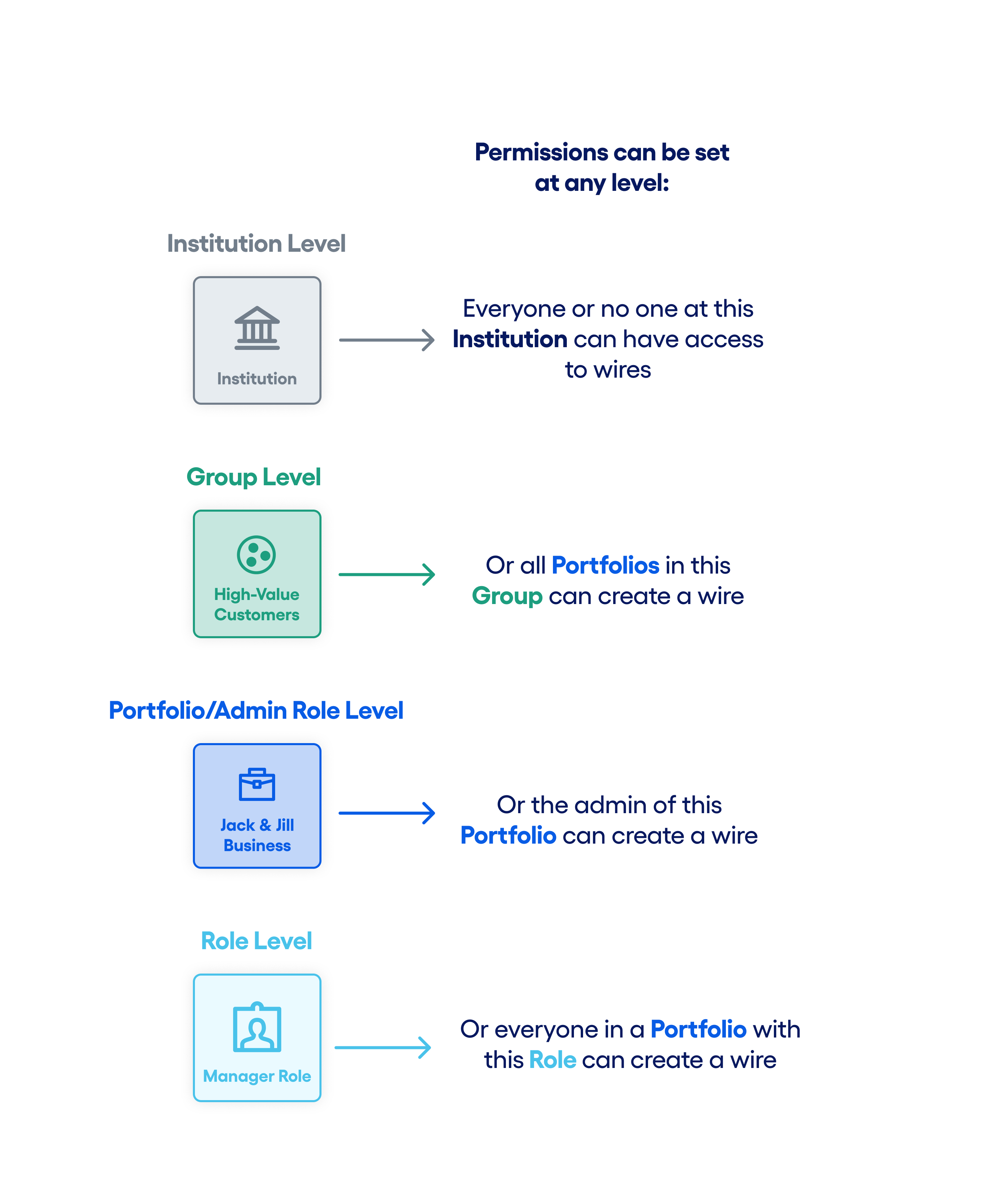
The graphic below illustrates this hierarchy using the example of a Create Wire permission, showing how institution, group, portfolio, and role-level permissions work together to determine a user’s effective access.
Permissions
- Access to View Institution Settings
- Allows view-only access to institution settings in Jack Henry Platform.
- Access to View Portfolio
- Allows view-only access to see all portfolios in Jack Henry Platform.
- Access to View Portfolio Permission Groups
- Allows view-only access to see what group a portfolio belongs to.
- Access to View Portfolio Roles
- Allows view-only access to the portfolio’s admin role and other created roles.
- Access to View Portfolio Users
- Allows view-only access so staff can see users within a portfolio.
- Assign Portfolio to a Permission Group
- Allows staff to put a portfolio in a permission group.
- Assign User to Role
- Allows staff to assign a role to a user within a portfolio.
- Create a Permission Group
- Allows staff to create a new permission group.
- Create a Role
- Allows staff to create a new non-admin role in a portfolio.
- Delete a Portfolio Permission Group
- Allows staff to delete a permission group.
- Delete a Role
- Allows staff to delete a non-admin role from a portfolio.
- Delete a User
- Allows staff to delete a user from a portfolio.
- Edit a Created Role
- Allows staff to edit a non-admin role’s permissions.
- Edit a Permission Group
- Allows staff to edit the permissions and limits associated with a permission group.
- Edit Institution Settings
- Allows staff to edit institution-wide settings and limits.
- Edit Portfolio Admin Role
- Allows staff to edit a portfolio’s admin role permissions, which are synonymous with the portfolio’s permissions.