Support App, Reimagined
Jack Henry is building our next generation of the Support app to work natively in the Banno Digital Platform — with Jack Henry Platform integration to follow at a yet-to-be-determined time. We’re doubling down on Jack Henry Conversations, and giving it an upgrade in numerous areas to increase efficiency, usability, and broaden your team’s ability to truly support your users. That means deeper integration with the tools your team already uses, a faster and more intuitive experience for your associates, and smarter capabilities that help your team resolve cases without ever leaving the conversation.
What’s changing – and what isn’t
The Banno Support platform your team relies on today isn’t going away. We’re keeping it stable and fully operational while we build what’s next in parallel. When the new experience is ready, we’ll work with you on a smooth transition.
What’s largely staying the same? Your conversations, your cases, and your team’s workflows (excluding minor enhancements). What’s getting better? Everything around them.
What we’re building
We’re rolling out the new Support experience in stages. The subsections below provide a look at everything we’re working on.
Case Management
BuildingIntroducing improved case management workflows with a new list view, condensing cases into a single, unified experience. Directly in the interface, essential case details will be displayed, ensuring support representatives can effectively and efficiently prioritize their case queue without the friction of opening each conversation.
Key case management functions include the following:
- Sortable columns
- Options will include Status, Channel, and Ascending or Descending order.
- Date range filter
- Options will include Today, Last 7 days, and Last 30 days.
- Customer segment filter
- Options will include Retail, Business, and Unverified.
- Channel filter
- Options will include Chat, Forms, and Email.
- Bulk Reply All
- Batch-send messages to multiple users at once, while remaining logged for auditability.
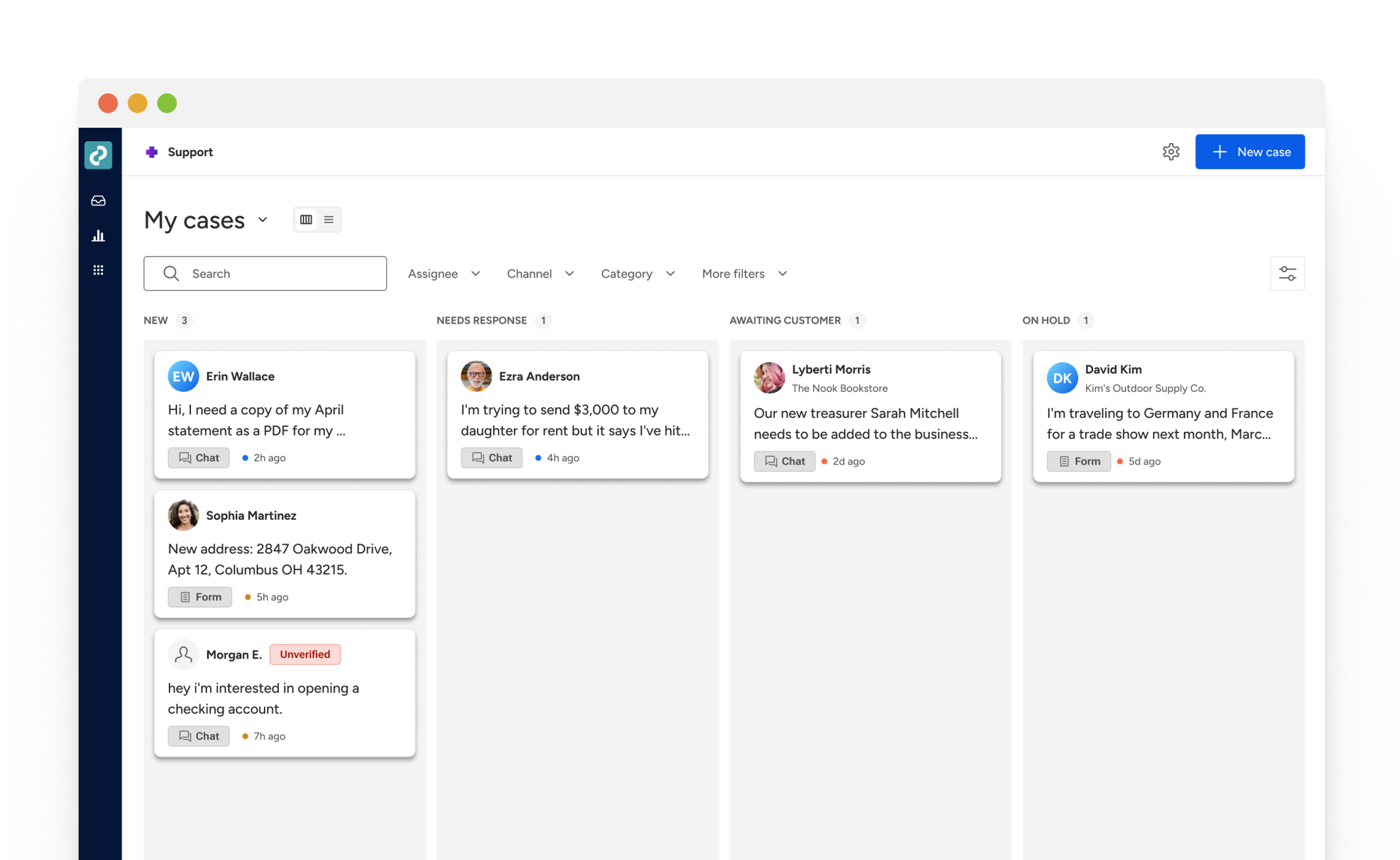
Figure 1: Screenshot of the design for the upcoming case management list view, which will provide more-effective queue visualization.
Conversation Experience
BuildingExpanding upon the primary messaging interface between financial institution representatives and users, features are in development to elevate the conversational experience.
Key technical enhancements include:
- Timestamp segmentation and colored differentiation
- Read receipts and internal notetaking toggle
- Unique text composition such as text formatting, emojis, and file attachments
- Internal read-only / restricted access
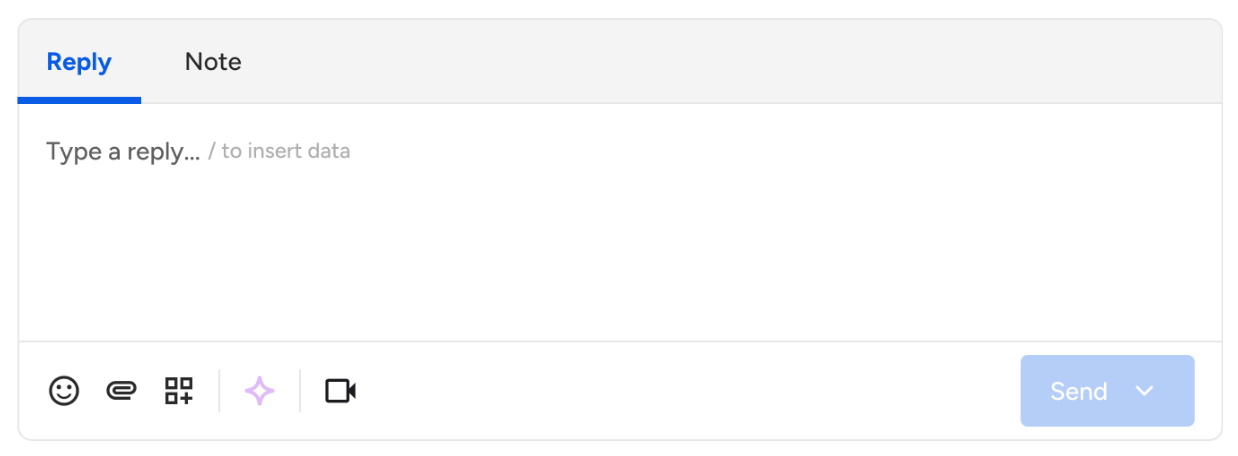
Figure 2: Screenshot of the upcoming internal notetaking feature designs that are currently in development.
Case Intake
PlanningElaborating on case intake processes, structured form submissions focus on case entrance into the Support platform. Spanning from case creation all the way through routing, case intake is stepping it up a notch to provide further clarity and efficiency throughout the workflow process.
Key case intake evolutions include the following:
- Form-based case creation flow
- New case status: On Hold
- Structured data capture for recurring case types
- Initial routing and assignment logic
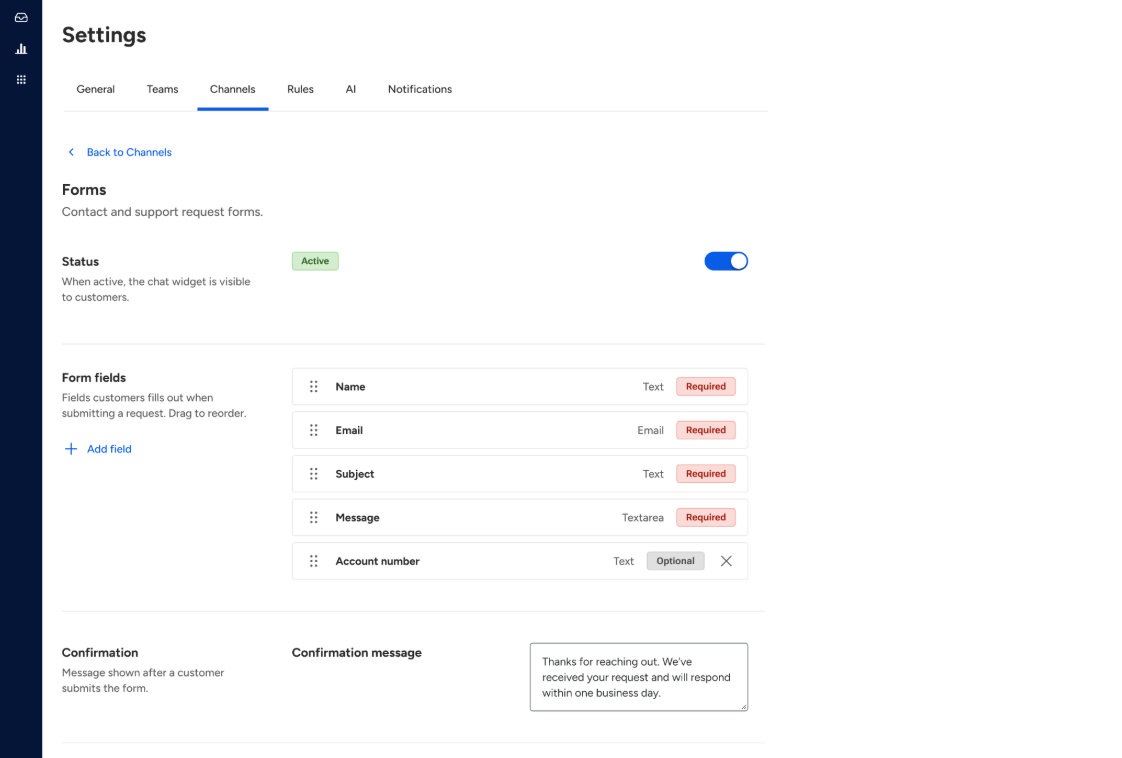
Figure 3: Screenshot of the design for the upcoming form settings functionality, which will allow status toggling, customized form fields, confirmation messaging, and website form installation.
Settings & Configurations
PlanningThe core of our Support app evolution includes advanced administrative configuration, allowing financial institutions the customization to match their operational needs. Additional options on the Settings screen will provide the ability to directly manage features within Support, letting admins match specific institutional requirements and procedures. For example, assigning data access levels, routing cases to specified queues, and even easy-to-manage team representative/role lists.
Key enhancements include the following:
- Team and role configuration with invite functionality
- Individual representative queue views
- Auto-reply and template management
- Routing rules and SLA settings
- Notification preferences
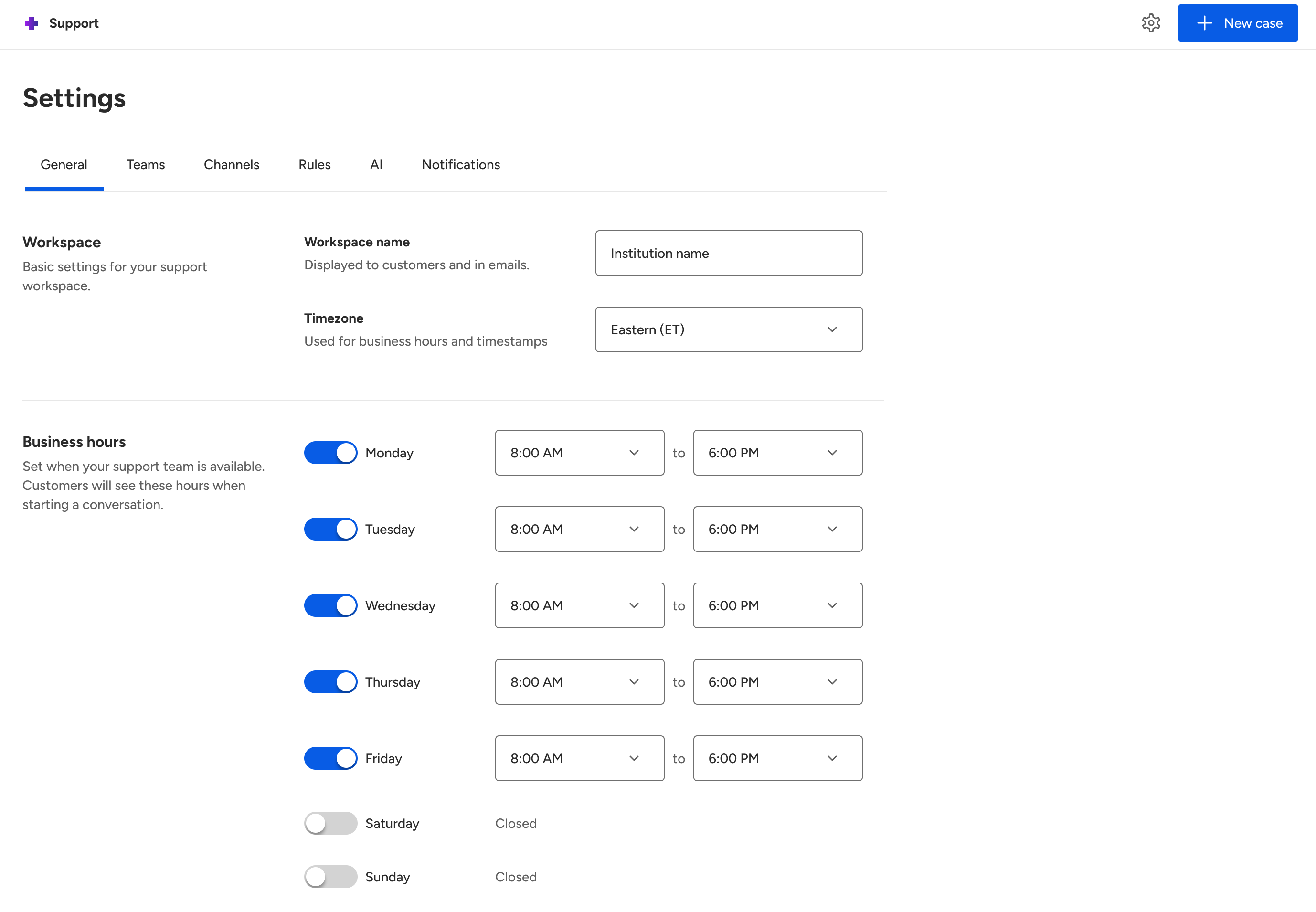
Figure 4: Screenshot of the design for the upcoming business hours configuration within Settings.