Jack Henry Wires for Treasury Management
Jack Henry Wires for Treasury Management is an integration of Jack Henry Wires, a cloud-native wires solution. This guide is designed to help your financial institution gain an understanding of how Treasury Management’s integration with Jack Henry Wires impacts both the end user and back office wire experience.
End User Wire Navigation
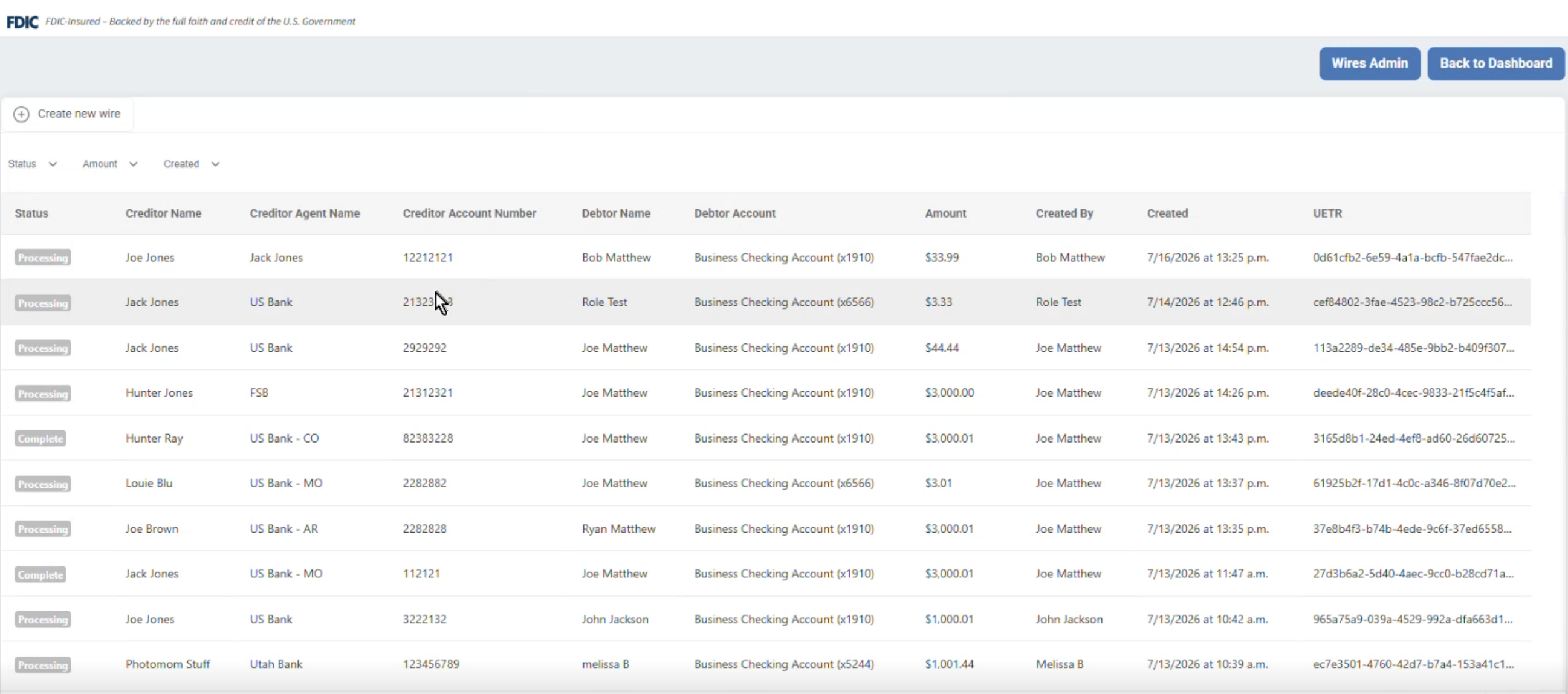
Getting to the wires dashboard is simple. Starting in the desktop Treasury Management experience, end users will simply click Wires at the top right.
Creating a Wire
At the top left of the wire dashboard is a Create new wire button – this will open the wire creation form. There are six steps to creating a wire with ISO compliant fields:
Transfer DetailsEnd-to-End Identificationis a required field; however, if it is not submitted the field will simply state “not provided”Debtor- Includes real-time API checks ensure the account selected is in good standing and verifies there are sufficient funds to process the wire
Creditor- Includes
Account ID,Name, andAddressfields Creditor Agent- Includes
Member ID,Name, andAddressfields Instructed Agent- Formerly Receiving Financial Institution
Additional Information- The Include intermediary agent toggle is currently present. While this can be used for domestic wires, it will be primarily valuable with the addition of international wires in the future.
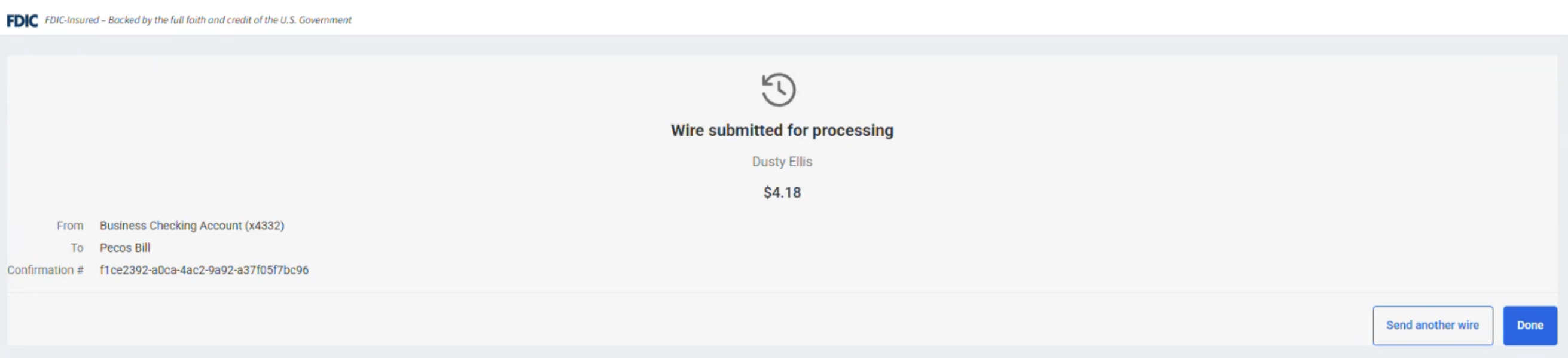
Once an end user clicks submit on the last step, they will receive a confirmation page including:
- From: The debtor account the wire funds are being pulled from.
- To: Who the wire is being sent to.
- Confirmation #
Approving or Rejecting a Wire
End users can approve or reject a wire in two ways:
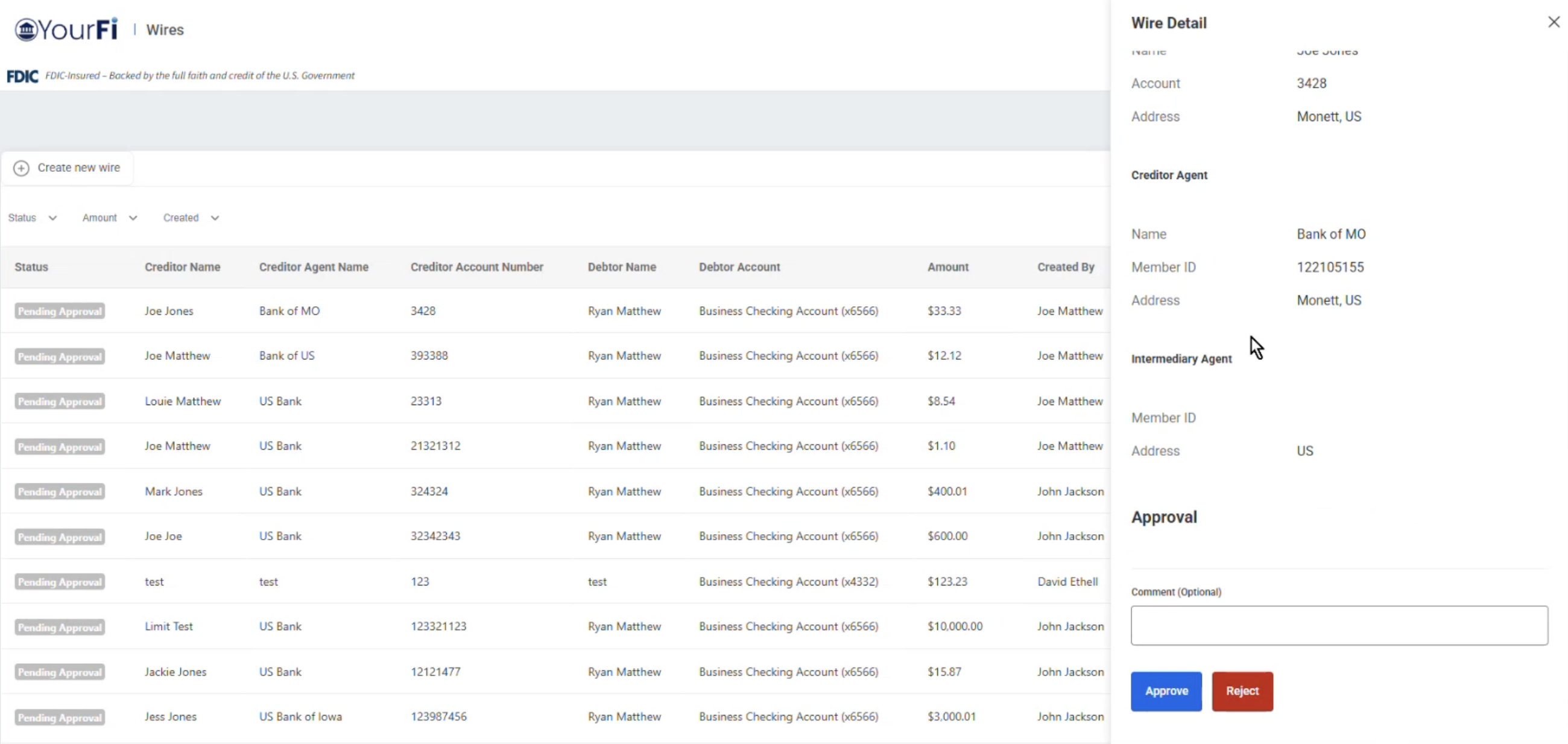
- Click on the wire: By clicking on the specific wire in the wire dashboard, the end user can review all details. Once at the bottom of the wire details, they will choose either Approve or Reject – along with the option to leave a comment.
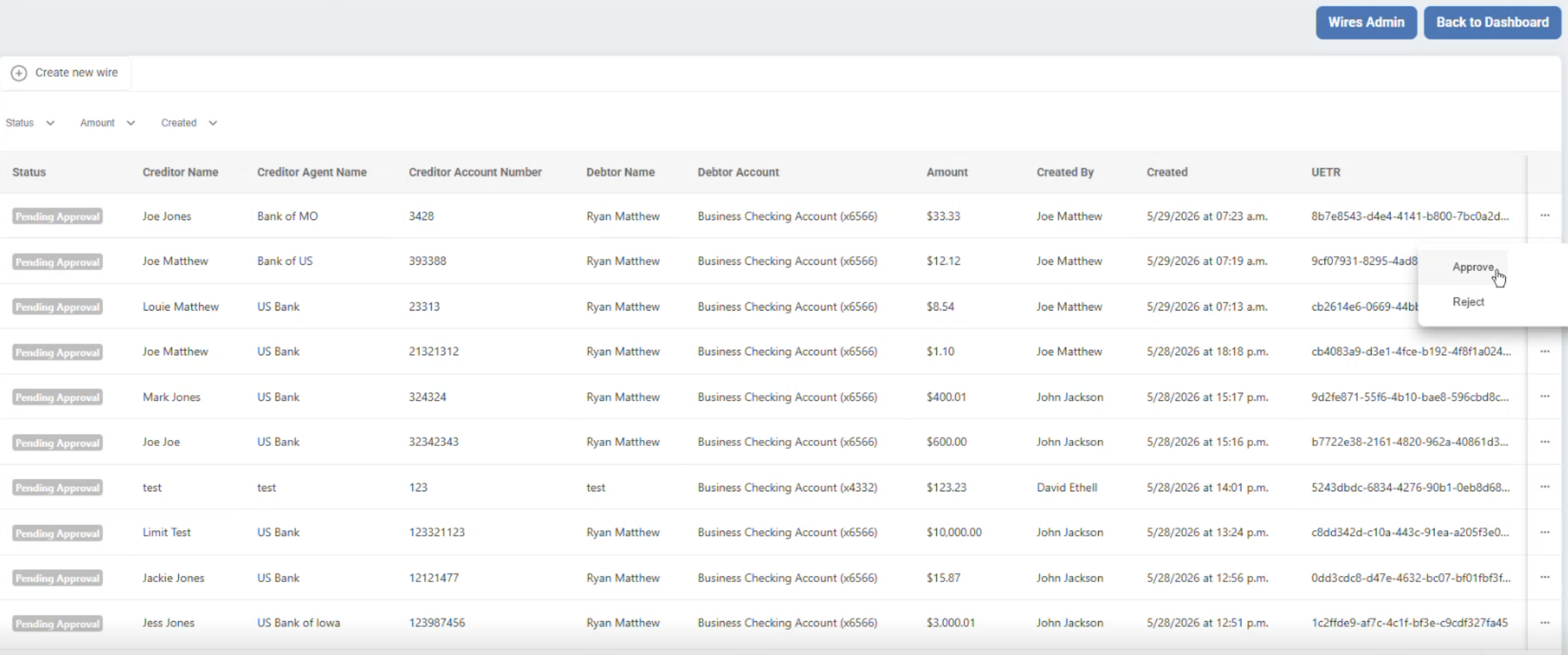
- Ellipsis: To the right of each wire listed on the dashboard is an ellipsis. End users can simply click the ellipsis and Approve or Reject will appear. After this, a pop-up will appear stating “Are you sure you want to Approve (or Reject) the Wire?” along with a comment box.
Statuses
JH Wires for Treasury Management has five statuses:
Pending Approval- A wire has yet to reach the required number of approvals to be processed.
Approved- A wire has received all required approvals.
Rejected- A wire has been rejected by either the end user or financial institution.
Processing- A wire has received the required number of approvals and is currently being processed.
Complete- A wire has successfully and fully processed
Company Users and Permissions Settings for Financial Institutions
A financial institution’s administrative users can access a company’s permission settings, such as enabling wires, within the Jack Henry Platform.
GRAPH (Groups, Relationships, and Permissions Hierarchy) is a backend system seamlessly integrated into the Jack Henry Platform interface that acts as the administrative control system for end user permissions within JH Wires for Treasury Management.
Enabling Wires
To initially enable wires and set parameters for a company, financial institutions can navigate to Treasury Management Back Office and then follow this path:
- Companies
- Select Company
- Wires Admin
- Users & permissions
- Role permissions
- Admin
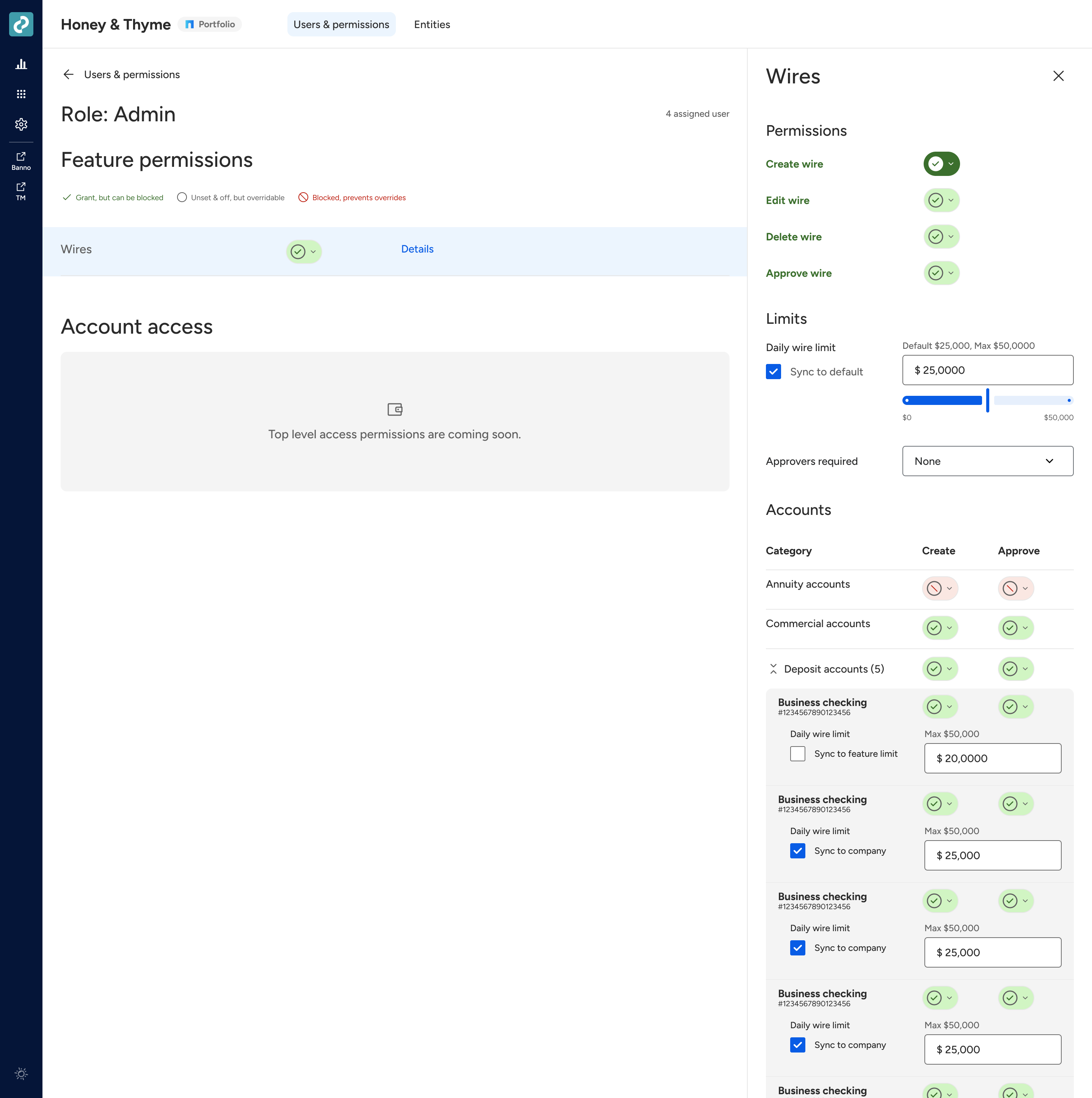
From there, to enable or disable the feature, toggle the switch next to wires.
After this, select details to apply various permissions for the admin role, including:
- Approve wire
- Create One Time Wire
- Create Wire Draft
- While Wire Drafts are currently unavailable on Wires for Treasury Management, the toggle is present so you can pre-set the permission once the Wire Draft feature is available.
- Daily Wire Limits
- Single Wire Limits
- Required Approvals
- Accounts (company access)
Adding Additional Roles
Standard roles include Admin and General, but there is the option to add additional roles to further control permissions. All roles can be found via:
- Jack Henry Platform
- Users & permissions
- Role permissions
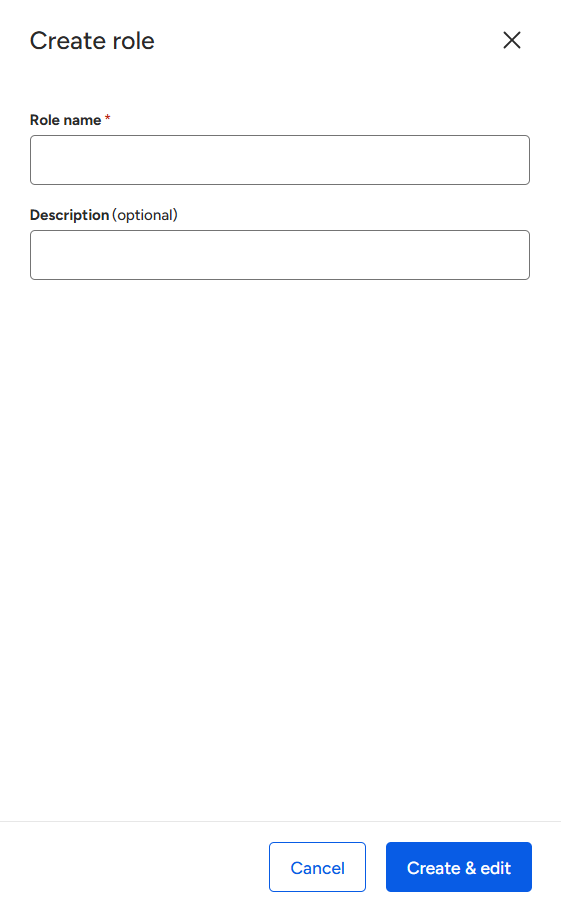
Financial institutions can easily create new company roles or groups beyond General and Admin by clicking the Create role button on the top left of the Users & permissions page in the Jack Henry Platform.
Permission Settings
Similar to enabling wires at the company level, financial institution representatives can create role-level permissions so that different users within a company can have differing levels of access. This is especially beneficial for high profile users at a company, like a CEO, who may prefer zero-approval wire workflows.
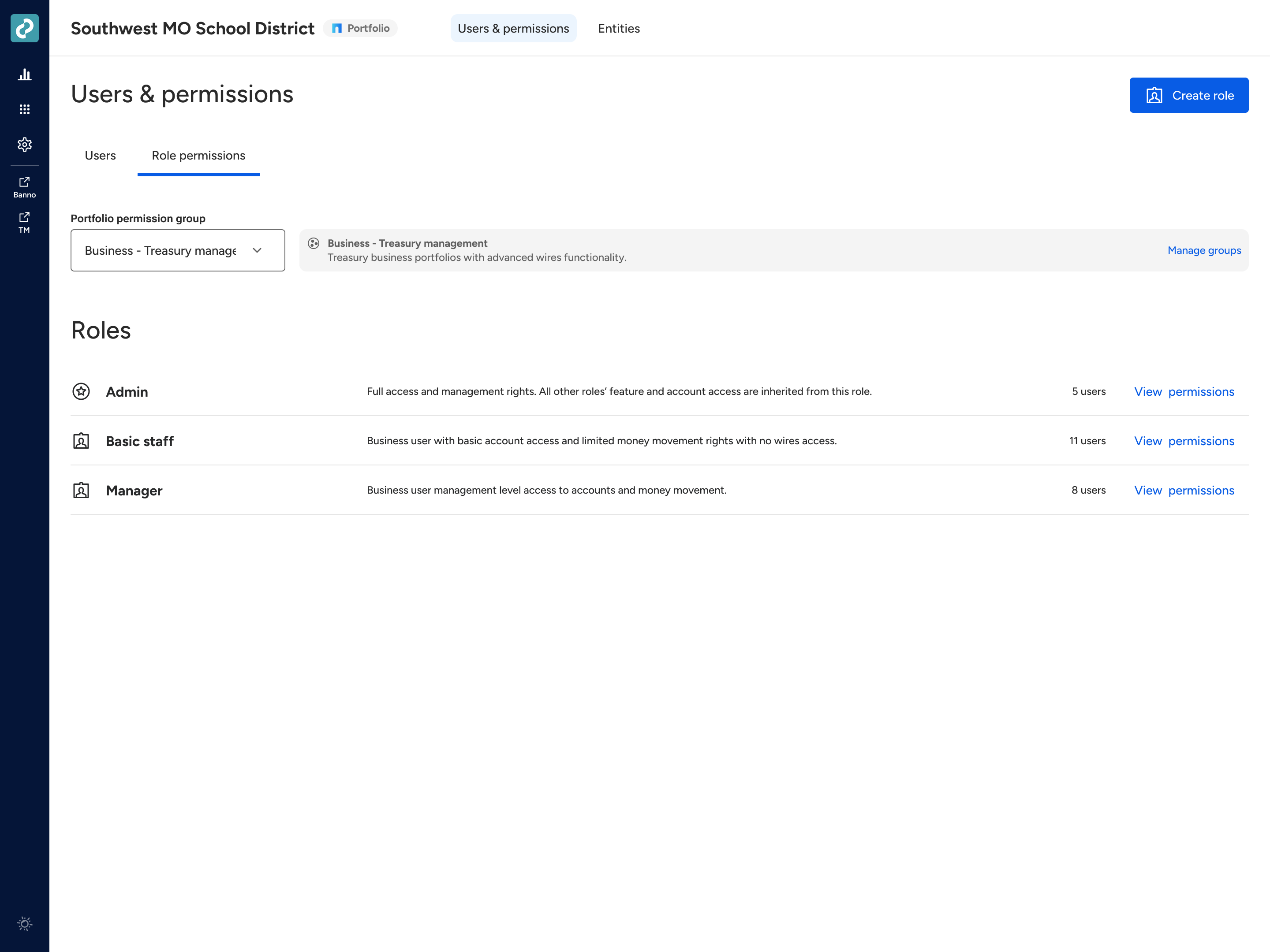
To modify permissions, click View permissions and edit the respective fields. Permissions available modify include:
- Ability to create wires but not approve them
- Lower wire limits compared to Admin
- Limited access to accounts
Assigning Roles and Inviting Users
Now that we’ve discovered enabling wires, creating roles, and toggling permission settings, the financial institution can now invite users and assign roles in the Jack Henry Platform.
- Jack Henry Platform*
- Users & permissions
- Users

There is a list of all users within a company and a drop down field to the right – users are automatically pulled into the Jack Henry Platform when added to Treasury Management. From here, financial institutions can select a user then assign the role they wish to grant them.
Enterprise Wire Settings
While a financial institution manages consumer wire settings in the Jack Henry Platform, enterprise settings are found directly in Jack Henry Wires. Financial institutions have the option to require anywhere from zero to three approvals – along with customized approval configurations for specific roles and users.
To access these settings, go to Jack Henry Wires then click the settings icon under the Wire approval option.
For a complete guide of all enterprise wire settings – like configuring approval rules – check out the Jack Henry Wires Setting page on our Knowledge Base.