Positive Pay - Issued Item Modification
Overview
End users can update an issued item without assistance from the financial institution. They can edit the check number, issued date, amount, or payee of an outstanding issued item. Additionally, end users can delete and void issued items in SilverLake by submitting the request from Treasury Management’s Issued Items Activity under the Positive Pay product.
Benefits
Benefits for Banks
- Bank does not have to spend time updating issued items on behalf of customers.
- Exposure to fraud is minimized.
- Self-service functionality results in reduced call volume for banks.
Benefits for Customers
- Customer can update issued items without assistance.
- Operational workload is minimized.
- There are fewer occurrences of duplicate issued items.
- The issued items reconciliation process is enhanced.
- Customer can update an issued item within Positive Pay Check Exceptions.
Positive Pay Product Feature Configuration in Back Office
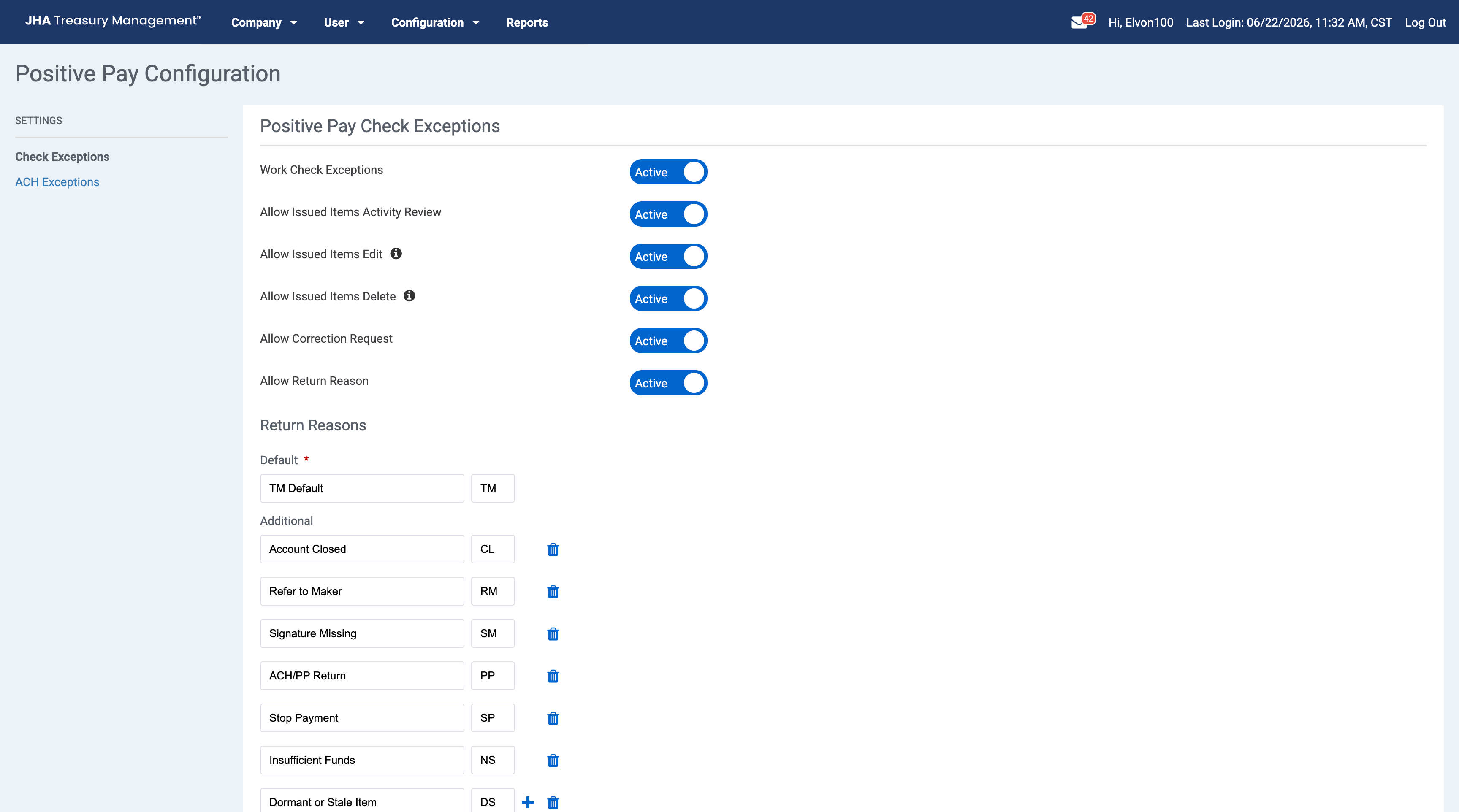
Allow Issued Items Edit: When set to Active, end users can edit the check number, issued date, amount, or payee of an outstanding issued item.
Allow Issued Items Delete: When set to Active, end users can delete an outstanding issued item. The item will be deleted from SilverLake but remain visible in Treasury Management with a deleted status.
Positive Pay Company Configuration in Back Office
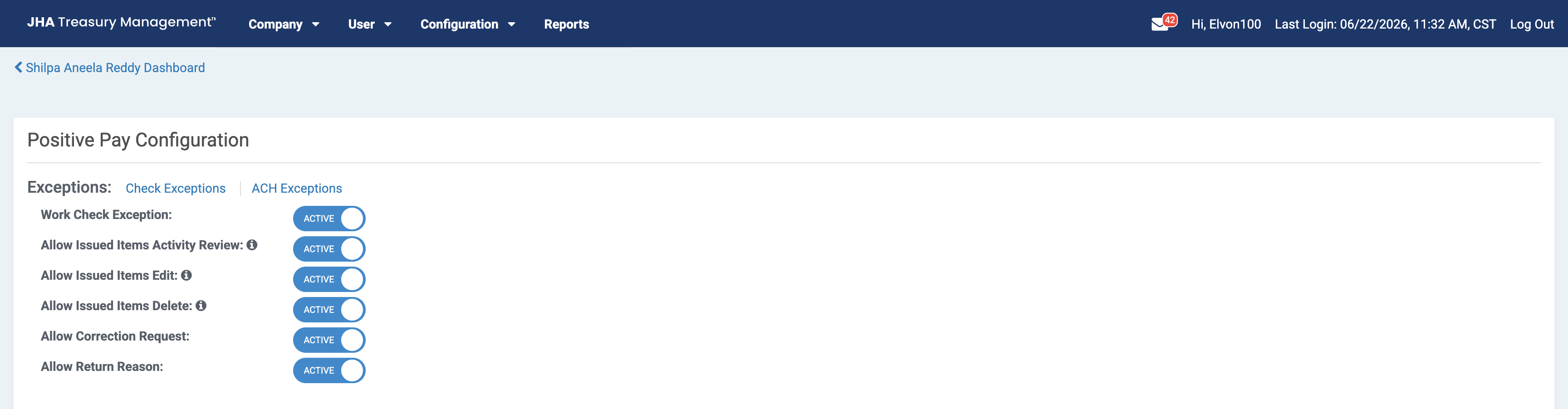
Allow Issued Items Edit: When set to Active, end users can edit the check number, issued date, amount, or payee of an outstanding issued item.
Allow Issued Items Delete: When set to Active, end users can delete an outstanding issued item. The item will be deleted from SilverLake but remain visible in Treasury Management with a deleted status.
Positive Pay Company User Entitlement in Back Office
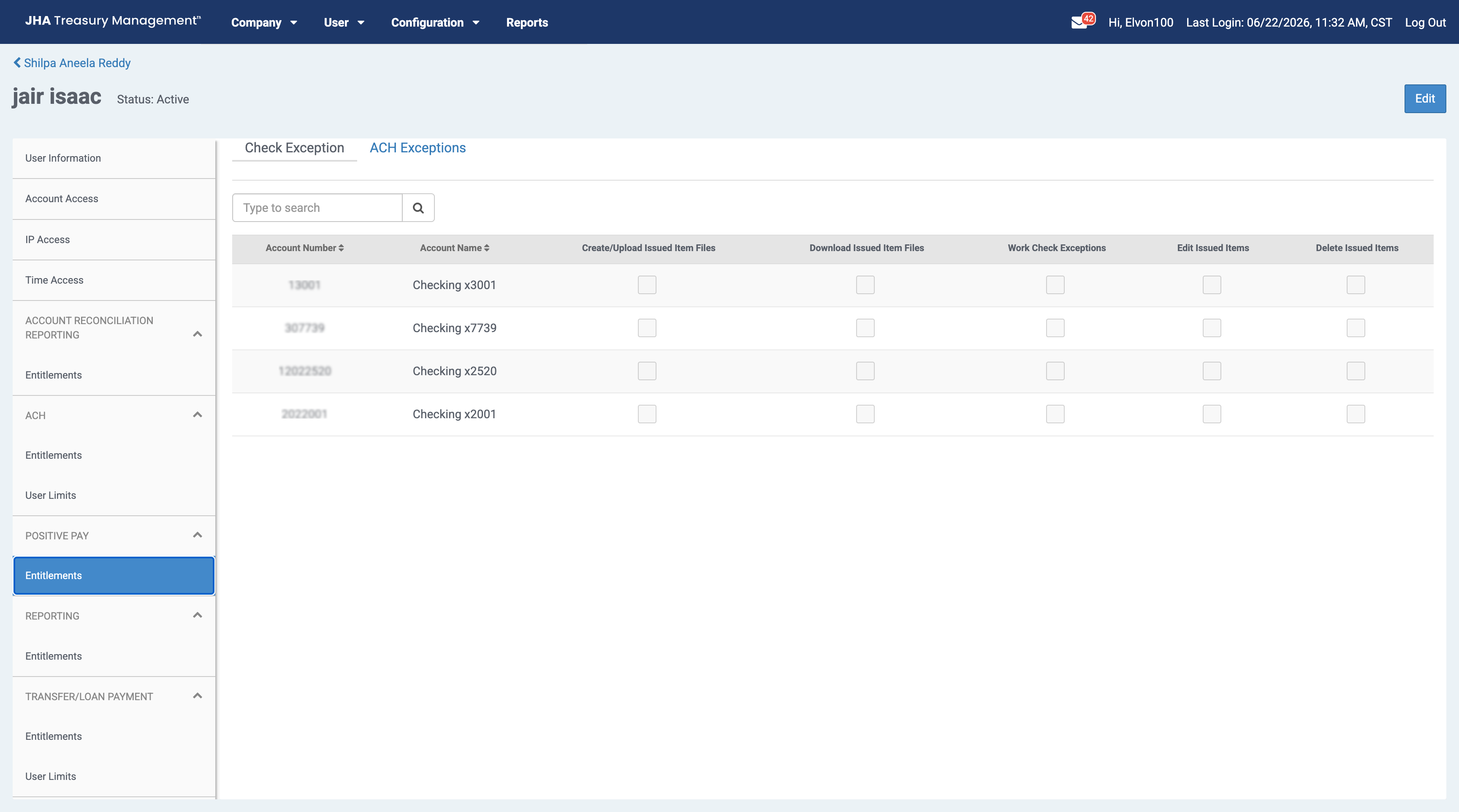
Edit Issued Items: When selected, the edit option will be available in the issued item activity’s Action menu where the end user will be able to edit the check number, issued date, amount, or payee of an outstanding issued item. If the end user also has Work ARP Exceptions selected, they can edit an issued item in the Check Exceptions detail view.
Delete Issued Items: When selected, the delete option will be available in the issued item activity’s Action menu where the end user will be able to delete an outstanding issued item.
End User Access - Issued Items Activity
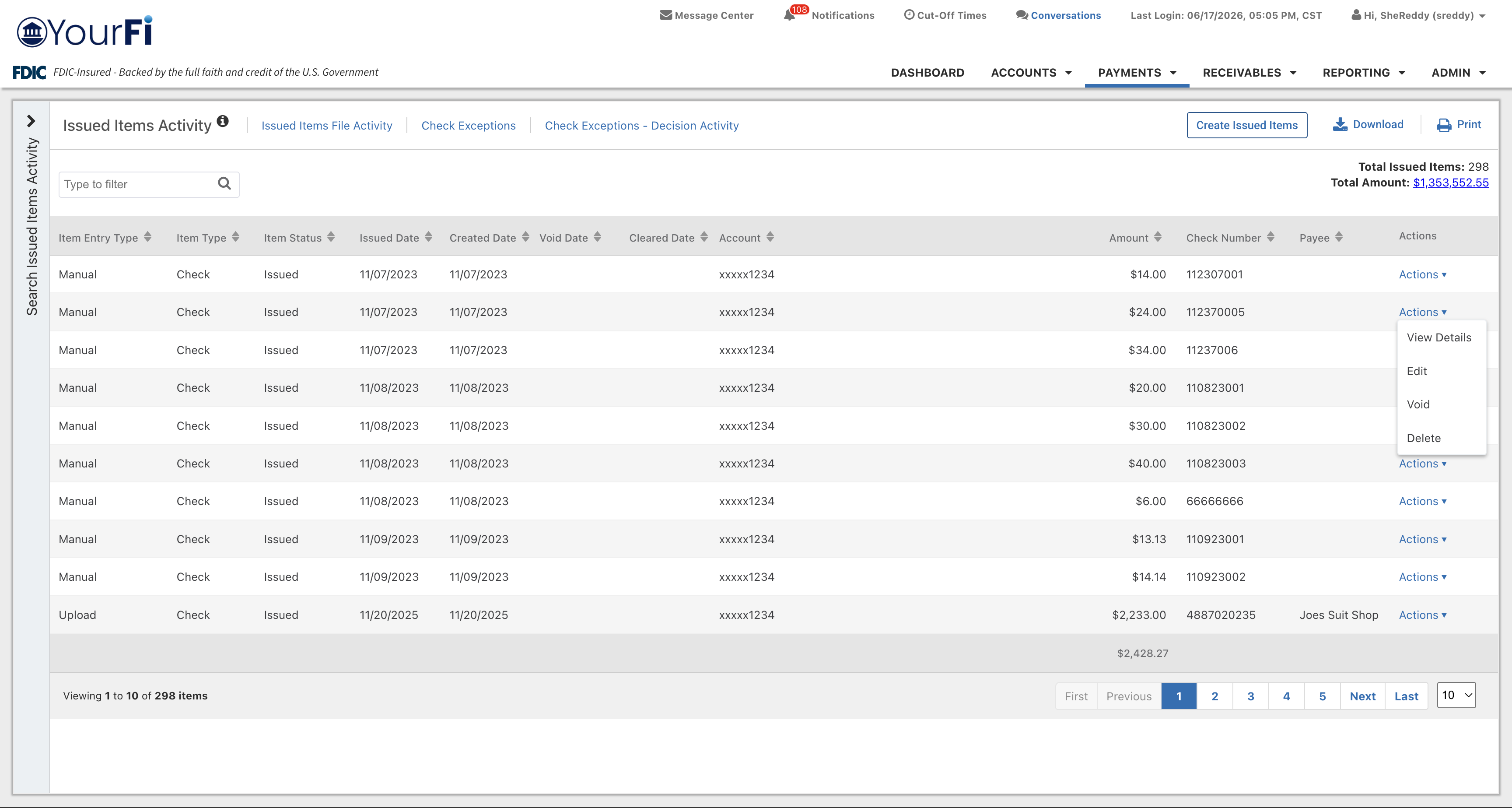
Once the appropriate entitlements have been granted, the end user can navigate to
- Payments
- Positive Pay
- Issued Items Activity
and see several options on the Actions menu.
View Details
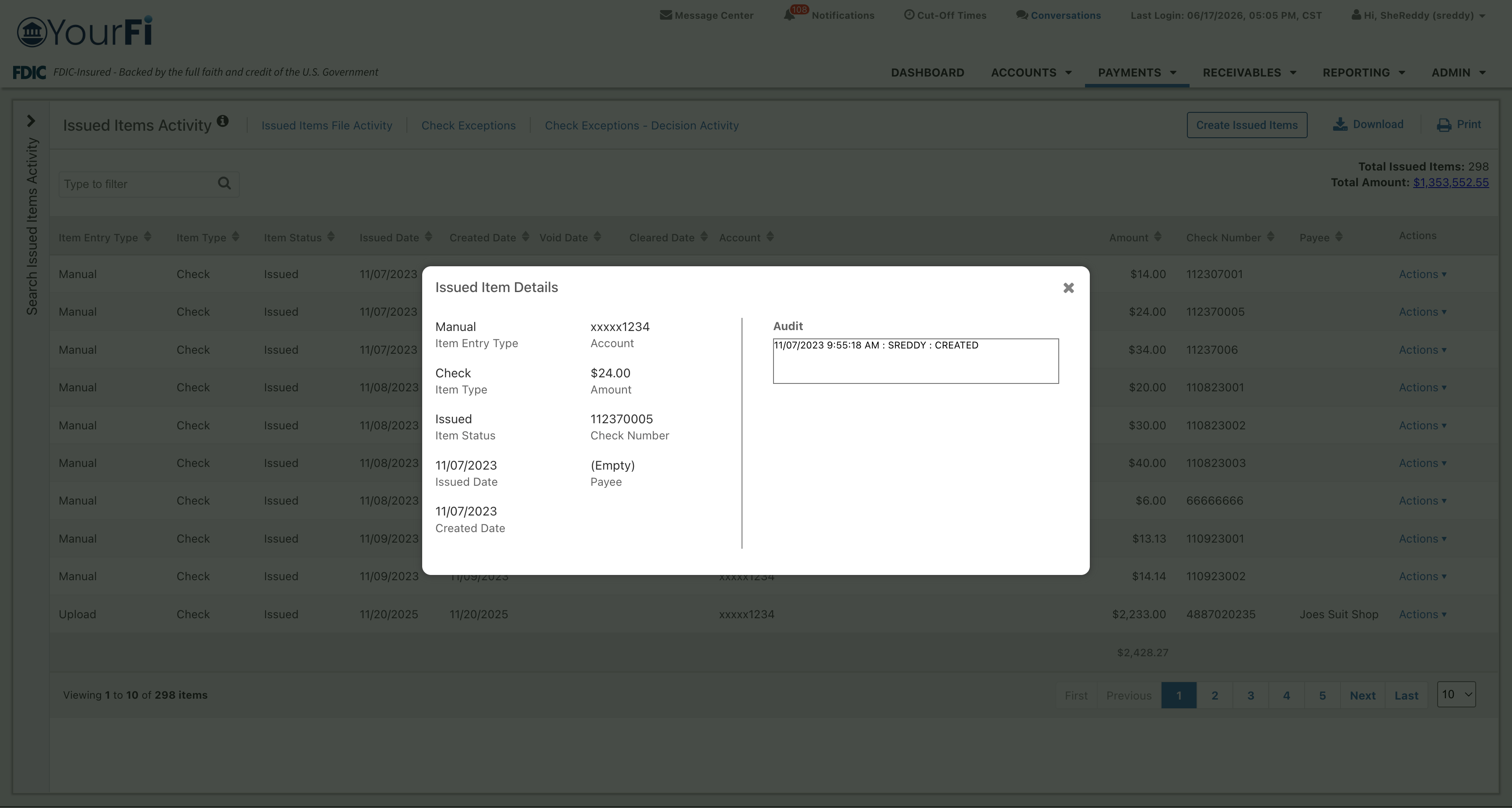
Select View Details from the Actions menu to view additional information, such as the audit trail data.
Edit
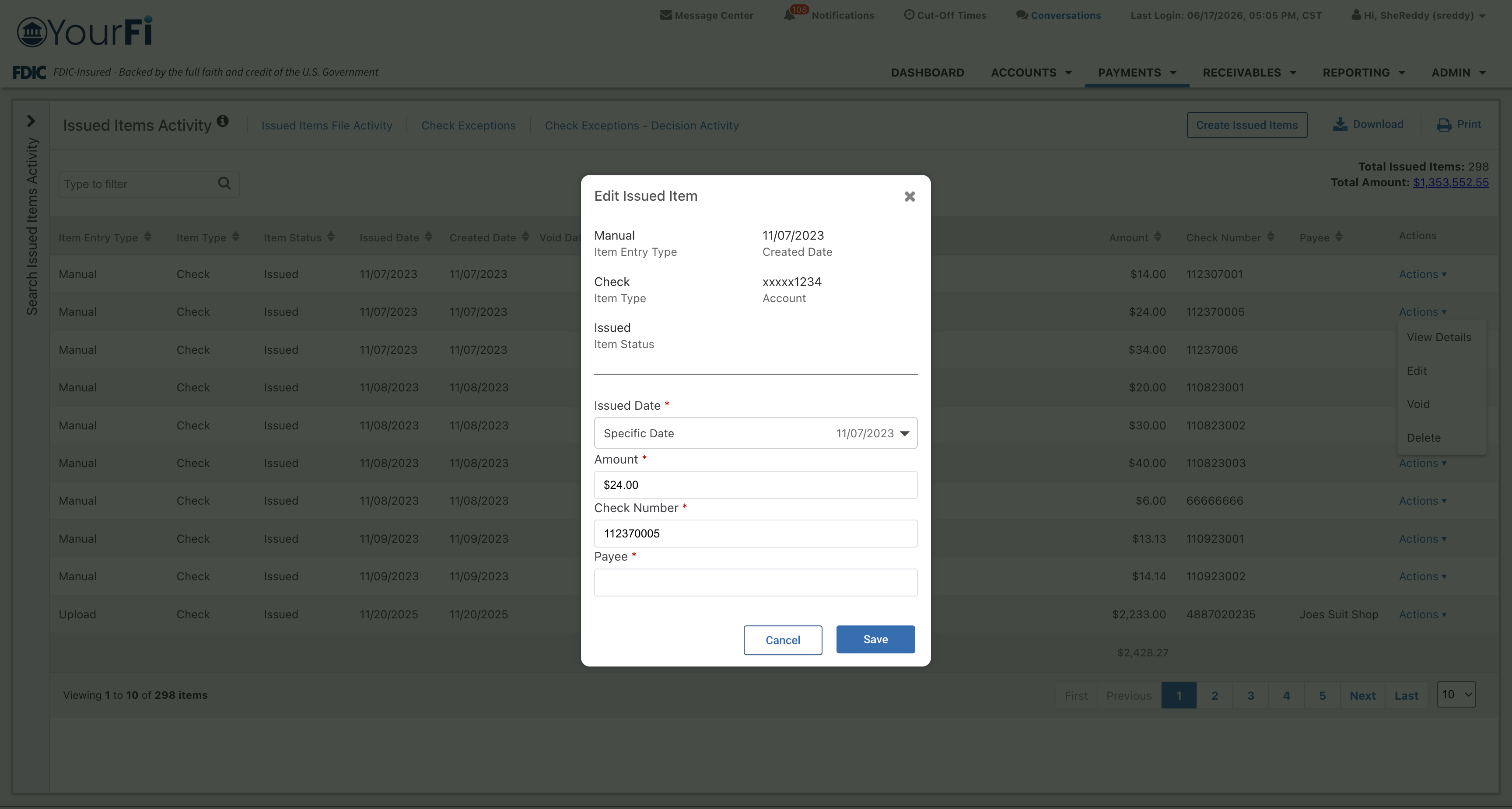
Select Edit from the Actions menu to edit:
- Issued Date
- Amount
- Check Number
- Payee
Select Save to update the changes or Cancel to return to the activity page.
Void
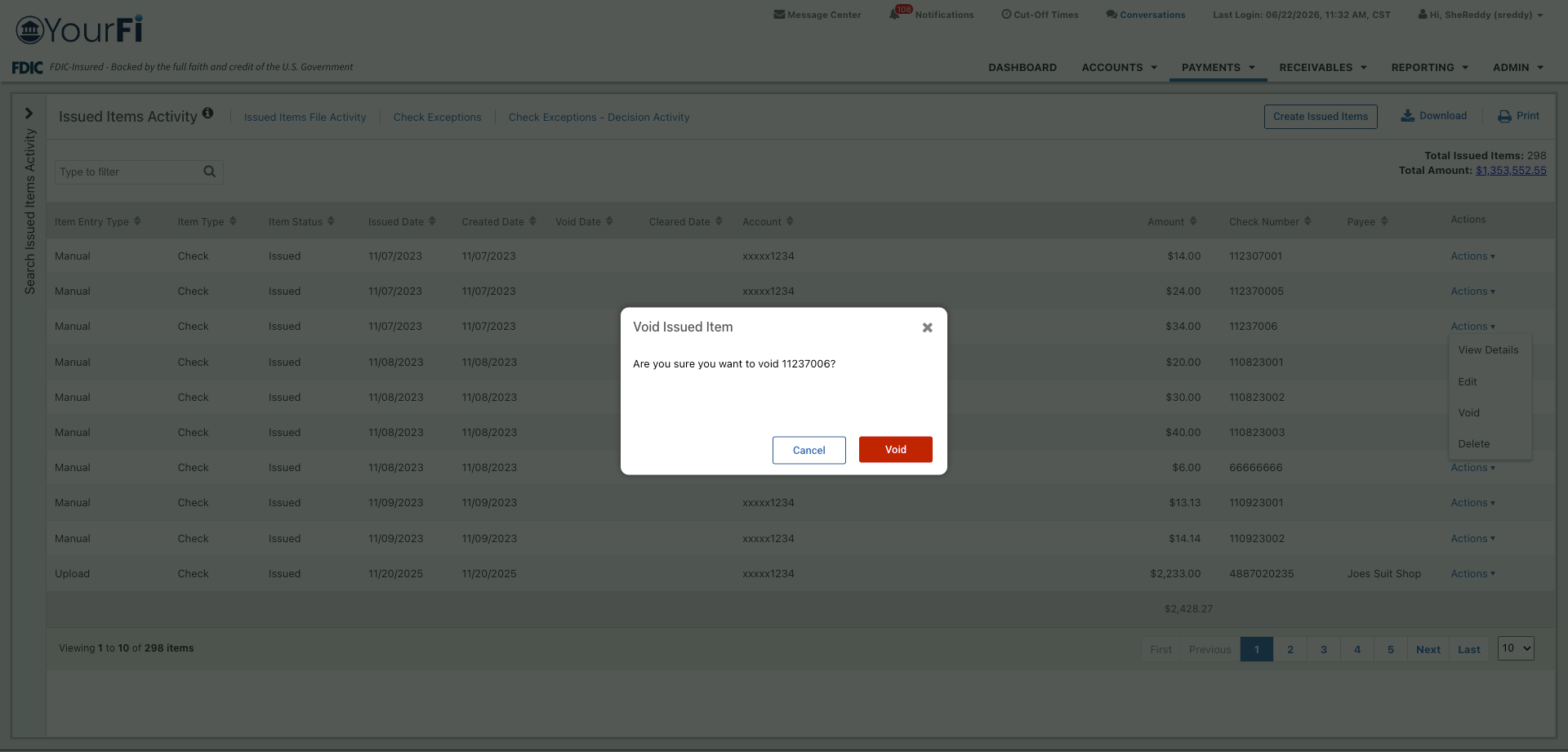
Select Void from the Actions menu to void an issued item.
Selecting Void in the confirmation message voids the item in SilverLake. The item will remain in Treasury Management Issued Items Activity with a void status.
Delete
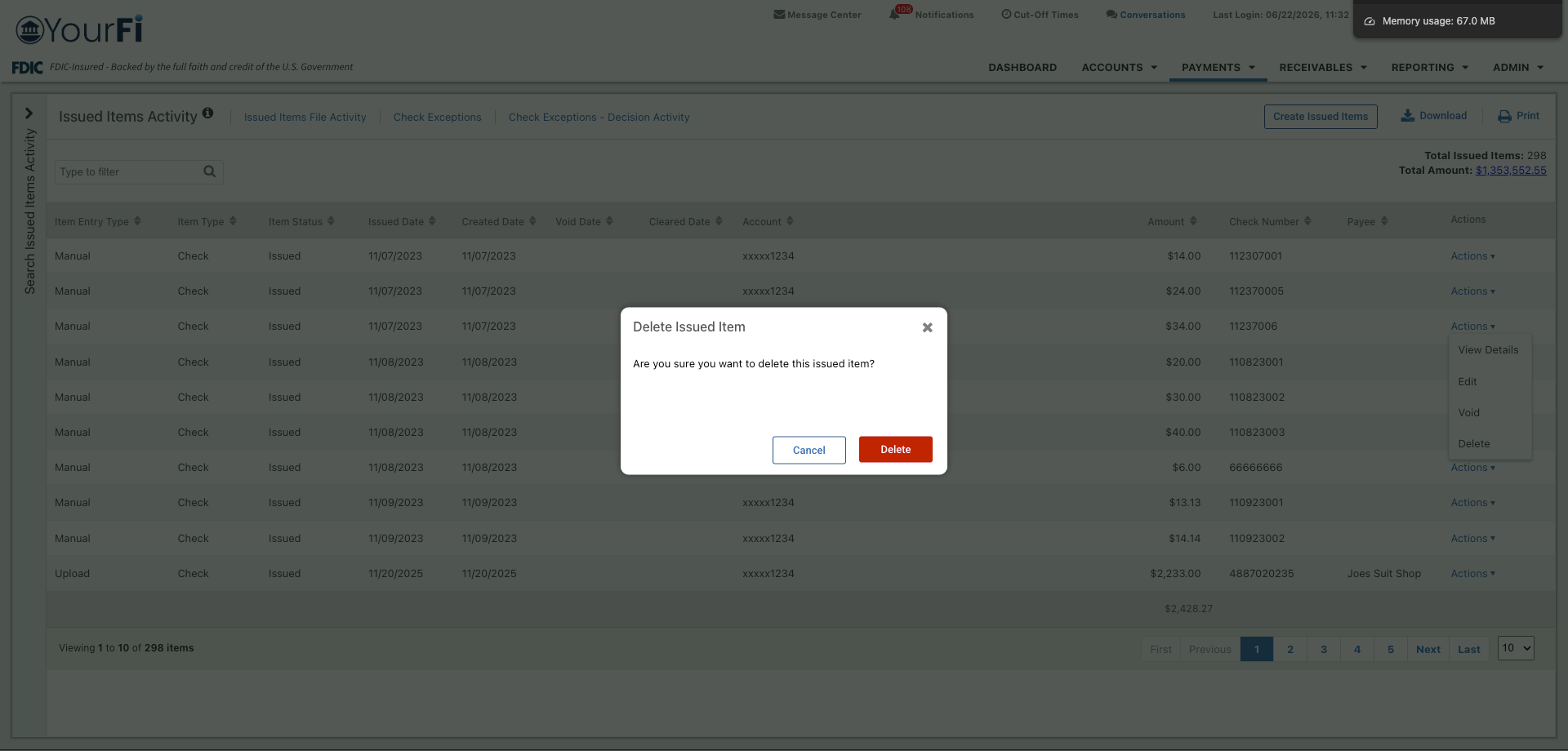
Select Delete from the Actions menu to delete an issued item.
Selecting Delete in the confirmation message deletes the item in SilverLake. The item will remain in Treasury Management Issued Items Activity with a deleted status.
End User Access - Check Exceptions
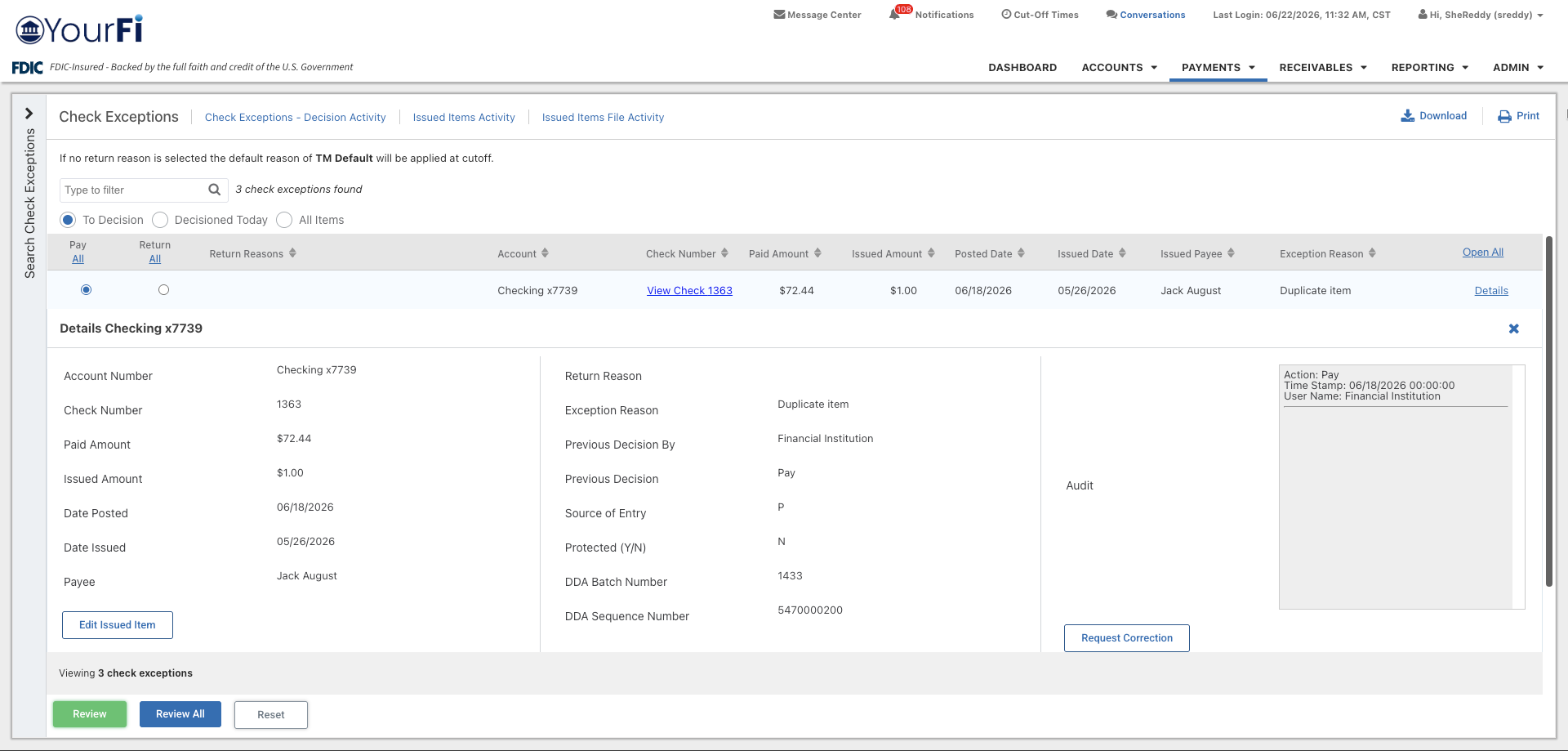
In the Check Exceptions detail view, select Edit Issued Item to edit:
- Issued Date
- Amount
- Check Number
- Payee
Info icon message: The edits made to the issued item will only be reflected in positive pay issued item activity.
Admin User List - Positive Pay Entitlements
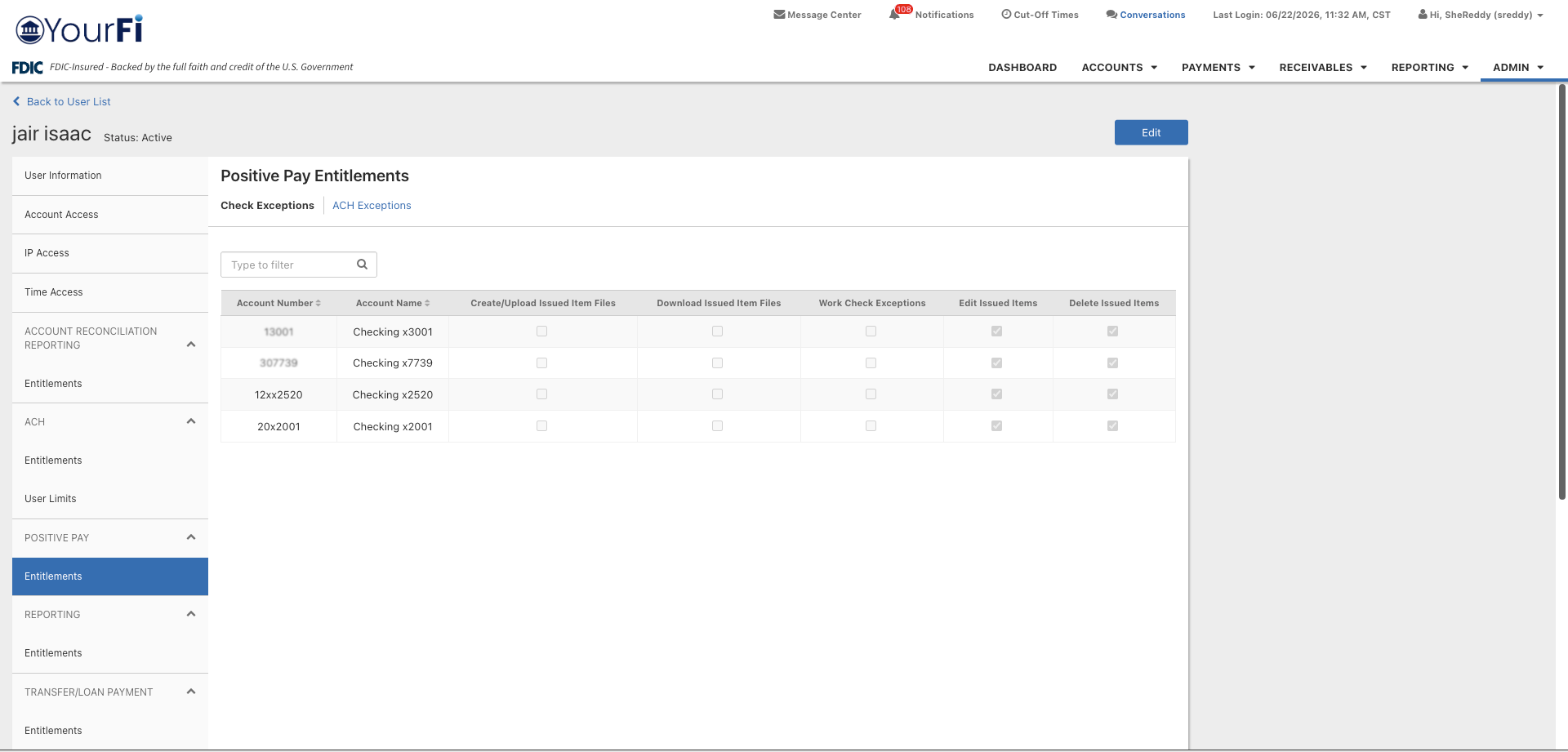
Edit Issued Items: When selected, the edit option will be available in the issued item activity’s Action menu where the end user will be able to edit the check number, issued date, amount, or payee of an outstanding issued item. If the end user also has Work ARP Exceptions selected, they can edit an issued item in the Check Exceptions detail view.
Delete Issued Items: When selected, the delete option will be available in the issued item activity’s Action menu where the end user will be able to delete an outstanding issued item.