ACH Prefunding
Overview
ACH Prefunding is the requirement or ability to ensure funds are available in advance to pay and process credit origination. Central to this workflow is a real-time account balance validation step that systematically checks the customer’s account balance prior to payment initiation.
Benefits
Benefits for Banks
- Enhancement risk management
- Increased opportunity for funds availability
- Support reduction
- Suspension reduction
Benefits for Customers
- Decreased risk of funds not being available for payroll files
- Allowance for immediate reaction
- Protect critical deadlines
Configuration
SilverLake ACH Company Configuration
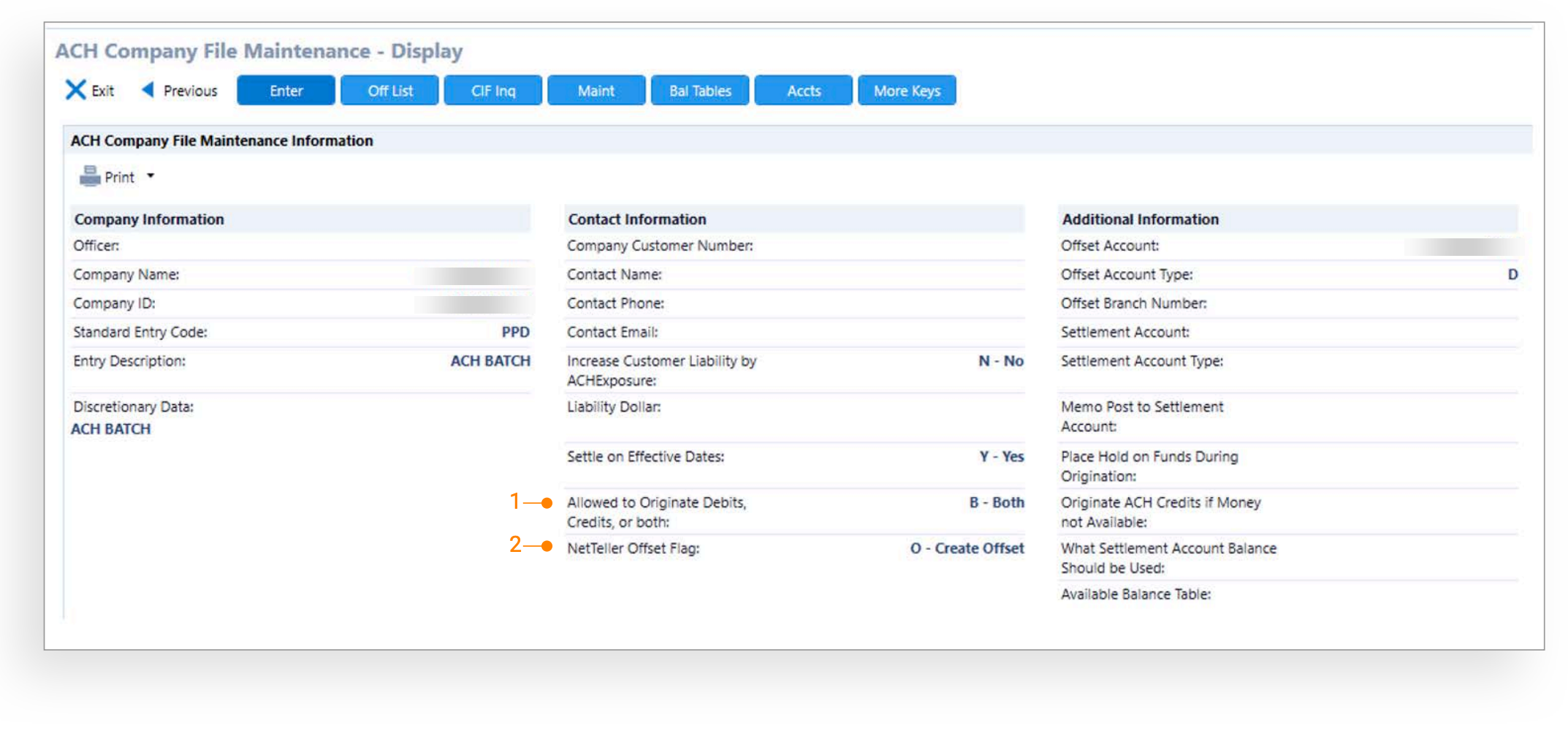
1. Allowed to Originate Debits, Credits, or Both: Allowed to Originate Debits, Credits, or Both needs to be configured for either Credits Only or Both
2. NetTeller Offset Flag: NetTeller Offset Flag will need to be configured to O – Create Offset for Treasury Management customers. This feature is utilized by multiple digital platforms. There is no dependency for NetTeller for Treasury Management customers.
Treasury Management Back Office Financial Institution Configuration

Financial Institution ACH Configuration
- Allow Balance Validation (Prefunding)
- Balance Validation Type: Available, Collected or Current
- Optional Balance Table to be used with Available
Treasury Management Back Office Company ACH Configuration
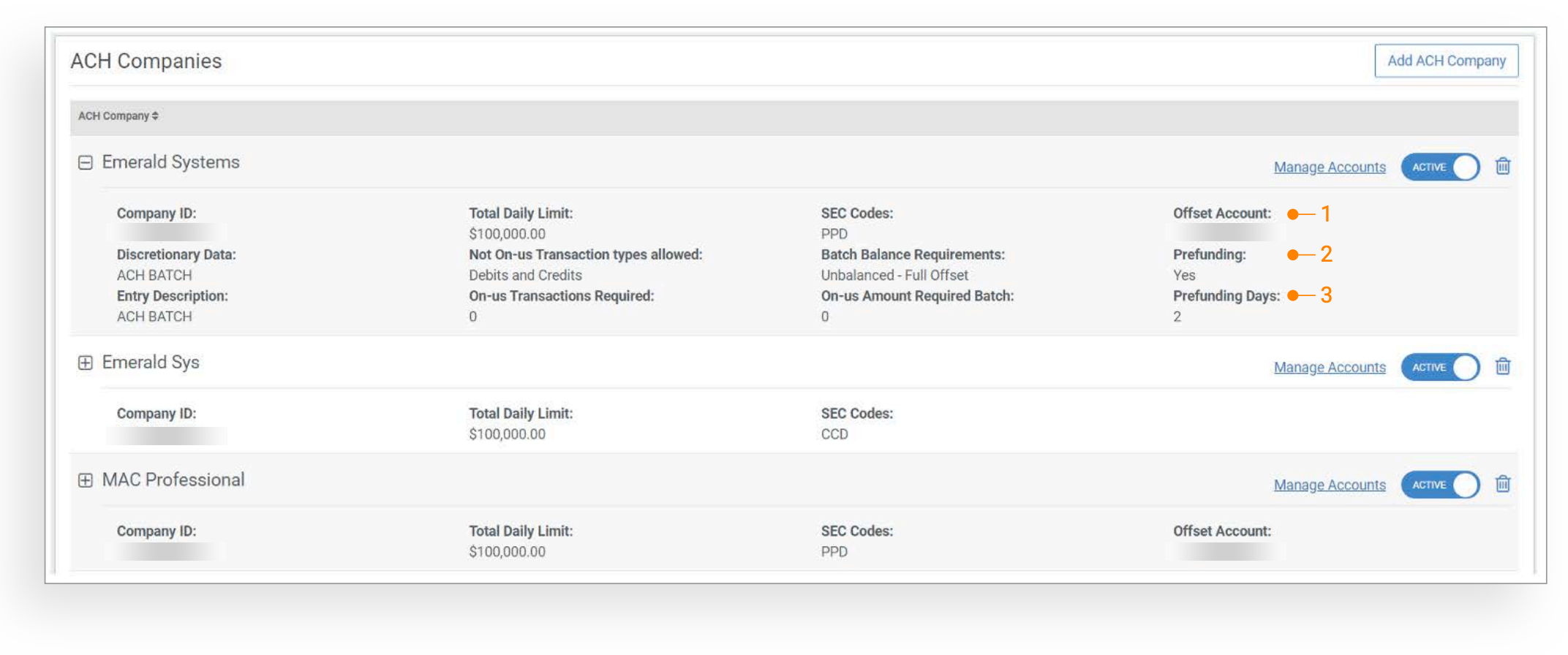
Company ACH Configuration
- Offset Account
- Prefunding - Yes
- Prefunding Days
Offset Account on Review Progression
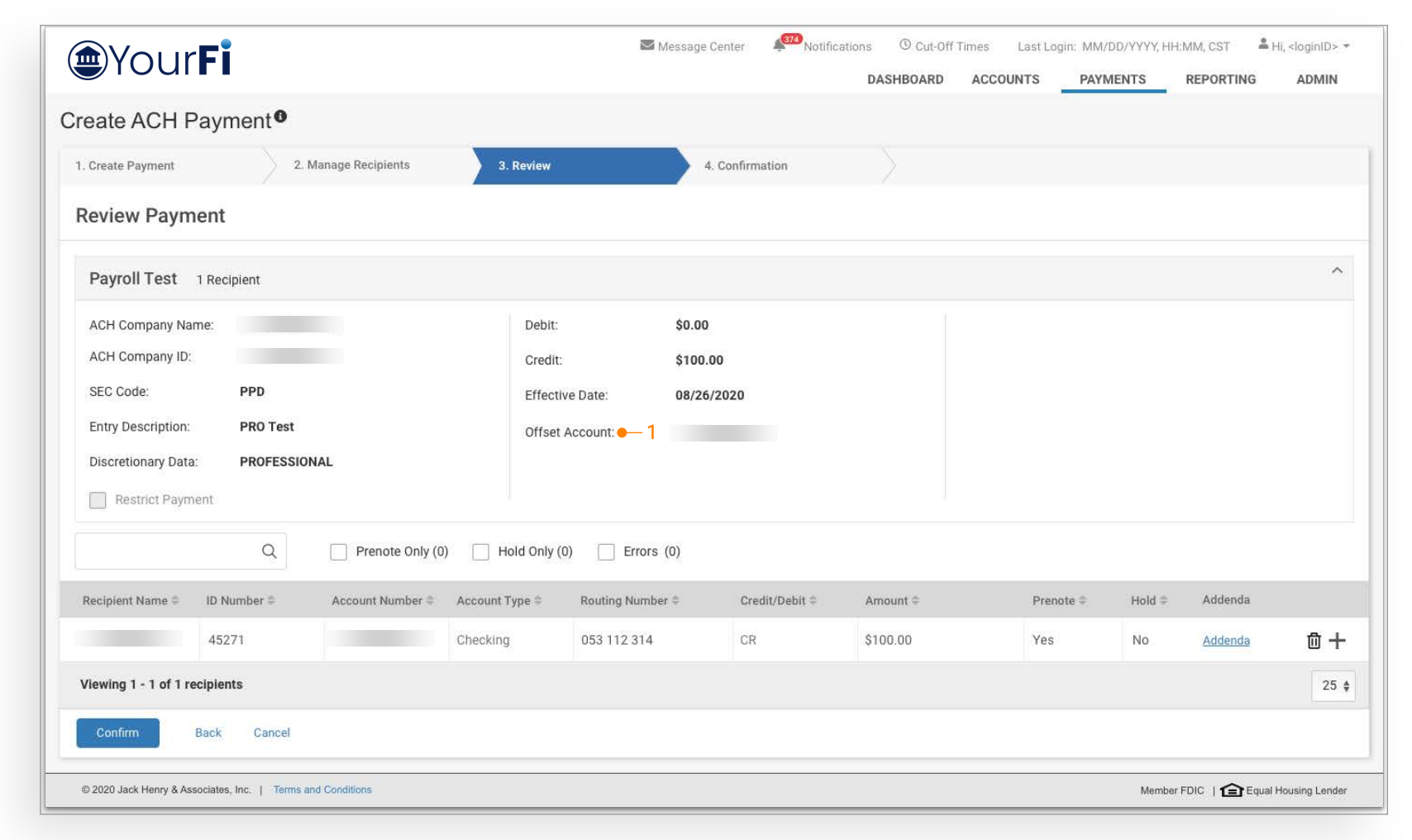
User Action: With this enhancement, the offset account entry functionality has been moved to the Review tab for all ACH payment workflows. Customers entering or uploading credit origination files for an ACH company enabled for prefunding will no longer be able to select their offset account; it will prefill based on the offset account that is setup in SilverLake within ACH company maintenance for that ACH company.
Credit origination files will be transmitted to SilverLake upon final approval based on the number of prefunding days configured in advance of the effective date.
Important Information
- Only one offset account will be utilized for prefunded payments. Users will not have the option to select which account they want the offset to generate from. The offset account that will be utilized is the Offset Account/Account Type that is configured in the ACH company parameters within SilverLake on the first page of the ACH company setup.
- Only the credit transactions part of the payment will be transmitted to SilverLake. The offset transaction will not be transmitted from Treasury Management to SilverLake; the offset entry will occur within SilverLake.
- For previously scheduled payments, prefunding will not apply, if prefunding is needed, users must cancel their future dated or recurring payments and recreate.
Account Balance Validation

-
Payment Failed Indication - Payment Creation

-
Payment Failed Indication - Payment Activity

Important Information
- Account balance validation will be performed when the transaction is initiated to SilverLake.
- If a transaction is created and does not meet prefunding days in advance to the effective date, the transaction will be stopped and an account balance validation will be performed prior to initiation.
- If a transaction is scheduled, based on the number of prefunding days in advance of the effective date, the scheduler will run a balance validation prior to initiation.
- Failed notifications will be submitted to customers in the event transactions fail for insufficient funds.