Quick Reference Guide: Loan Payments
This Quick Reference Guide is designed to help financial institutions and their commercial clients manage and execute loan payments within the Treasury Management platform. Loan payments are integrated into the Transfer module and can be accessed via the PAYMENTS/TRANSFERS navigation menu.
Configuration
The platform allows for granular control at both financial institution and company levels to ensure compliance and risk management.
| Feature | Description | Configuration Level |
|---|---|---|
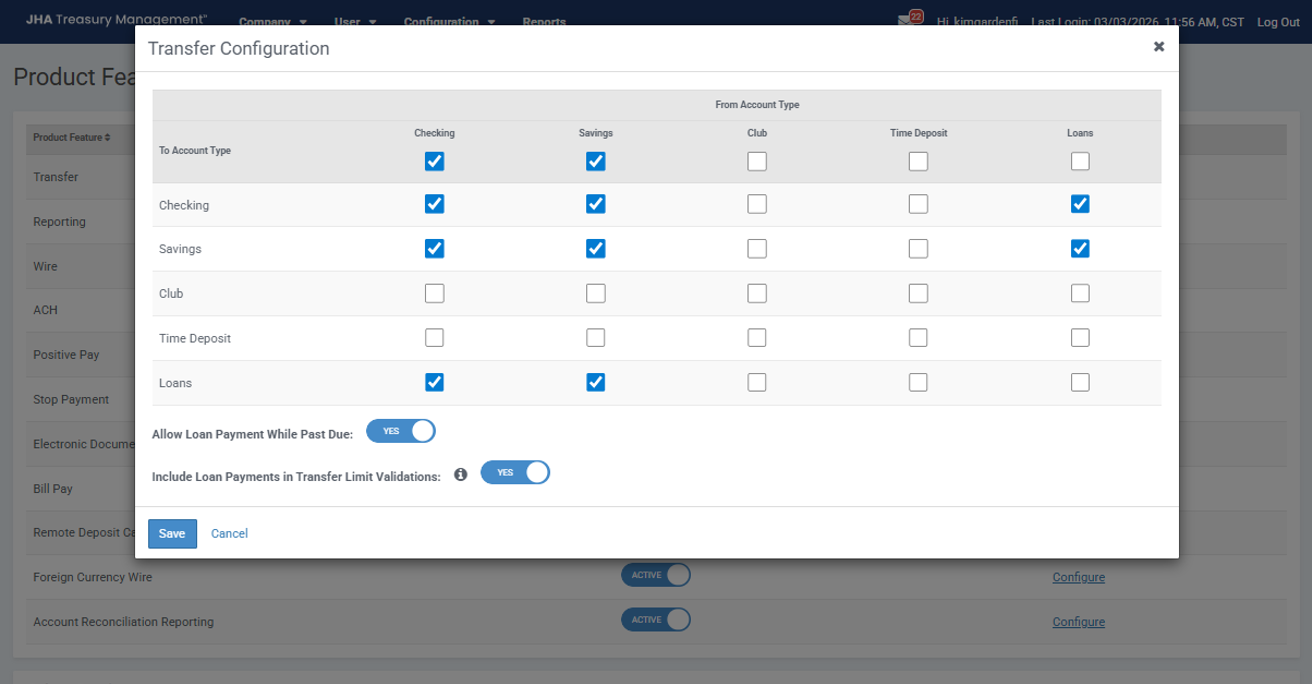
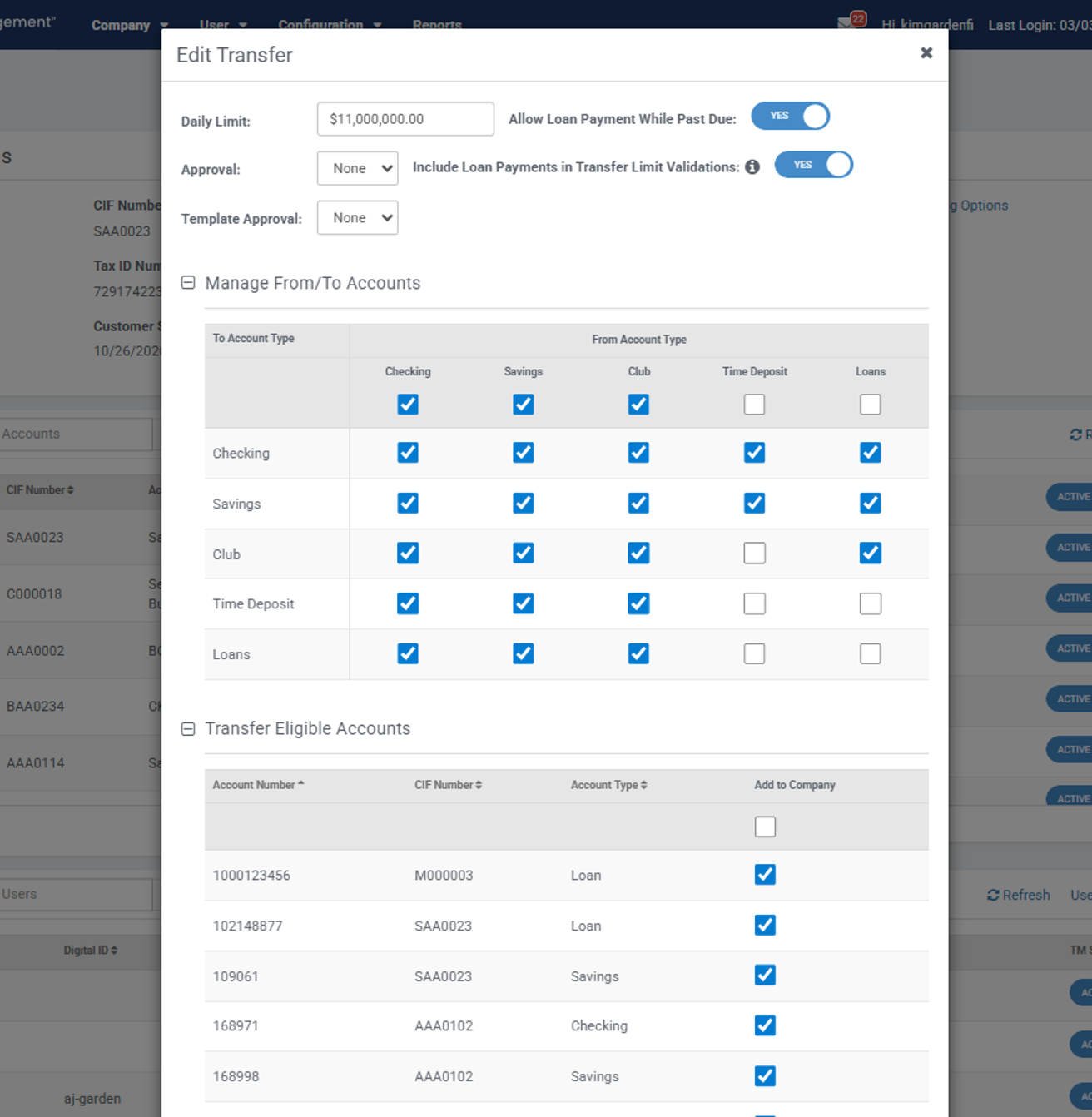
| Allow Past Due | Determines if the system permits payments on loans that are currently past due. | Financial institution and company |
| Transfer Limit Validation | Option to include loan payments in the total daily transfer limit calculations. | Financial institution and company |
| Management of To/From Account Types | Allows financial institution and company to determine which account types they will allow transfers from and to | Financial institution and company |
| Approval Workflow | Companies can require None, 1, 2, or 3 approvals before a payment is processed | Company |
| Daily Limits | Company-defined caps on the total dollar volume of transfers (includes loan payments unless configuration is set to not include) | Company |
| Transfer Eligible Accounts | Allows company to determine which accounts will allow transfer activity | Company |
Company User Limits
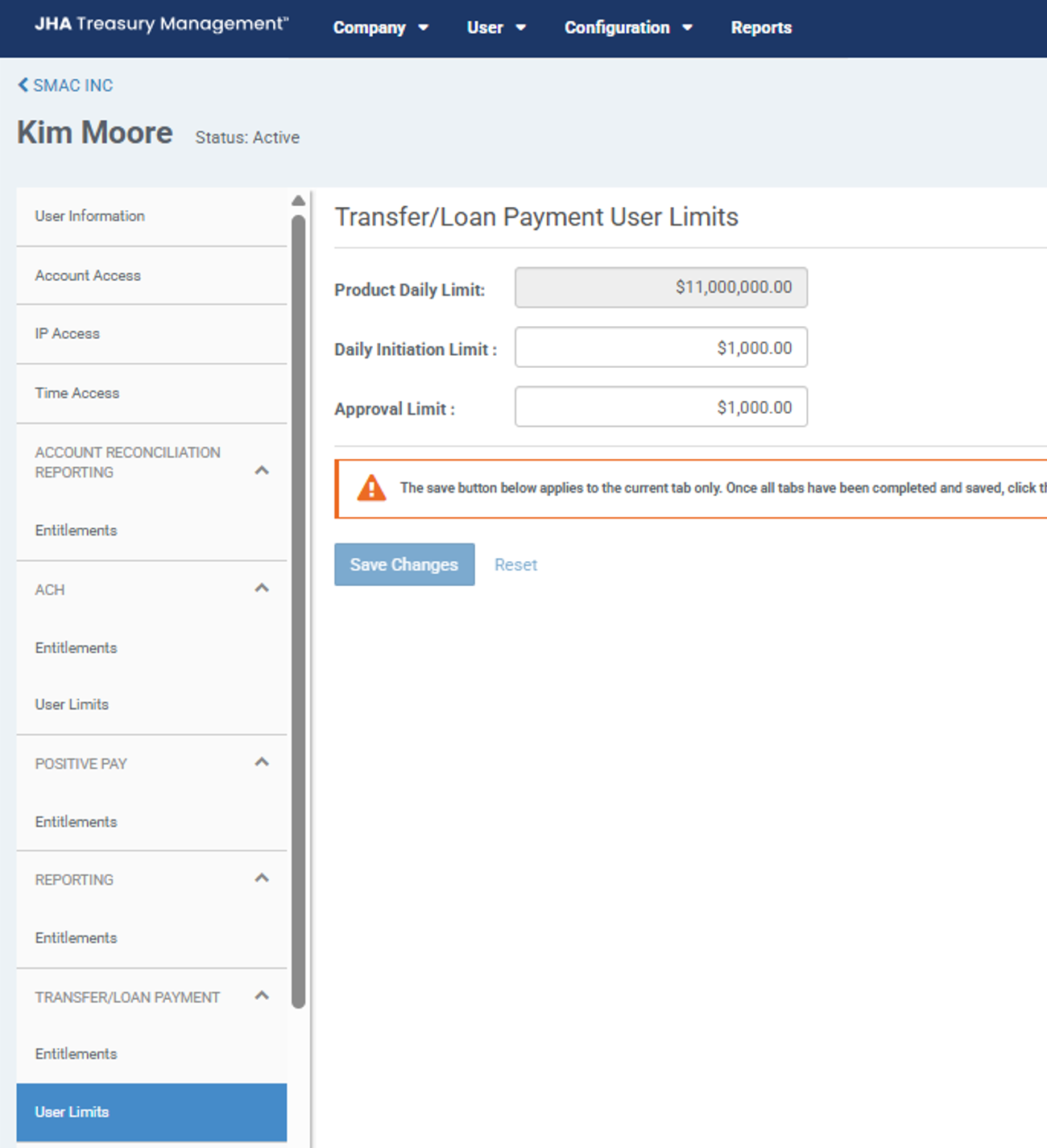
Administrator users can set specific daily caps for individual staff members:
- Product Daily Limit: Defaulted from company level - this cannot be updated.
- Daily Initiation Limit: The maximum dollar for the user in a single day (includes loan payments unless configuration is set to not include).
- Approval Limit: The maximum dollar amount a user is authorized to approve in a single day.
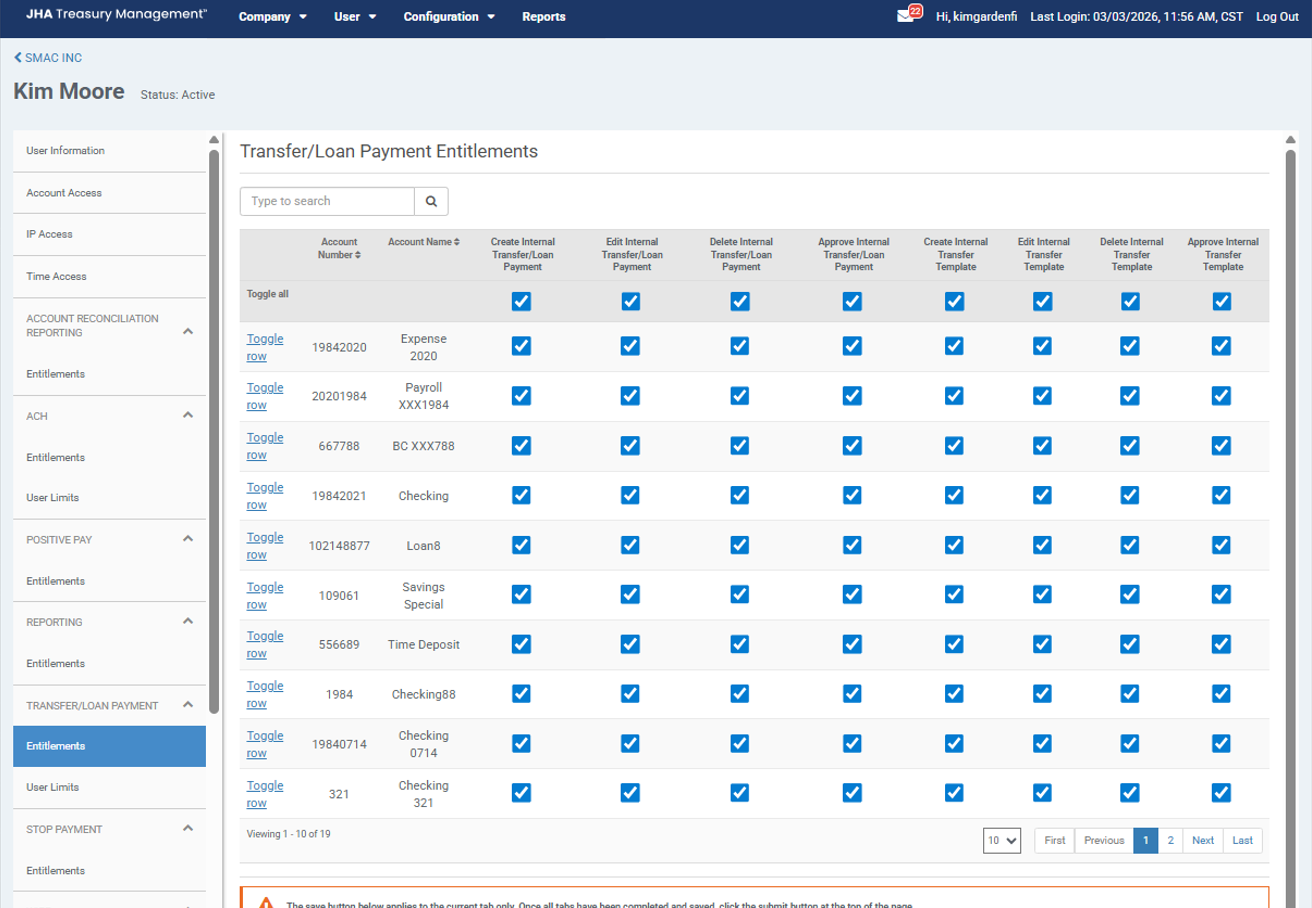
Company User Entitlements
Administrator users can set specific entitlements for individual company users:
- Create Internal Transfer/Loan Payment: Allows users to create transfers from the accounts selected.
- Edit Internal Transfer/Loan Payment: Allows users to edit transfers from the accounts selected.
- Delete Internal Transfer/Loan Payments: Allows user to delete a transfer from the accounts selected.
- Approve Internal Transfer/Loan Payment: Allows users to approve a transfer from the selected accounts if it is within their approval limit.
Authentication and Security
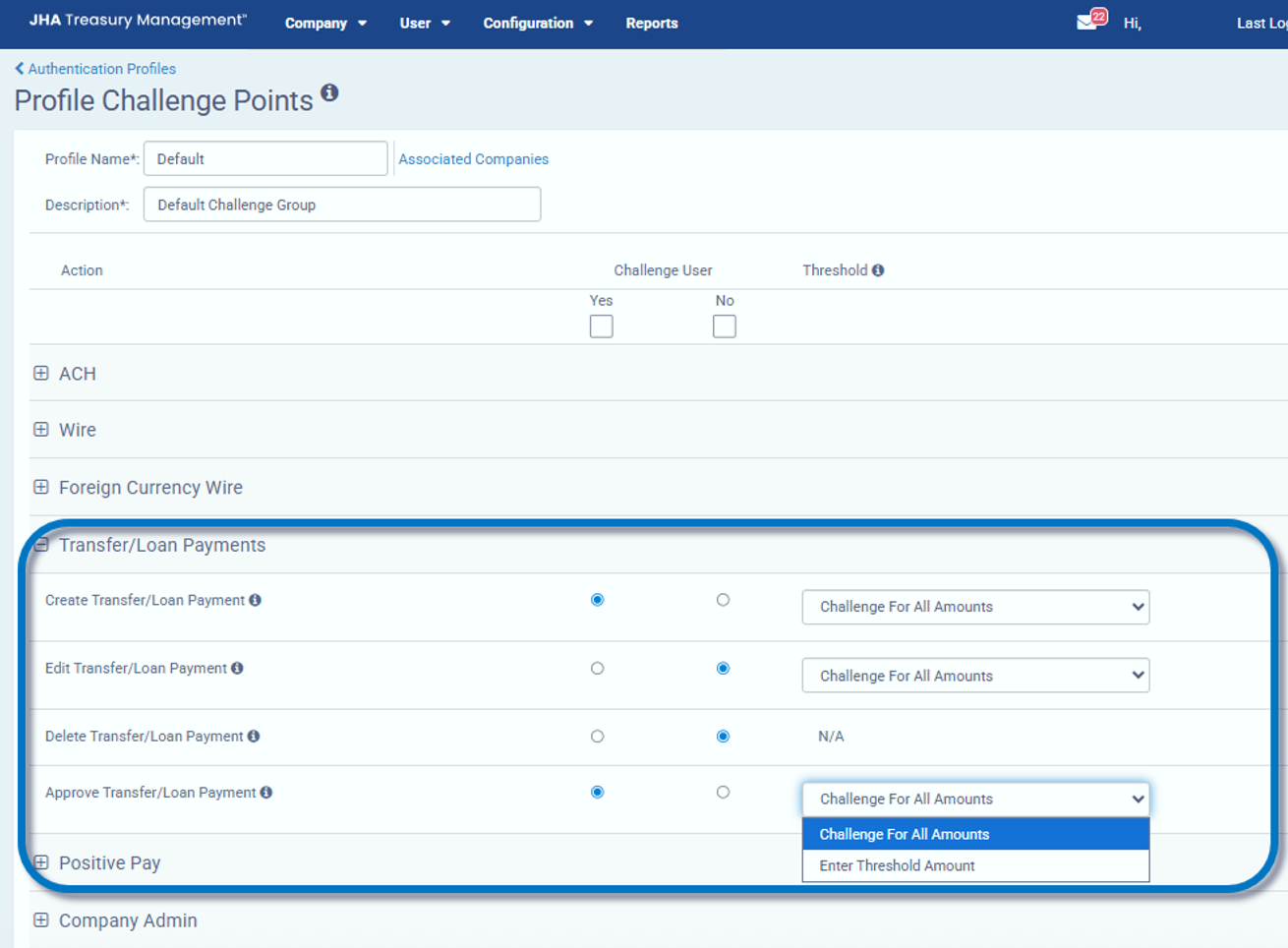
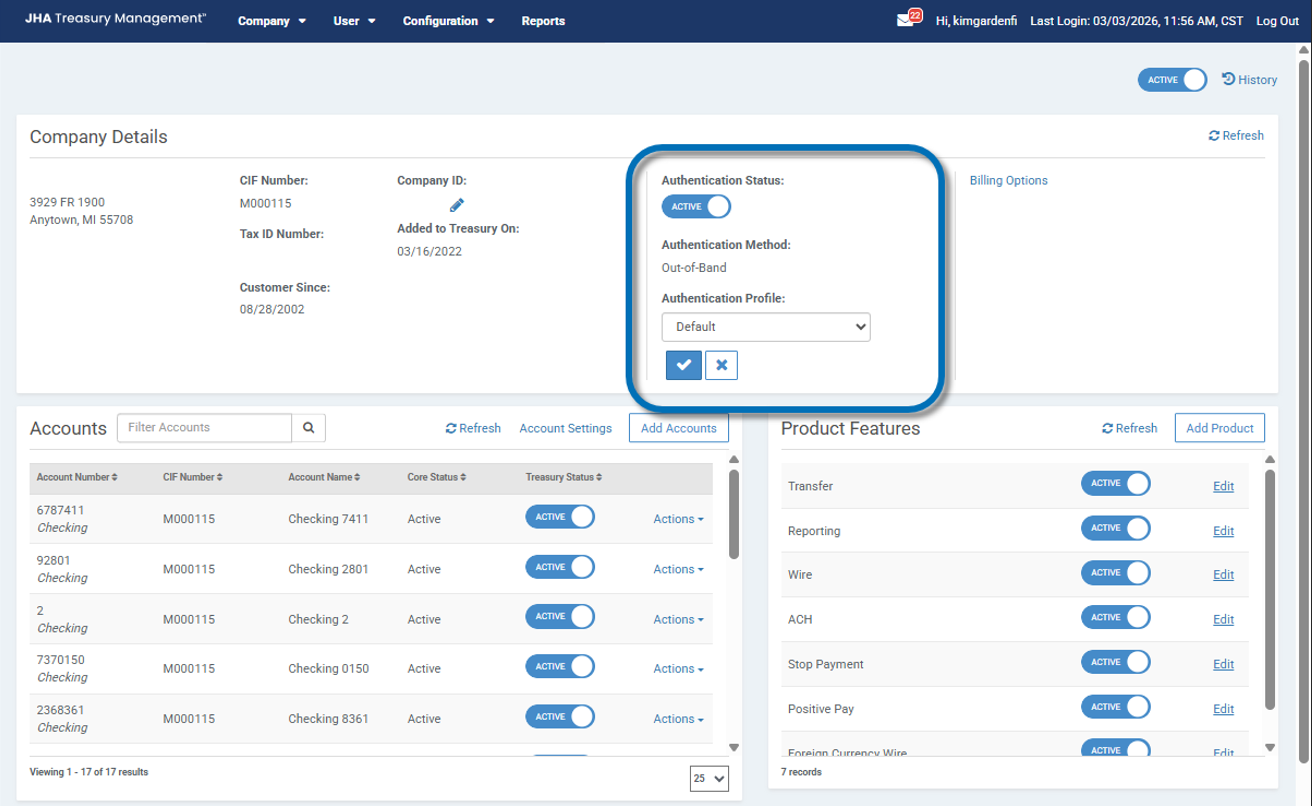
To safeguard high-value movements, the system utilizes a Challenge/Response authentication framework. Financial institutions define ‘profiles’ for challenge points and then assign those challenge profiles to companies.
- User Challenges: Financial institutions can toggle whether a user must perform Multi-Factor Authentication (MFA) during specific actions.
- Thresholds: Challenges can be set to trigger all actions or only when a specific dollar threshold is exceeded for:
- Create & Edit
- Delete & Approve
Notifications
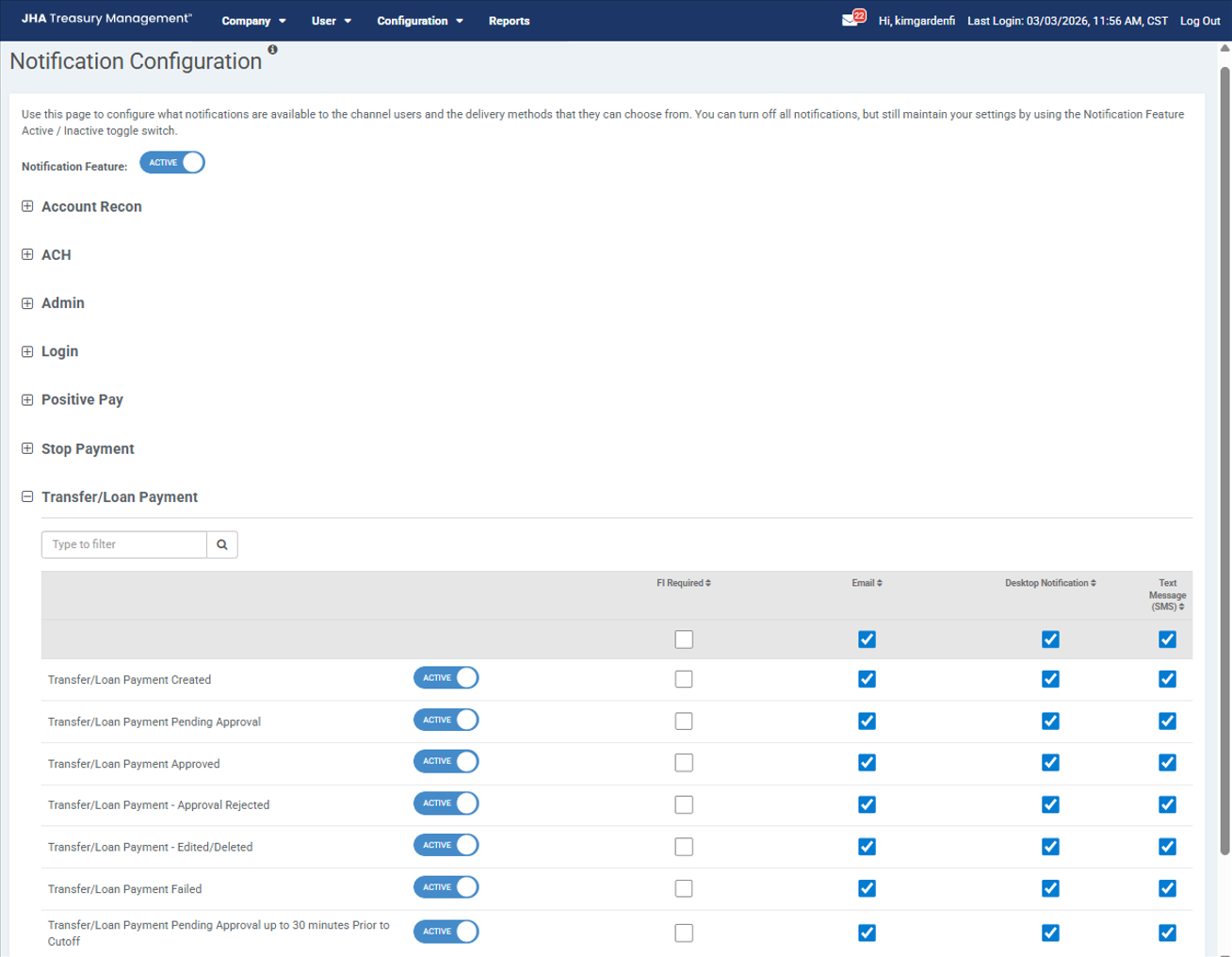
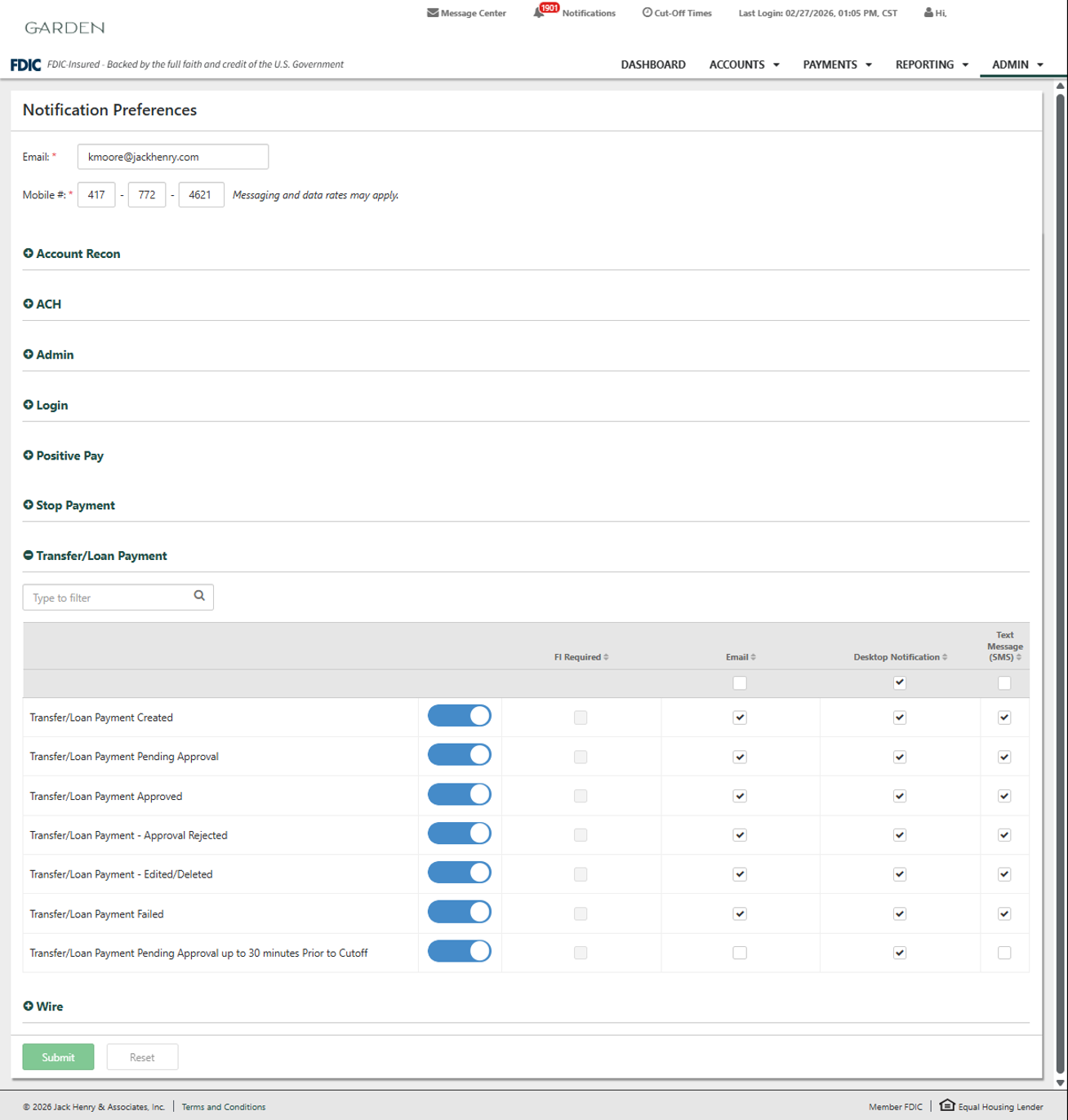
Stay informed on the status of your movement with real-time notifications. Financial institutions can determine which notification they want to be required (sent to desktop) and what delivery methods users can subscribe to for the following status updates:
- Created / Pending Approval: Triggered when a payment is first entered.
- Approved / Approval Rejected: Confirms whether a payment has passed internal company review.
- Edited / Deleted / Failed: Alerts for manual changes or system processing errors.
- Cutoff Warning: A critical notification sent 30 minutes prior to cutoff for payments still pending approval.
Executing a Loan Payment
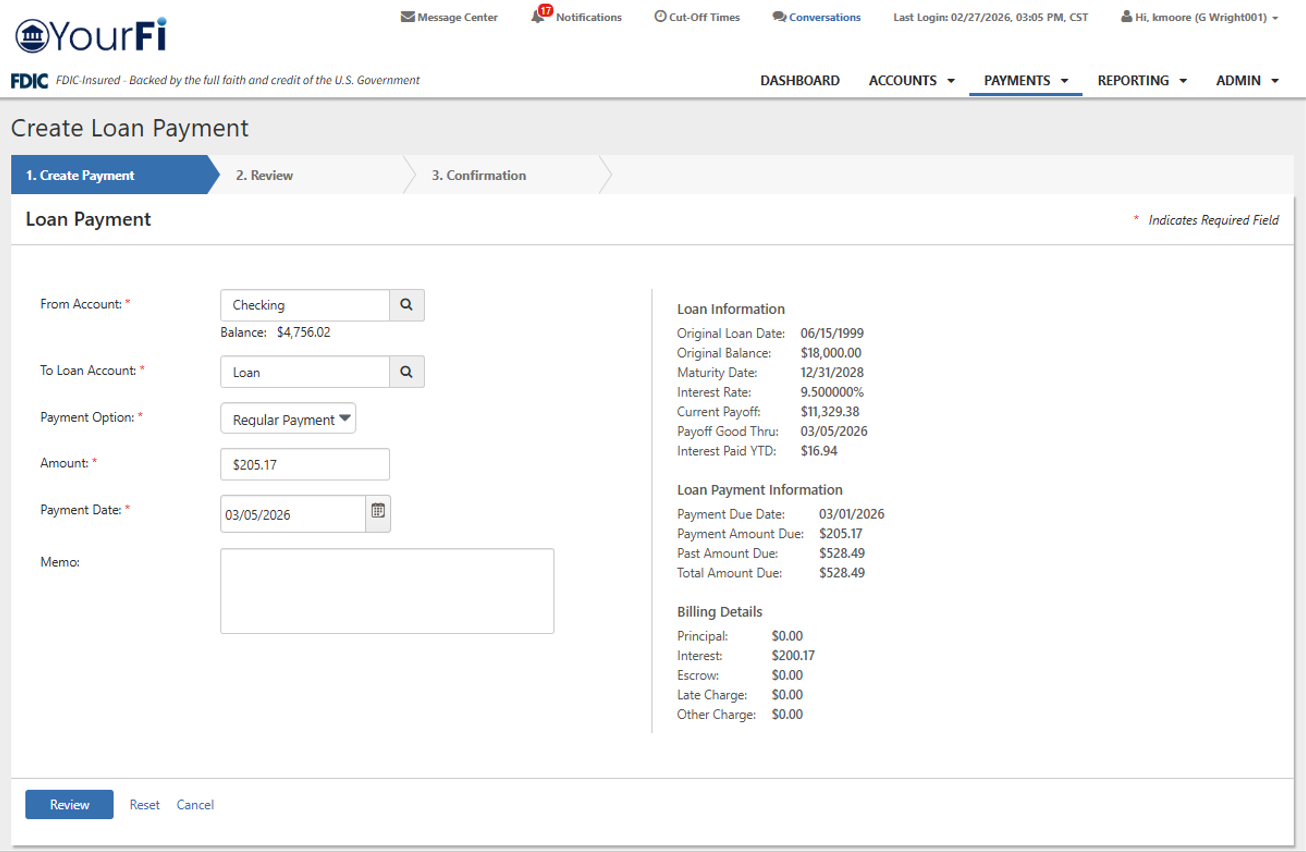
The input screen is designed to provide full transparency of the loan’s current standing before a payment is submitted. Navigate to Payments > Transfers > Create Loan Payment.
Screen Details
- Detailed Loan Information: View maturity date, current payoff, rate, and terms.
- Loan Payment Information: Includes due date, amount due, past due, and total amount due.
- Billing Details: Automatically populates if the loan account is currently set up for billing and details the individual amounts that make up the billed amount.
- Payment Information: Input area for the payment amount. Allows the user to select the account to be used as the payment source, type of payment, amount, date payment is to be created, and a memo section.
Accepted Payment Types
- Regular Payment: Standard payment toward the current amount due.
- Principal Only: Applied directly to the loan principal balance. Will not apply to interest, escrow, or fees.
- Interest Only: Applied to accrued interest. Will not apply to principal, escrow, or fees.
Loan Payment Activity
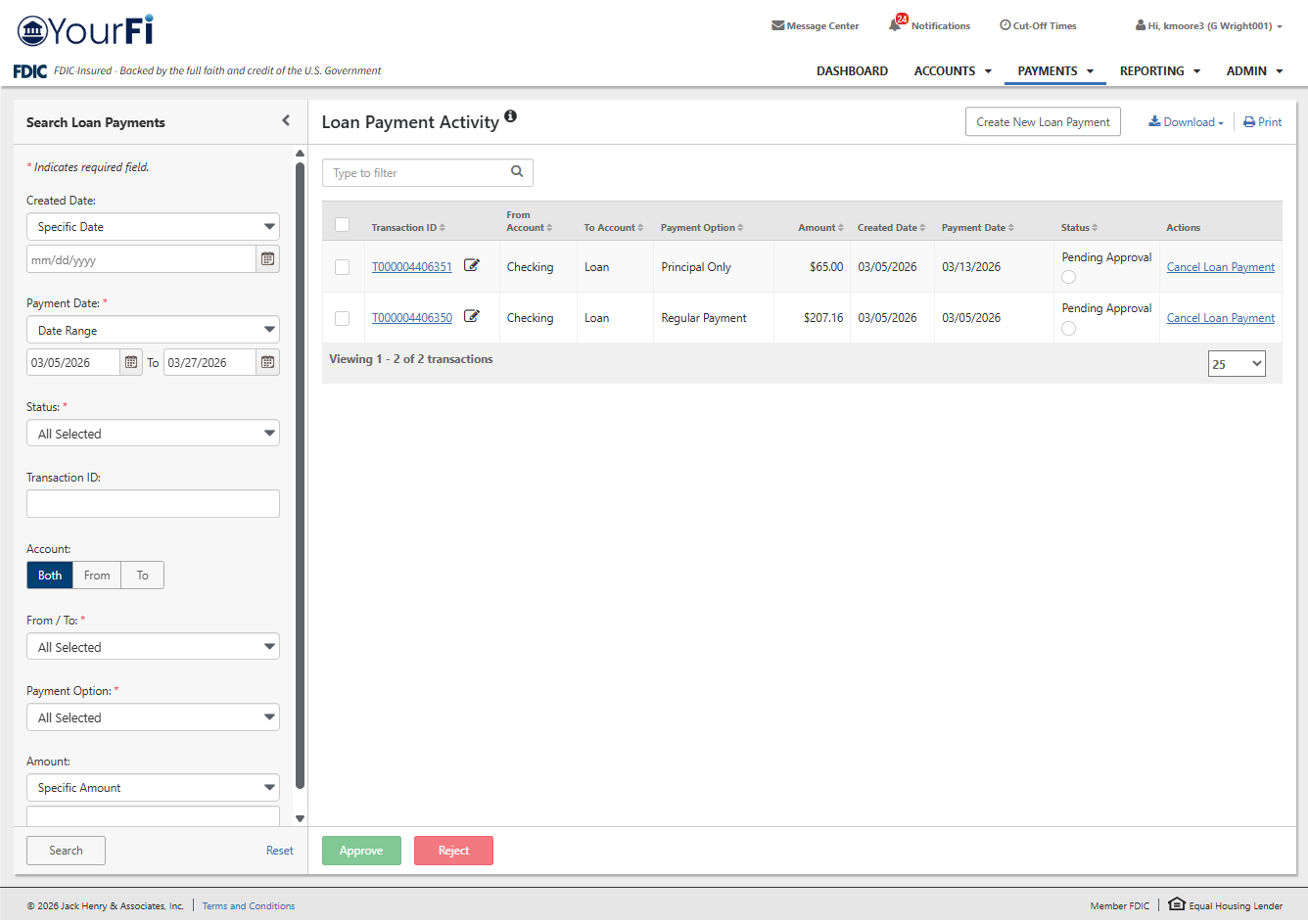
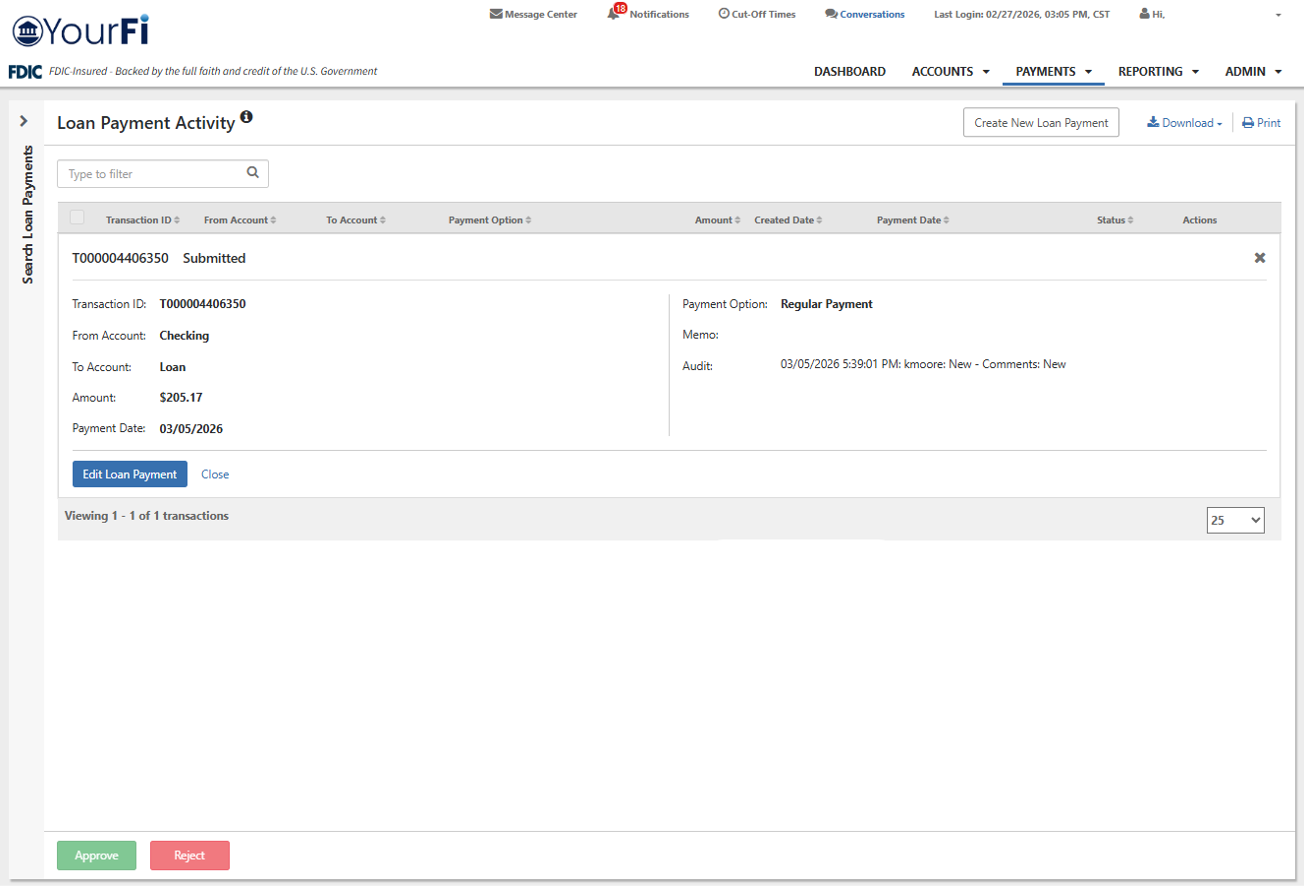
Allows companies to monitor payment history, manage pending approvals, and cancel incomplete transactions. Click any transaction ID to view full details or modify the payment.
- Approve: Select the checkbox next to the payment and click Approve or select the transaction ID to approve from the details view.
- Reject: Select the checkbox next to the payment and click Reject. Users may also reject a payment from within the transaction ID details view.
- Cancel: Select the Cancel Loan Payment link for the desired transaction and click the button on the following screen to confirm.
- Edit: Select the transaction ID and click Edit within the details view to open the modification screen.
Backoffice Loan Payment Report
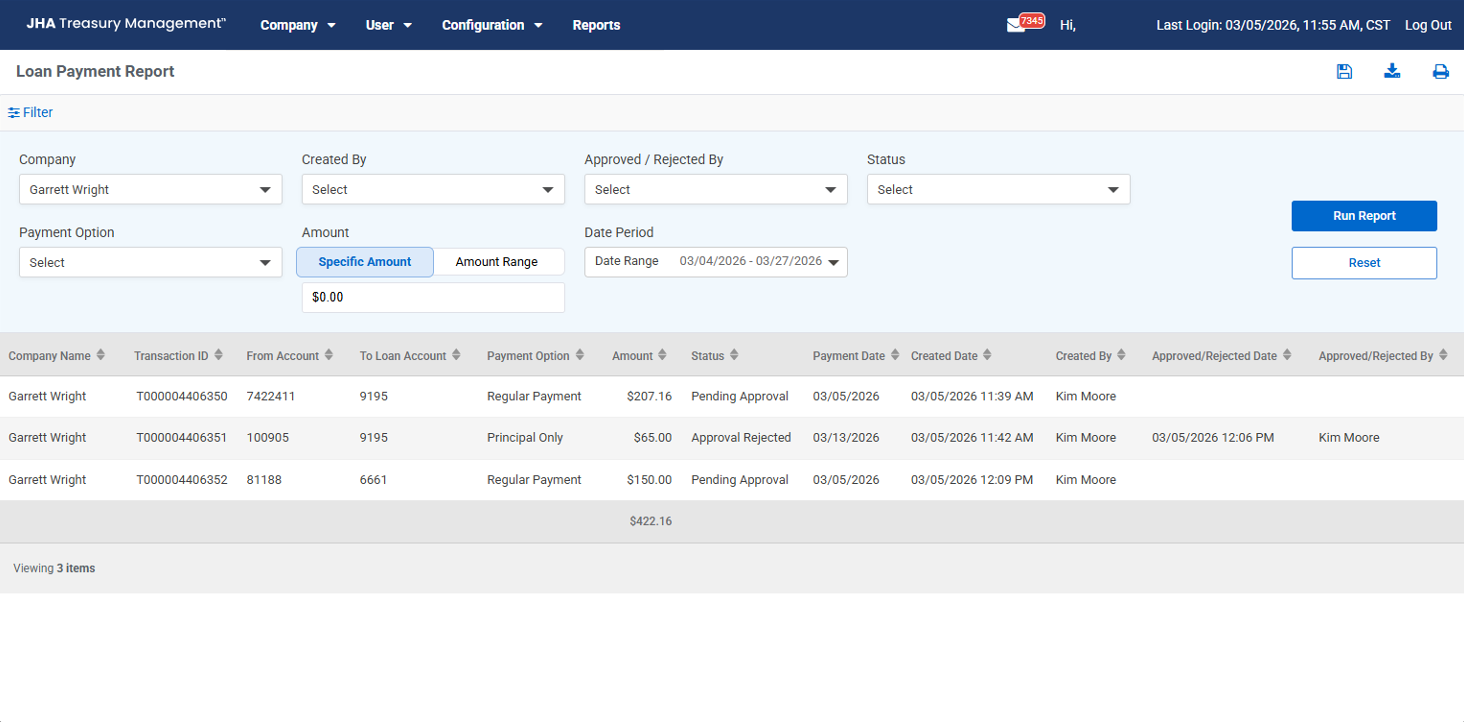
This report serves as a centralized hub for tracking various loan payments and their statuses. Users can apply filters to the report by the following fields to narrow down activity results:
- Company
- Created By
- Status
- Payment Type
- Amounts
- Specific date ranges
The report table displays granular data for each transaction, including the transaction ID, originating and receiving accounts, payment option (Regular Payment, Principal Only, Interest Only), and the transaction amount.
Additionally, the report provides an audit trail by listing the status (such as Pending Approval or Approval Rejected), alongside the timestamps and names of the individuals who created or acted upon each payment.