Quick Reference Guide: Unified Identity Service - Intuit QBO Connectivity
Overview
In order for aggregation download (in QBO) services to be available in conjunction with your Treasury Management migration to Unified Identity Service, please provide the following information via a ticket with Intuit. Select General Support > Website Change and add the information listed below in the Description (see Fig. 1).
Log in to the Intuit Support site to create an OFX ticket: Contact Us - OFX | Intuit.
If you (or someone at your financial institution) do not already have an Intuit OFX account, click here. It may take a few days for your account request to be approved. If needed, you may open a generic request ticket, which does not require a login.
The ticket for Intuit’s work effort should be created no fewer than 30 days prior to your United Identity Service migration date and no more than 60 days from your migration date. Note that based on Intuit’s time zone and working hours, United Identity Service may be live for a brief period of time the day of your migration prior to the updated QBO instance being live.
Ticket Creation Timing
| Dates | Times |
|---|---|
| Min 30 to Max 60 days prior to United Identity Service migration | Between 9:00 a.m. and 4:00 p.m Pacific Time (please allow for small time variances to requested time) |
In addition to the required fields of Name, Email Address, and Phone Number, reference ticket numbers 113973 and 114625 when submitting your request, as well as the following information:
- Financial institution name
- Financial institution website (public-facing URL)
- Your bank’s Treasury Management URL (standard or vanity)
- Your Unified Identity Service migration date
- The time you would like the Unified Identity Service QBO instance made live for Express Web Connect (see times above)
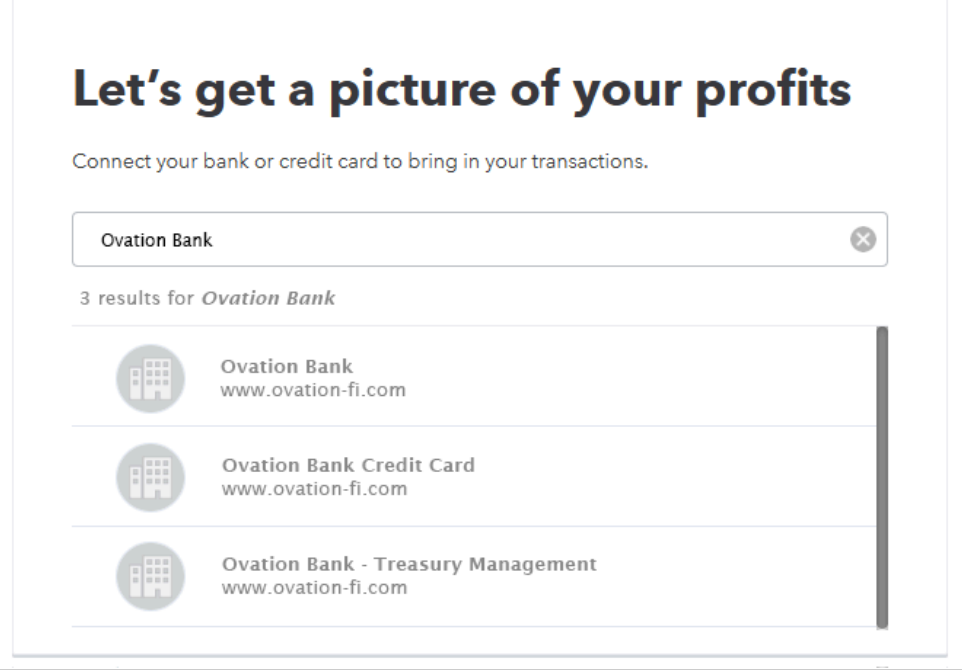
- The display name users will see when connecting your bank to their QBO profile (see Fig. 2)
Figure 1
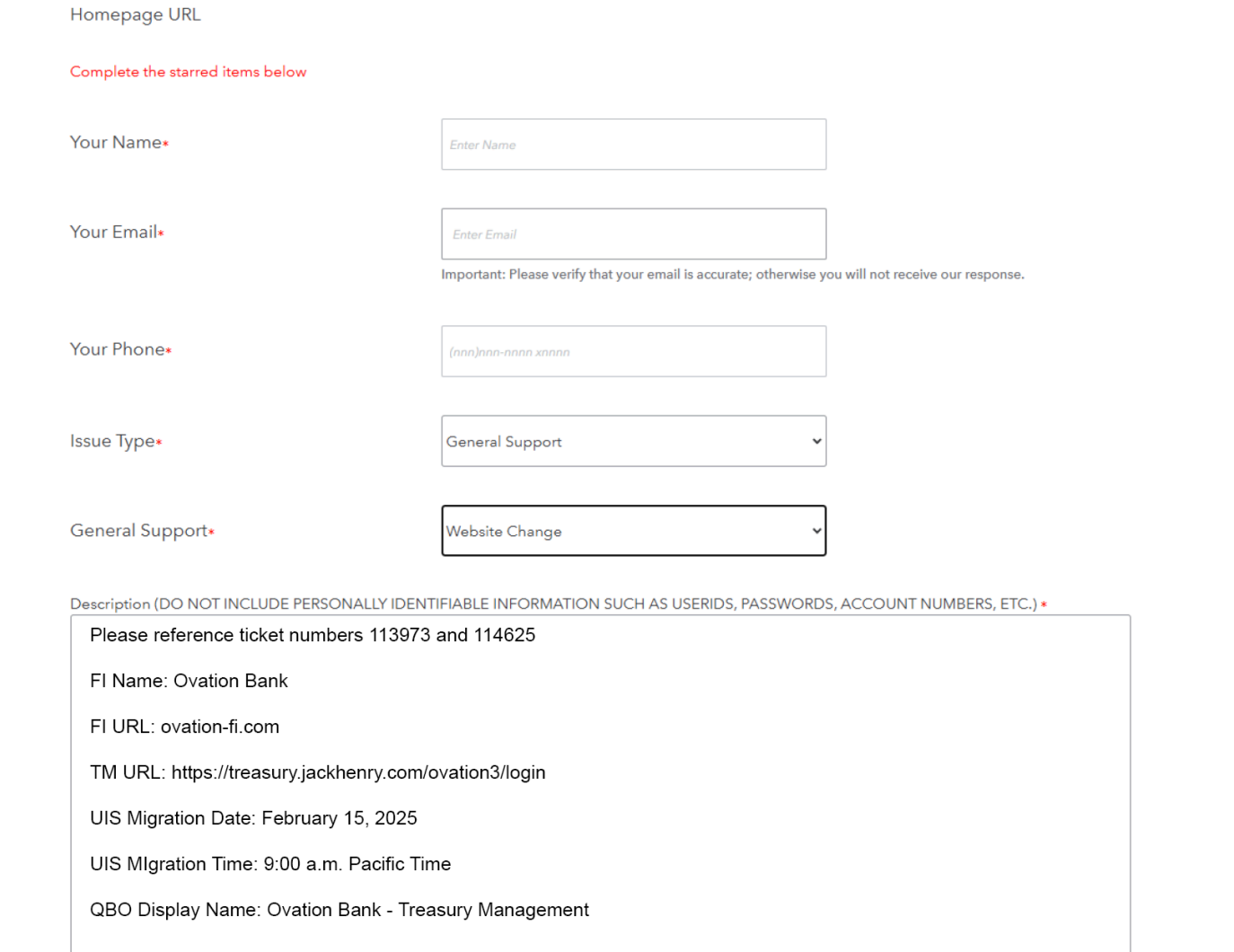
Copy and paste your version of ticket information (be sure to change values!):
- Please reference ticket numbers 113973 and 114625
- FI Name: Ovation Bank
- FI URL: ovation-fi.com
- TM URL: https://treasury.jackhenry.com/ovation3/login
- Unified Identity Service Migration Date: February 15, 2025
- Unified Identity Service Migration Time: 9:00 a.m. Pacific Time
- QBO Display Name: Ovation Bank - Treasury Management
Figure 2