Quick Reference Guide: Postive Pay Issued Items Activity
Overview
Customers now have the ability to review the issued items that they have created within the Issued Items Activity view. To allow customers to view their issued items, Allow Issued Items Review must be active for the FI Positive Pay Product Feature Configuration and the Company Positive Pay Product Feature.
Benefits
Benefits for Banks
- Issued Items Activity is available to the customer and allows them to be self-sufficient in researching information.
- The self-service functionality should result in reduced call volume for the banks.
- Banks now have the ability to generate Issued Items Reports in Back Office that will report on the same information that customers can view in the Issued Items view.
Benefits for Customers
- Issued Items Activity is available to customers and allows them to research information without calling the bank.
- Robust and flexible search features.
- Ability to generate reports without relying on the bank.
- Useful tool for Issued Items reconciliation.
New Feature - Allow Issued Activity Items Review
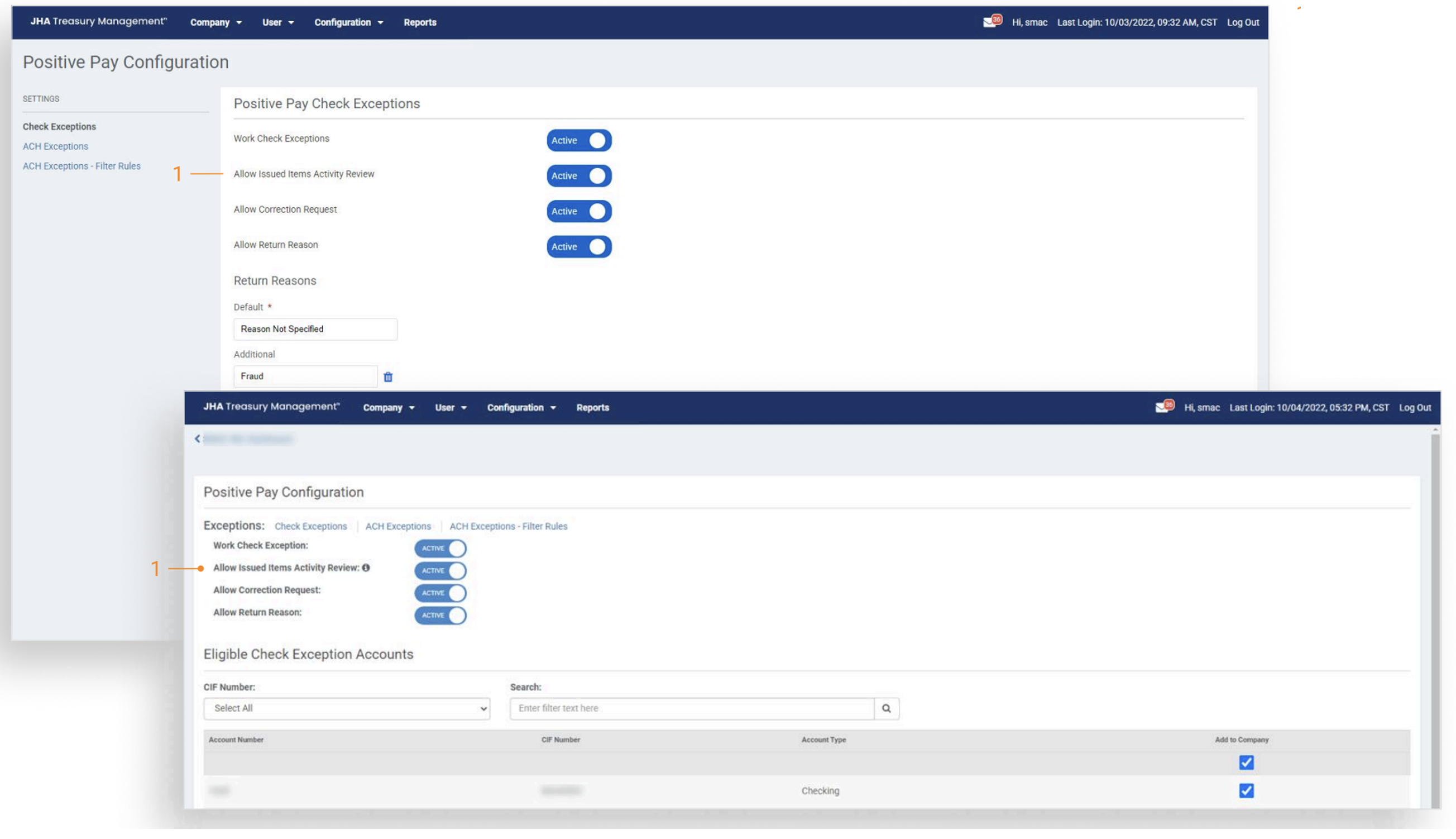
- Allow Issued Items Activity Review is available at the FI Product Feature Configuration level and the Company Product Feature Configuration level. When enabled within the Positive Pay Product Feature Configuration, customers entitled with Upload/Create ARP Files, will be able to view issued items previously created within Treasury Management as well as files/transactions uploaded directly into SilverLake.
Back Office Positive Pay Issued Items Report
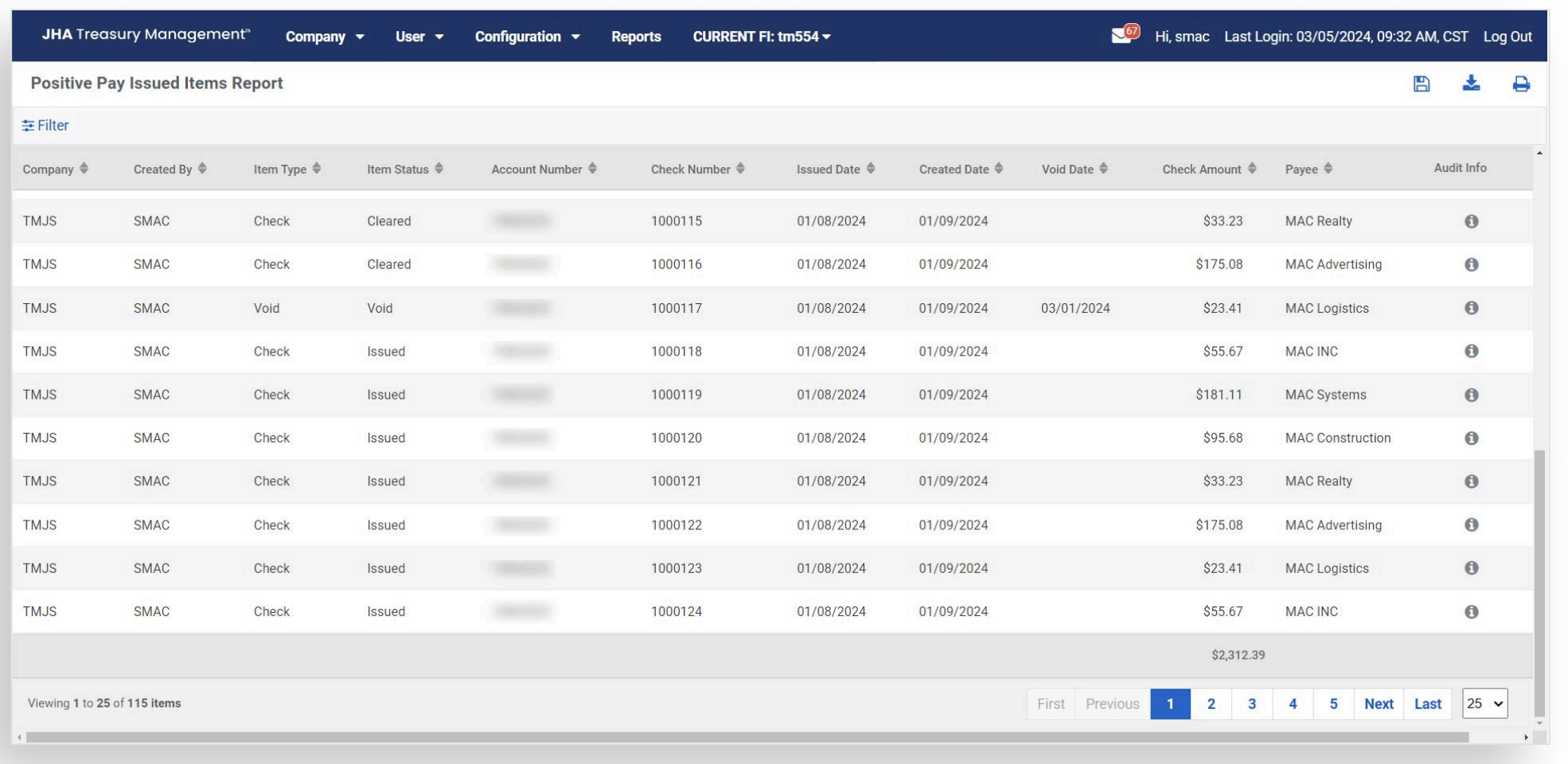
Banks will have the option to review issued items as well as review up to date check information.
Channel User Access
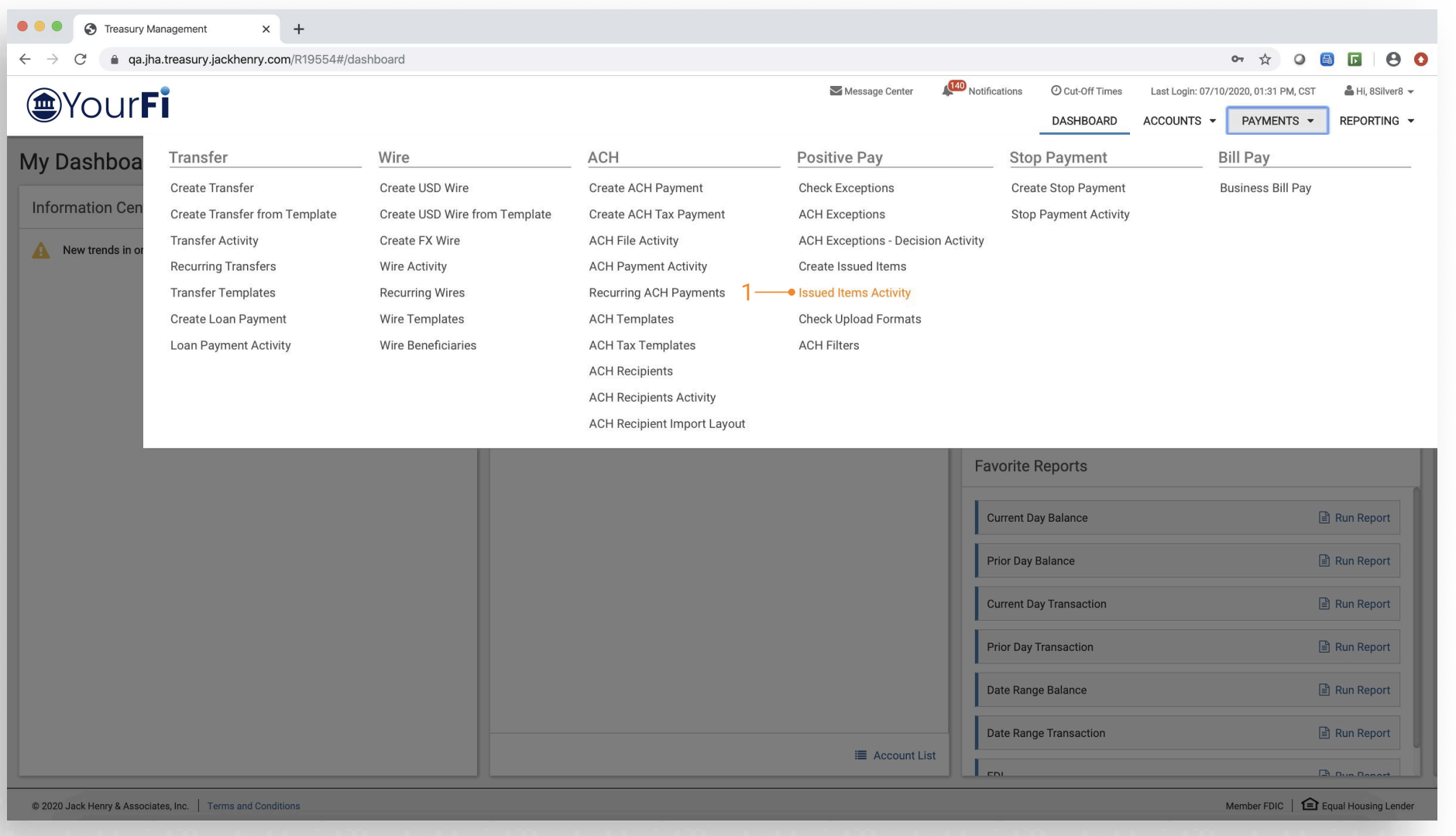
Once the appropriate entitlements have been granted, the customer will see the following navigation.
- Issued Items Activity — Navigate to Payments, then to Positive Pay, and channel customers will see the option for Issued Items Activity.
Search Options
-
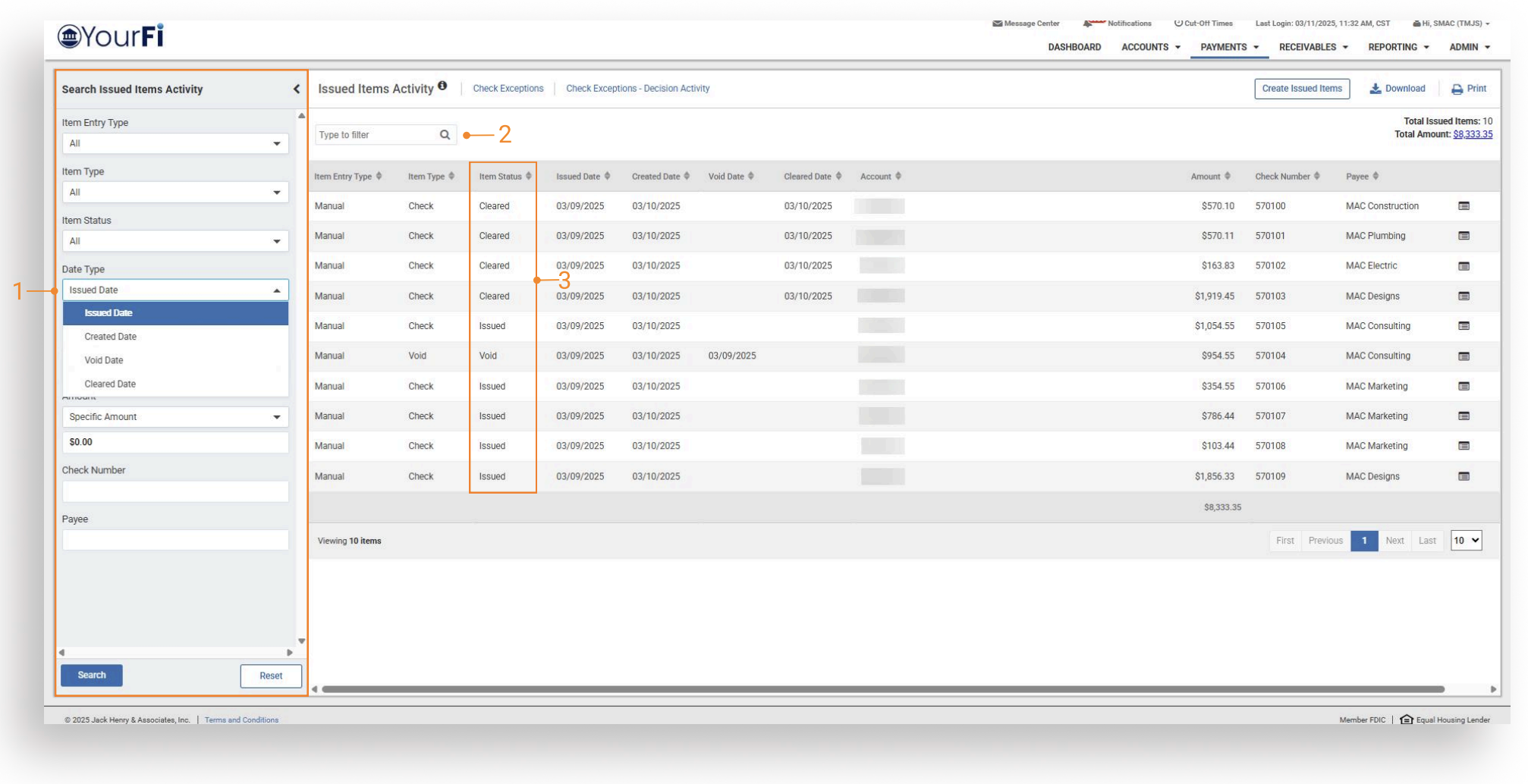
Search — Customers can search by Created Date, Issued Date, Void Date, and Created Date.
-
Type to Filter — Search for a specific transaction by entering payment information or entering a character/numeric string. The Type to Filter will search across all columns looking for a match on the string of data whether at the beginning, middle, or end of the field.
-
Issued Item status will be available for each issued item on the Issued Items Activity page. Issued Item statuses include: Issued, Cleared, Returned, Void, Stop Pay, Stale Date, and Deleted. The deleted status will only be for items deleted in SilverLake.
- Customers can now search for a partial payee name match in addition to an exact payee name match.
Search Results
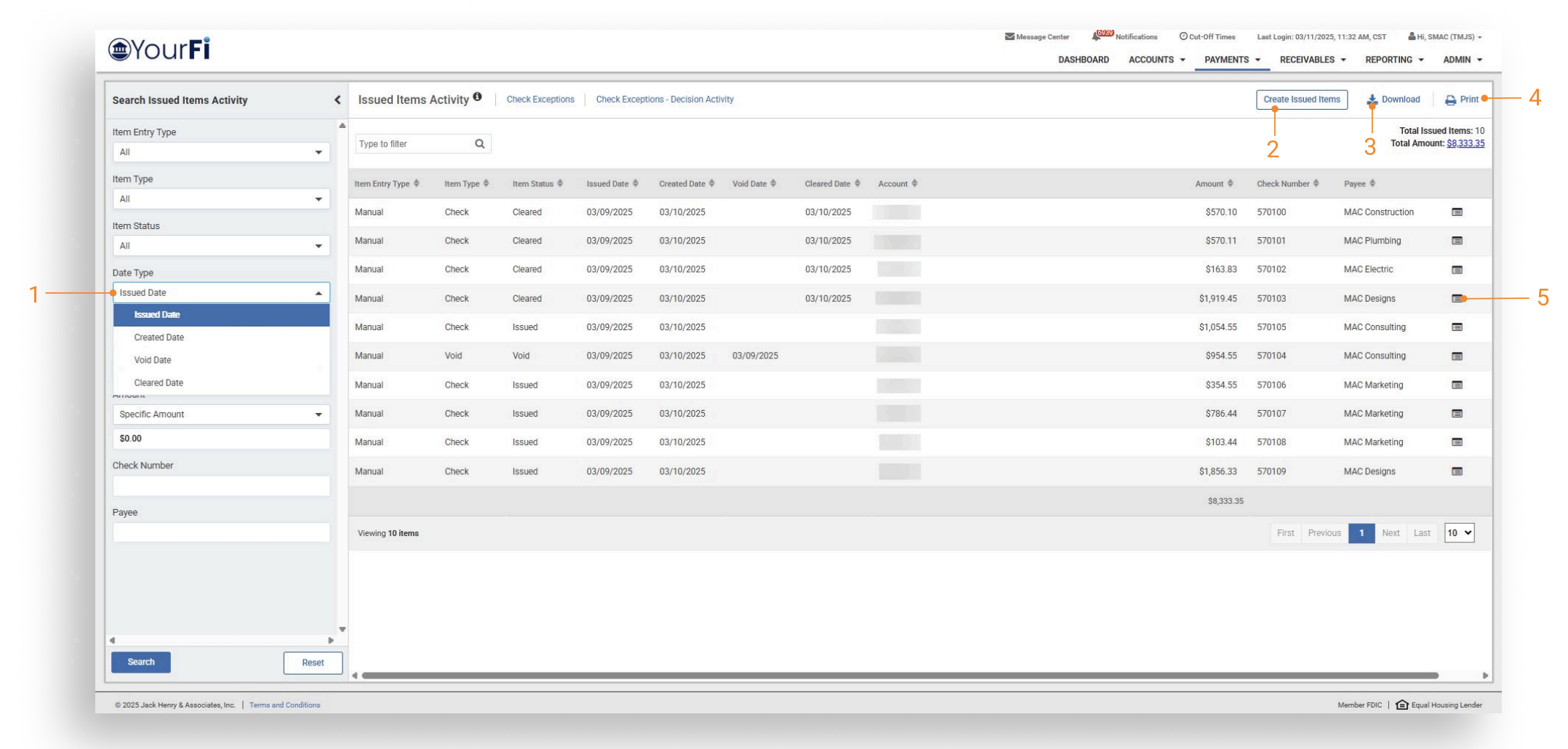
Customers will be presented with results based upon search. From the activity page, users can review previously entered items as well as current day entered items.
-
Search: Customers can search by Issued Date, Created Date, Void Date, and Cleared Date.
-
Customers can select Create Issued Items to navigate to the issued item entry workflow.
-
Download with PDF and CSV formats available.
-
Print feature available.
-
Customers will also have the option to review an audit log by selecting the audit icon. This audit trail will provide user information associated with the appropriate action along with the date and timestamp.
Results Total Feature
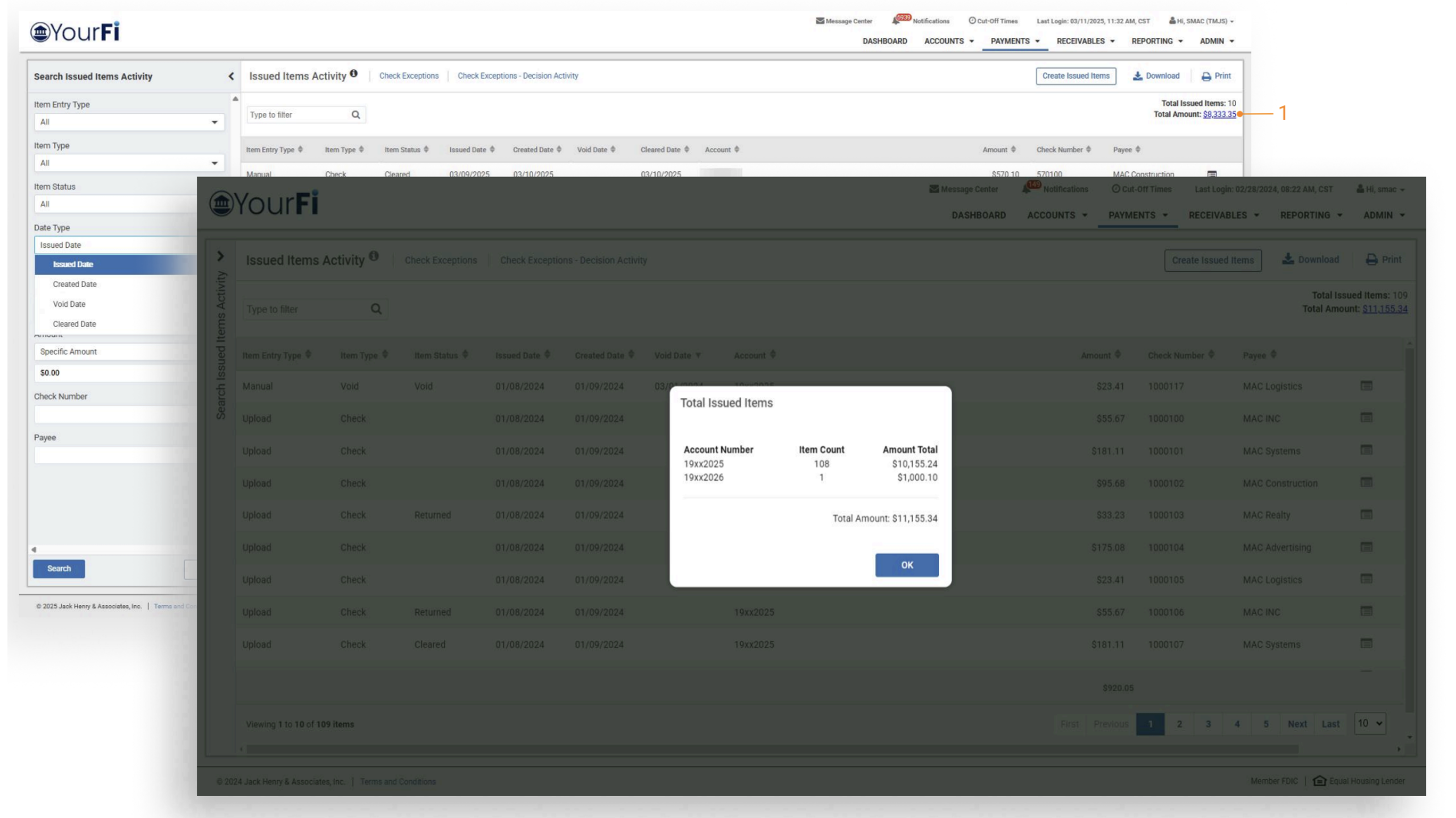
- Customers can click on a dollar amount and a modal opens with an overview of item count and amount total associated with each account.