Quick Reference Guide: Required Notifications
Overview
JHA Treasury Management™ offers a comprehensive set of notifications ranging from login to various payment options. Required Notifications is a configuration financial institutions can establish that forces channel users to receive selected notifications.
Configuration
Back Office FI Configuration
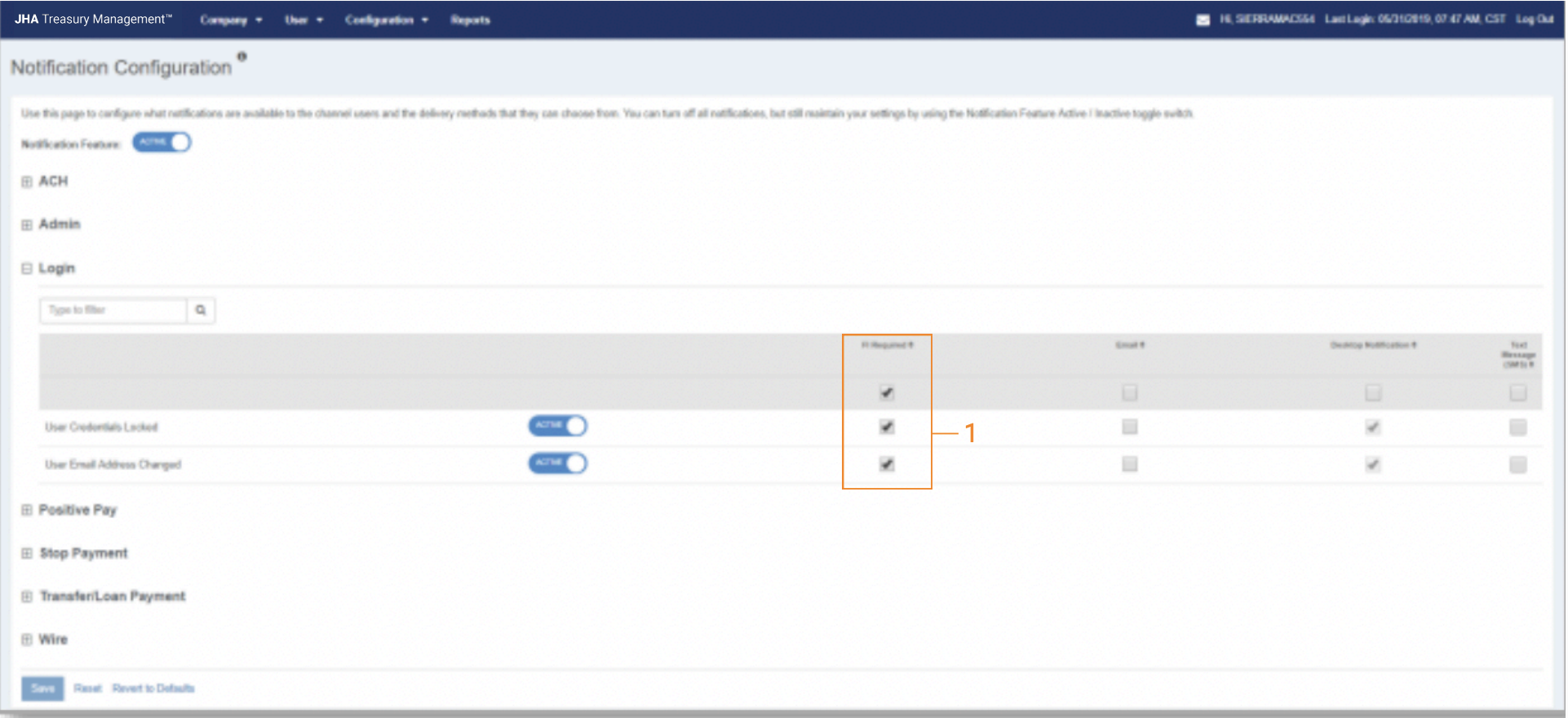
Navigate to Back Office > Configuration > Notification Configuration
FI Required Column:
- A column labeled ‘FI Required’ is available within the Notification Configuration.
- Selecting FI Required will automatically select the Desktop Notification (Desktop Notification selection cannot be disabled).
- FI User may select Email and/or Text Notification to be required.
Note: If FI Required is enabled and with each delivery method selected, the customer will automatically be enrolled in that notification for the chosen method(s). If a notification is set to FI Required, and a delivery method is removed, that delivery method will not be enabled for enrollment by the customer.
Edit User Role
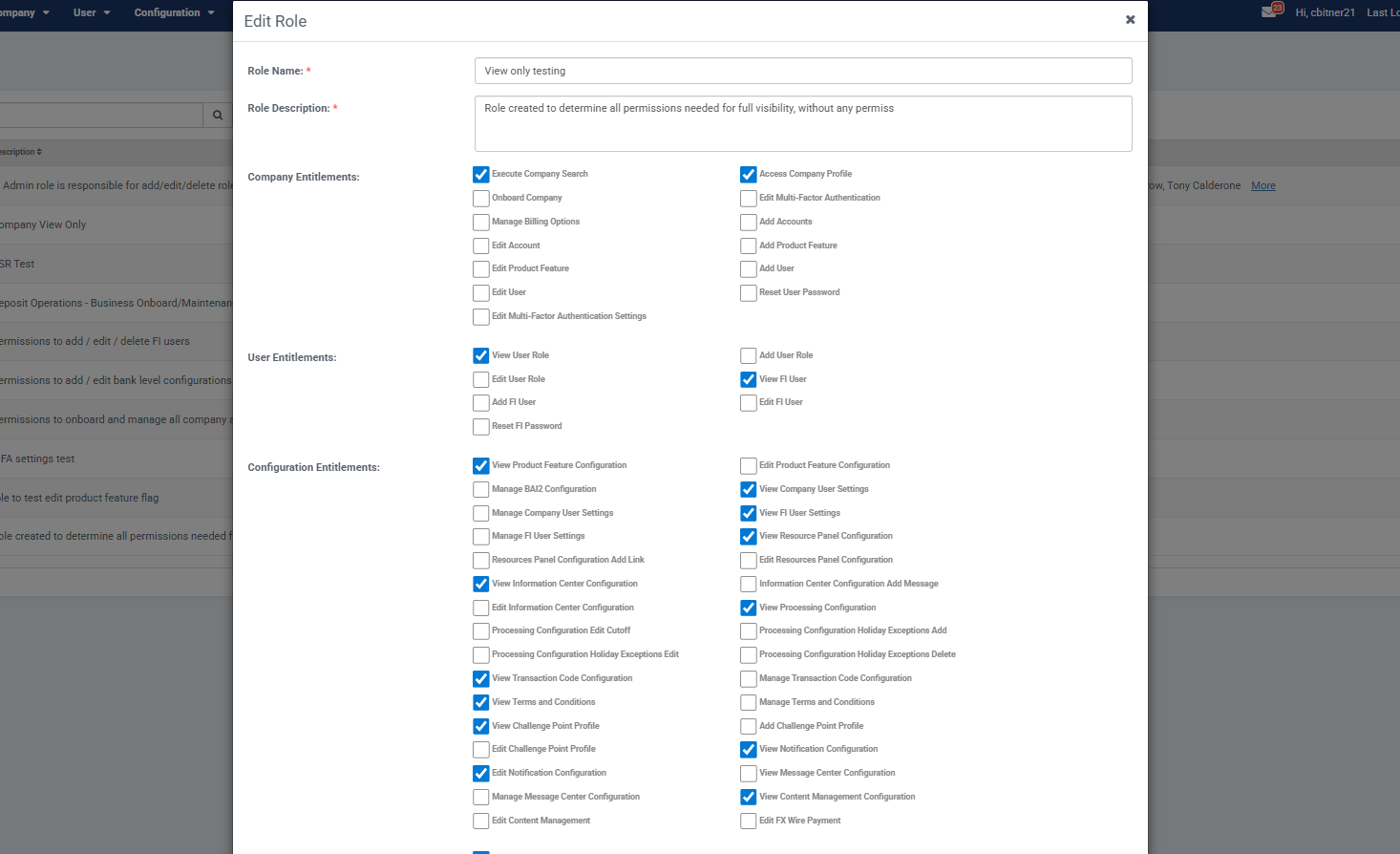
Navigate to Back Office > Users > Add/Edit Role
Edit Notification Configuration Entitlement:
- An entitlement labeled ‘Edit Notification Configuration’ is available (All User Roles that presently have authority to edit the Notification Configuration will need to have this entitlement added).
- Without this entitlement the FI User cannot update the Notification Configuration.
Channel Notification Configuration
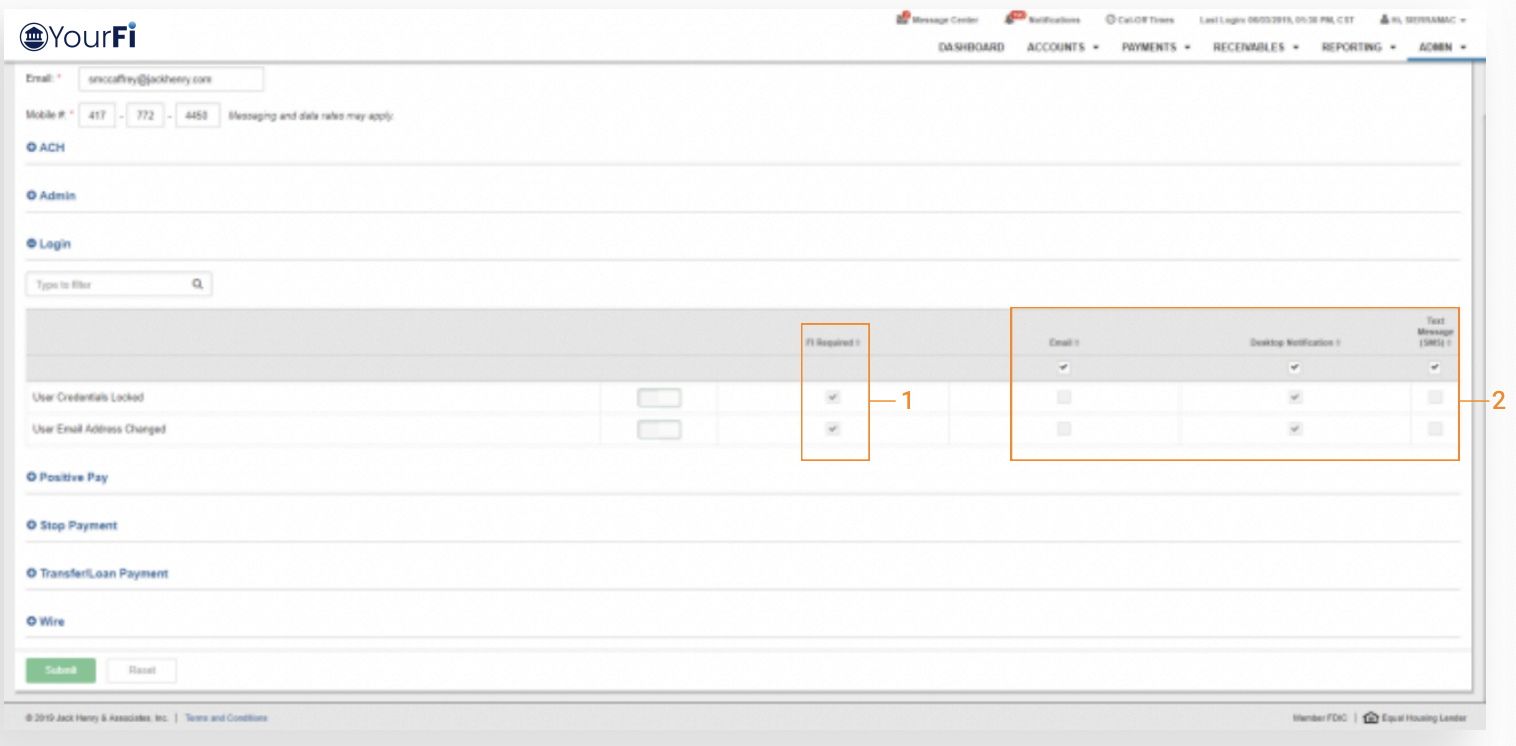
FI Required Column:
Edit Notification Configuration Entitlement:
- A column labeled ‘FI Required’ is present within the Notification Setup.
- Desktop Notification and any additional delivery methods selected in Back Office Notification Configuration will be selected and disabled in the setup (Customers cannot disable an FI Required notification or the selected delivery method).