Quick Reference Guide: Intuit Quickbooks Direct Connect
Overview
Direct Connect gives users the ability to export transaction and balance information out of Treasury Management and import to Intuit automatically. This feature relies on an existing relationship between the financial institution, Jack Henry, and Intuit.
Benefits
Benefits for Banks
- Operates as a self-service function that moves a task from the bank to the end user
- Saves time and reduces ongoing customer maintenance
Benefits for Customers
- Allows customers to connect to Inuit Quick Books
- Creates a more efficient approach to reconciling transactions with the Intuit accounting solution
Configuration
Back Office Reporting Configuration
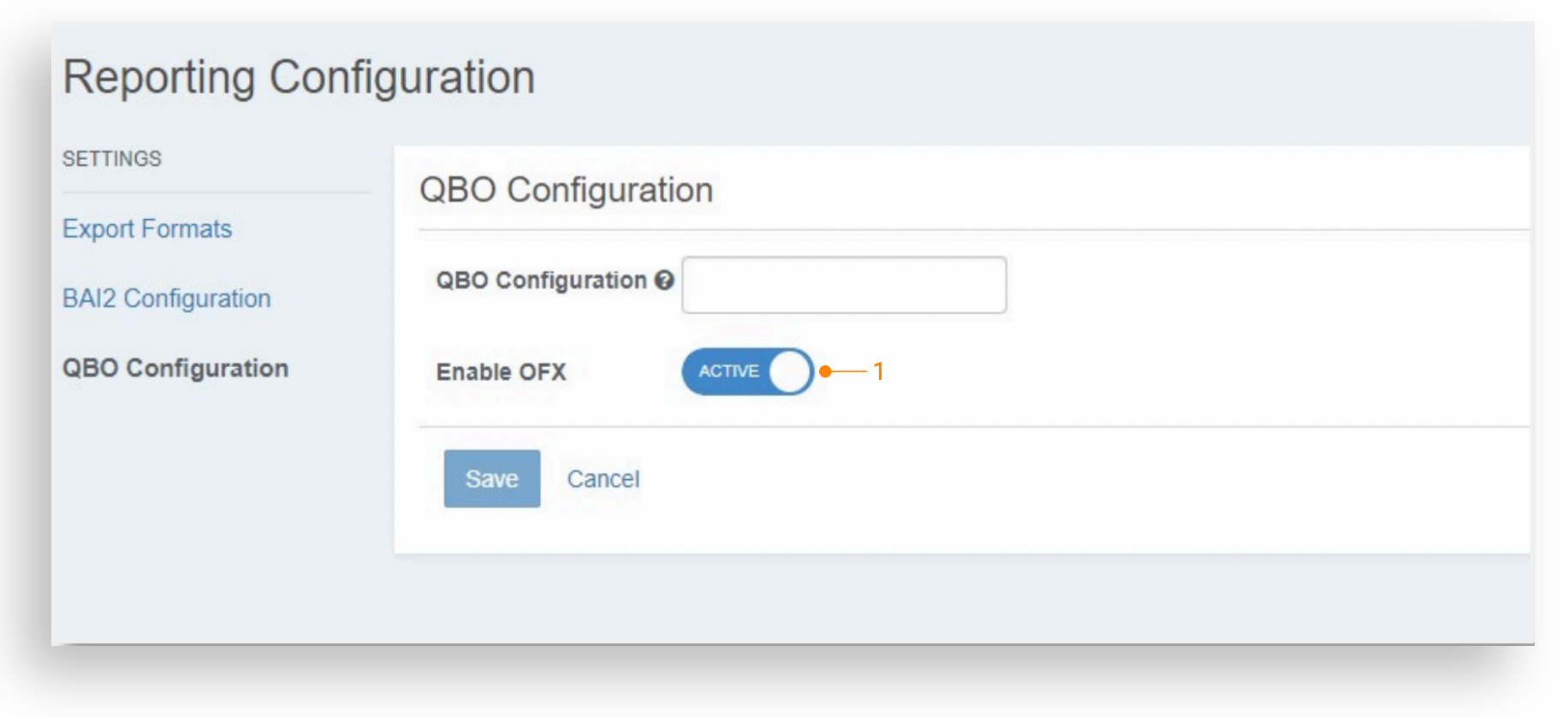
Enable OFX
Navigate to Configuration > Product Feature Configuration > Reporting > QBO Configuration.
Enable OFX has been added to the Reporting Configuration. Setting this feature to Active will enable the ability to set the company level configuration to active.
Edit Information Reporting Configuration
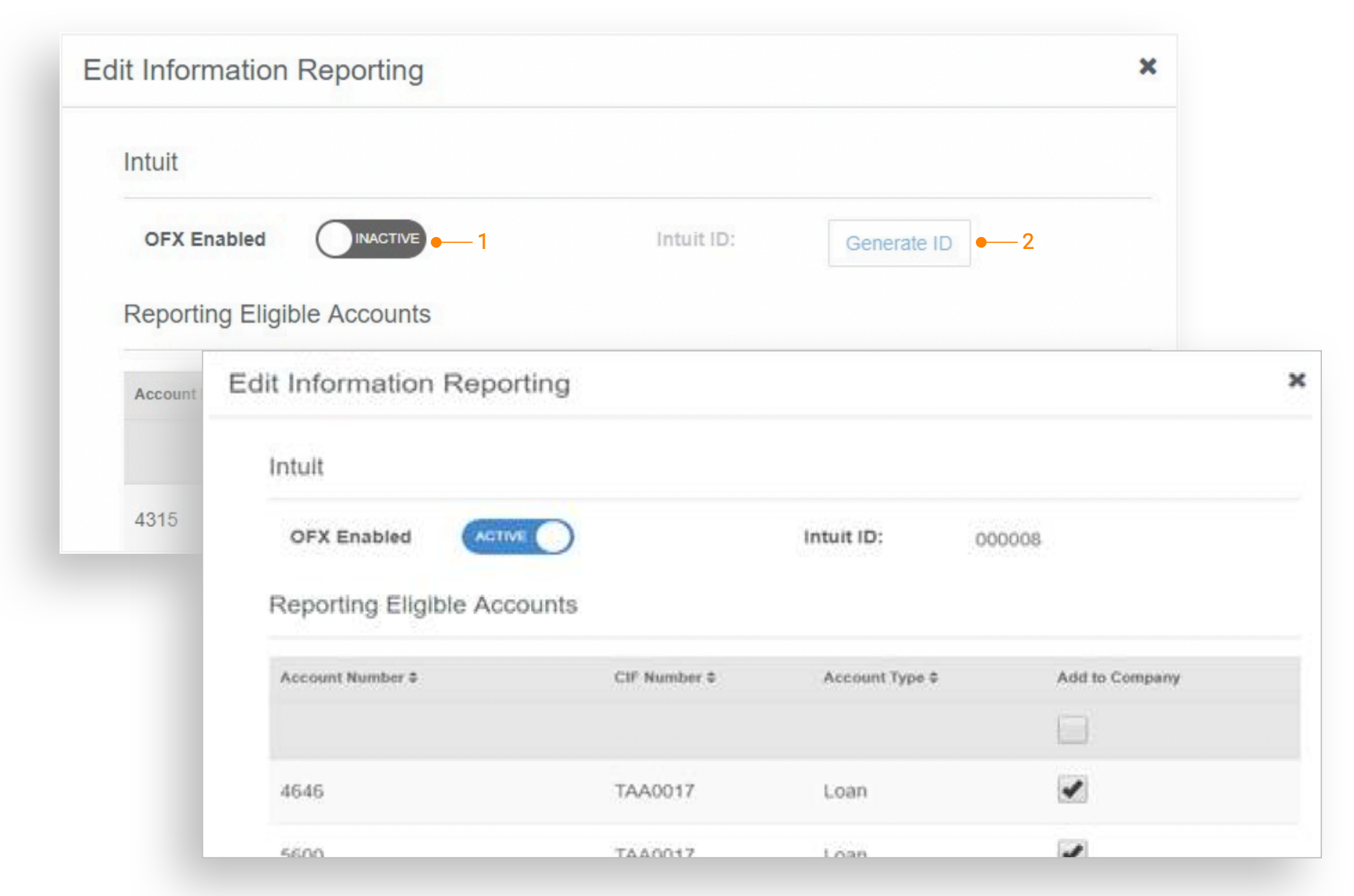
Intuit
Navigate to Company Details > Product Features > Edit Information Reporting.
1. OFX Enabled: Set to Active to generate an Intuit ID and enable Direct Connect for all company users with Account Access entitlements.
2. Intuit ID: If no Intuit ID has been generated for this company, click the Generate ID button.
Once an Intuit ID has been generated for a company it will display in the field and no further action is required.
QuickBooks Login Configuration
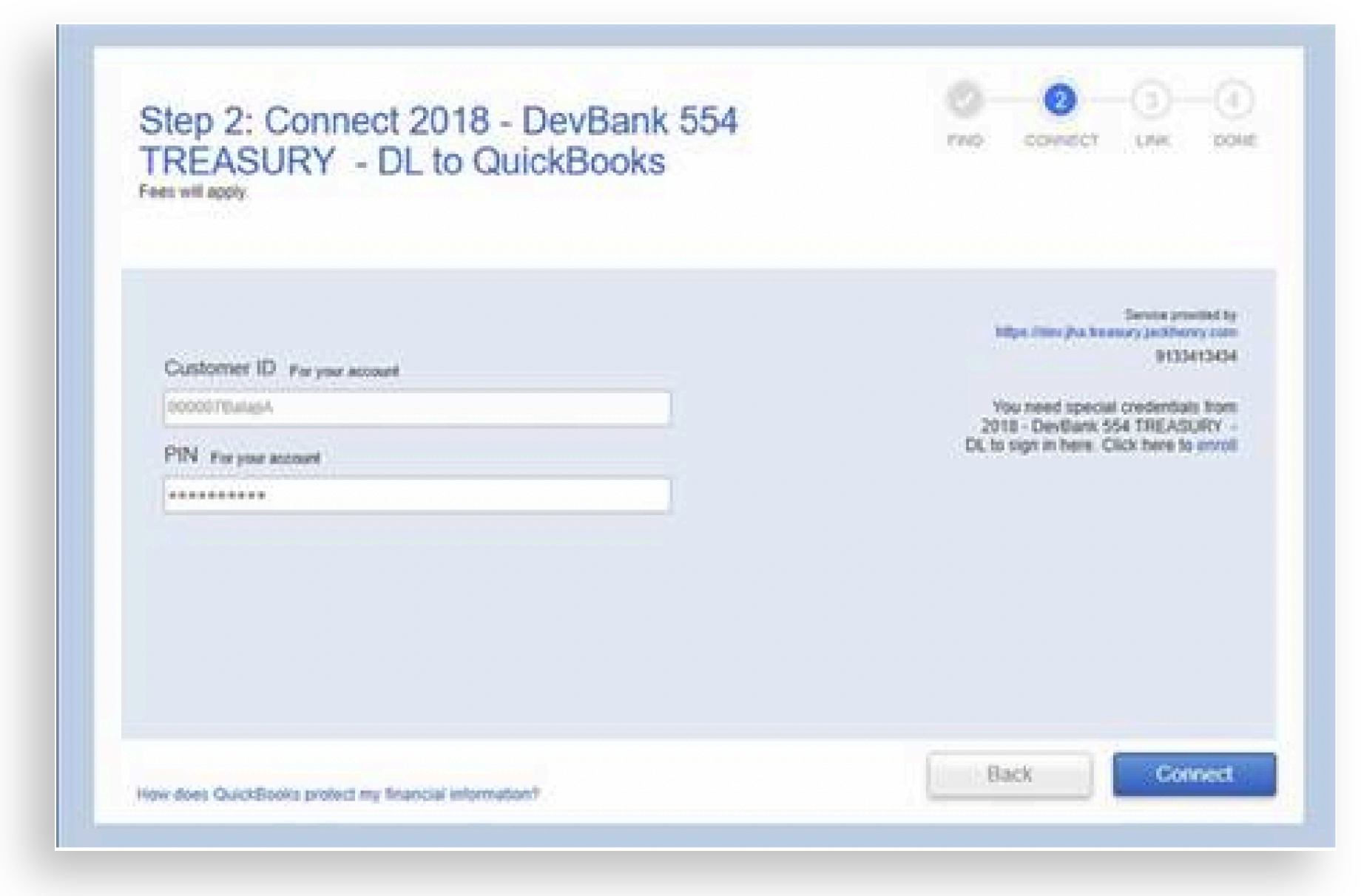
QuickBooks
The User ID for the QuickBooks Login screen should be as follows:
1. OFX Enabled: Set to Active to generate an Intuit ID and enable Direct Connect for all company users with Account Access entitlements.
2. Intuit ID: If no Intuit ID has been generated for this company, click the Generate ID button.
Once an Intuit ID has been generated for a company it will display in the field and no further action is required.