Quick Reference Guide: ACH Notices (Returns)
Overview
An ACH Return may be created by the receiving bank to inform the originator that the transaction has not been posted and was returned for the reason indicated, such as the account has been closed. This enhancement will provide customers with the ability to review returns, allowing the customer to identify the transaction and update any existing transactions or templates that need to be modified, as well as working with the recipient to correct information pertaining to future transactions.
Benefits
Benefits for Banks
- Enhancement activation control with a new product feature configuration
- Enhancement activation control per company with a new company product feature configuration
- Enhancement activation control per user with a new user entitlement
Benefits for Customers
- Ability to review previous and current returns
- Ability to modify any existing transactions or templates that may be impacted by the return notice received
- Ability to print or download return details
Configuration
Back Office Product Feature Configuration
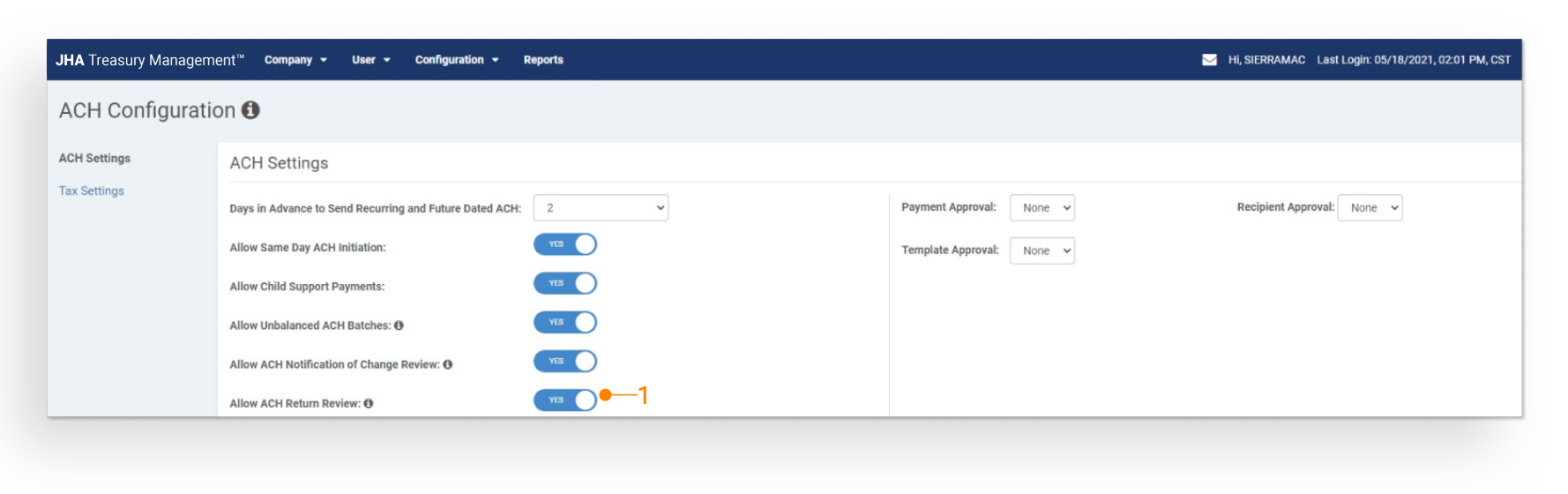
Allow ACH Return Review: This configuration will default to inactive at implementation. Until this configuration is activated, customers will not be able to review return activity within the platform.
Back Office Company Product Features
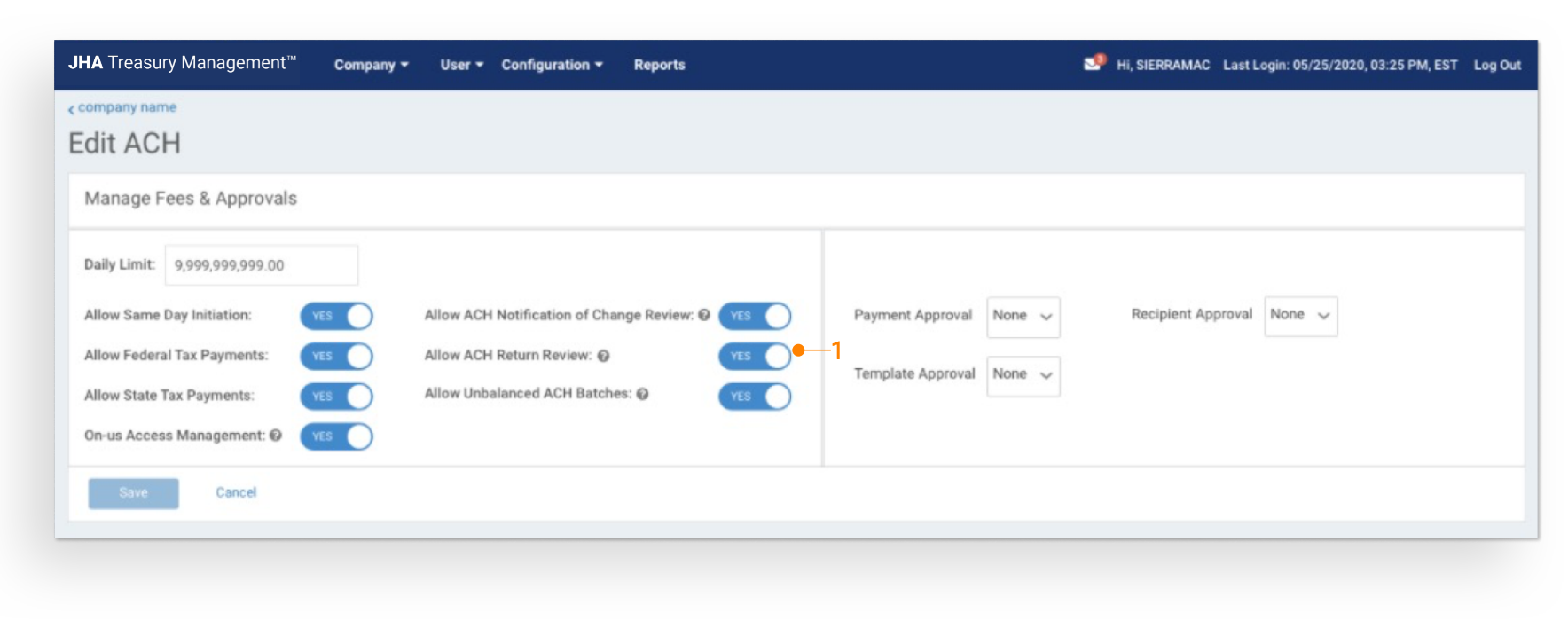
Allow ACH Return Review: Once this configuration is activated, users can be entitled to the correlating user entitlement.
Back Office Company User ACH Entitlements
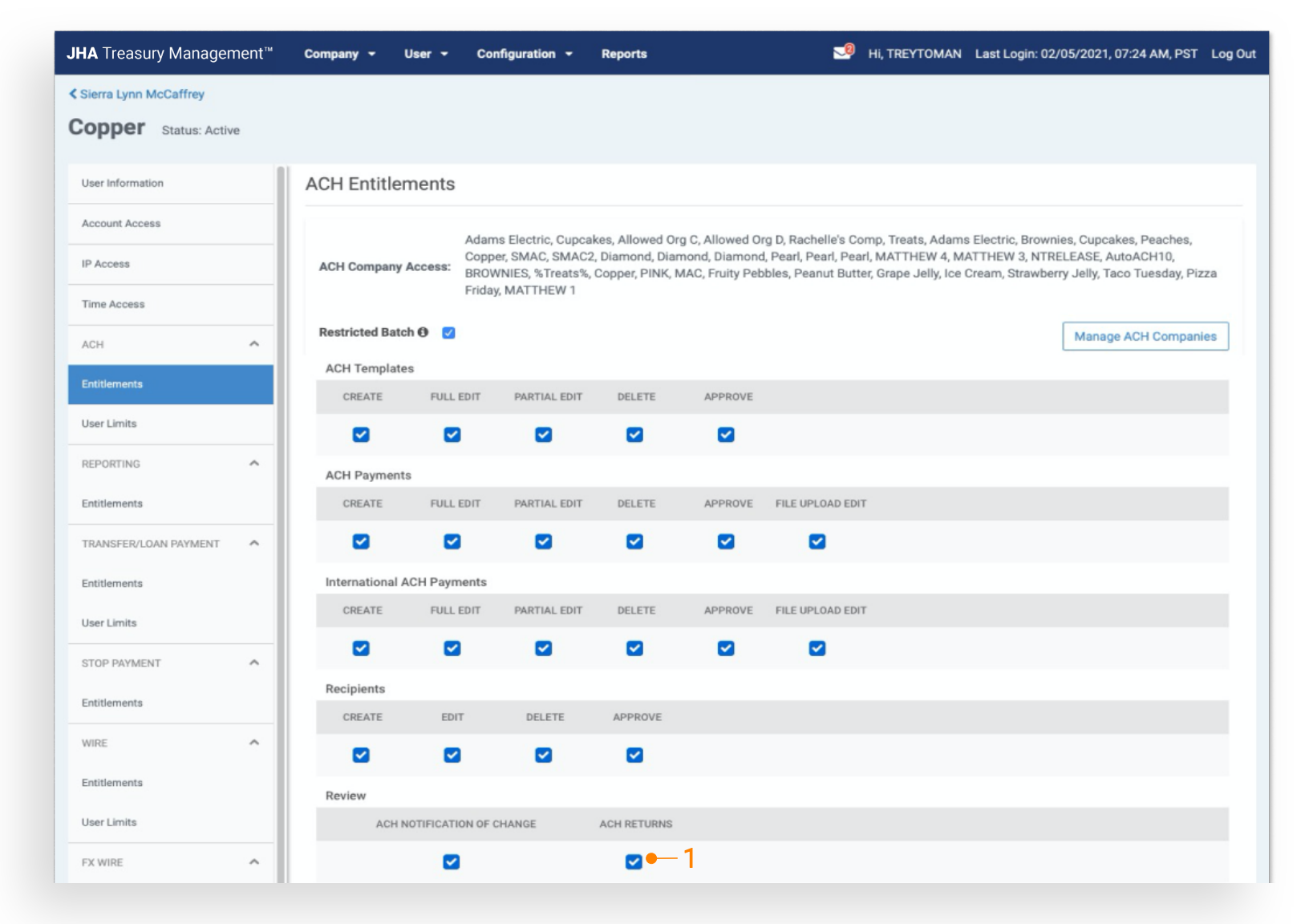
ACH Returns: Once this user entitlement is activated, customers will be able to review return activity.
Channel ACH Return Activity - Flyout Search Filter
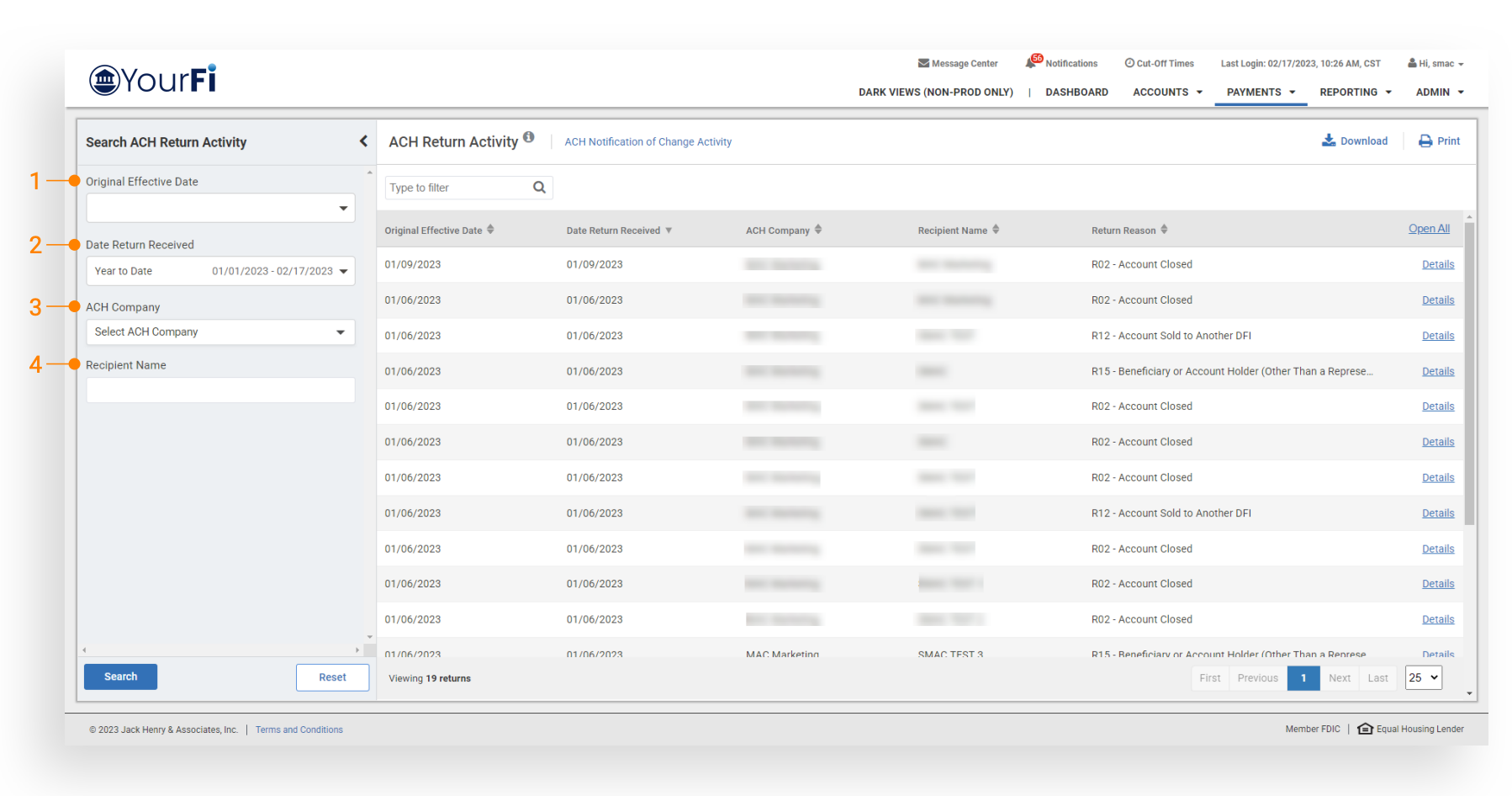
1. Original Effective Date: Customers may search by Today, Specific Date, Date Range, Week to Date, Month to Date, or Year to Date.
2. Date Notification Received Date: Customers may search by Today, Specific Date, Date Range, Week to Date, Month to Date, or Year to Date.
3. ACH Company: Customers may select or more ACH companies.
4. Recipient Name: Customers may search by a recipient name.
Channel ACH Return Activity
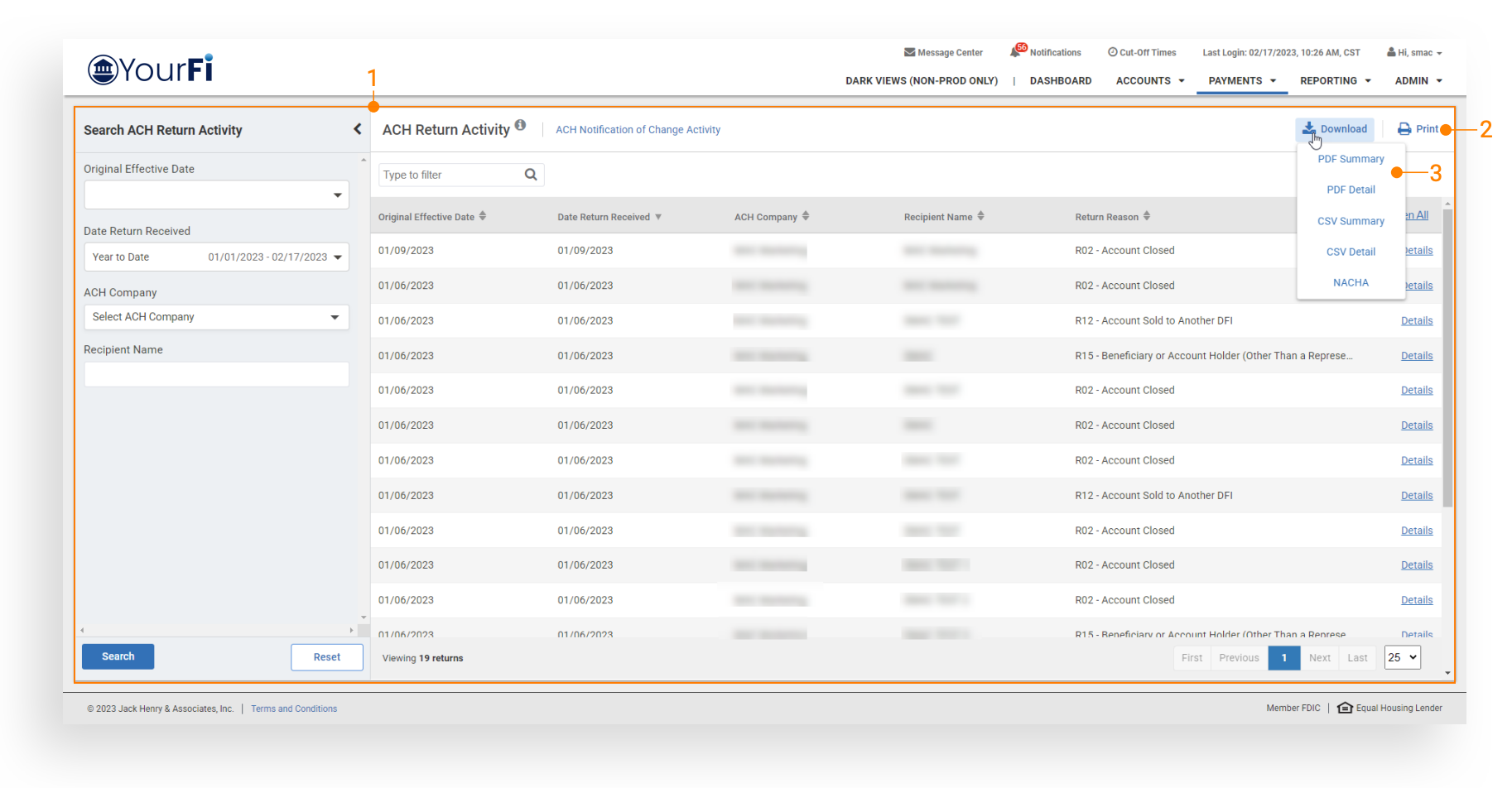
1. Results - Summary Information: Customers will first be presented with a summary line of information pertaining to the return that includes the following:
- Original Effective Date
- Date Return Received
- ACH Company
- Recipient Name
- Return Reason
2. Print: Customers may print the summary results or if details are expanded.
3. Download: Customers may download results in the following formats:
- PDF Summary
- PDF Detail
- CSV Summary
- CSV Detail
- NACHA
Channel ACH Return Activity
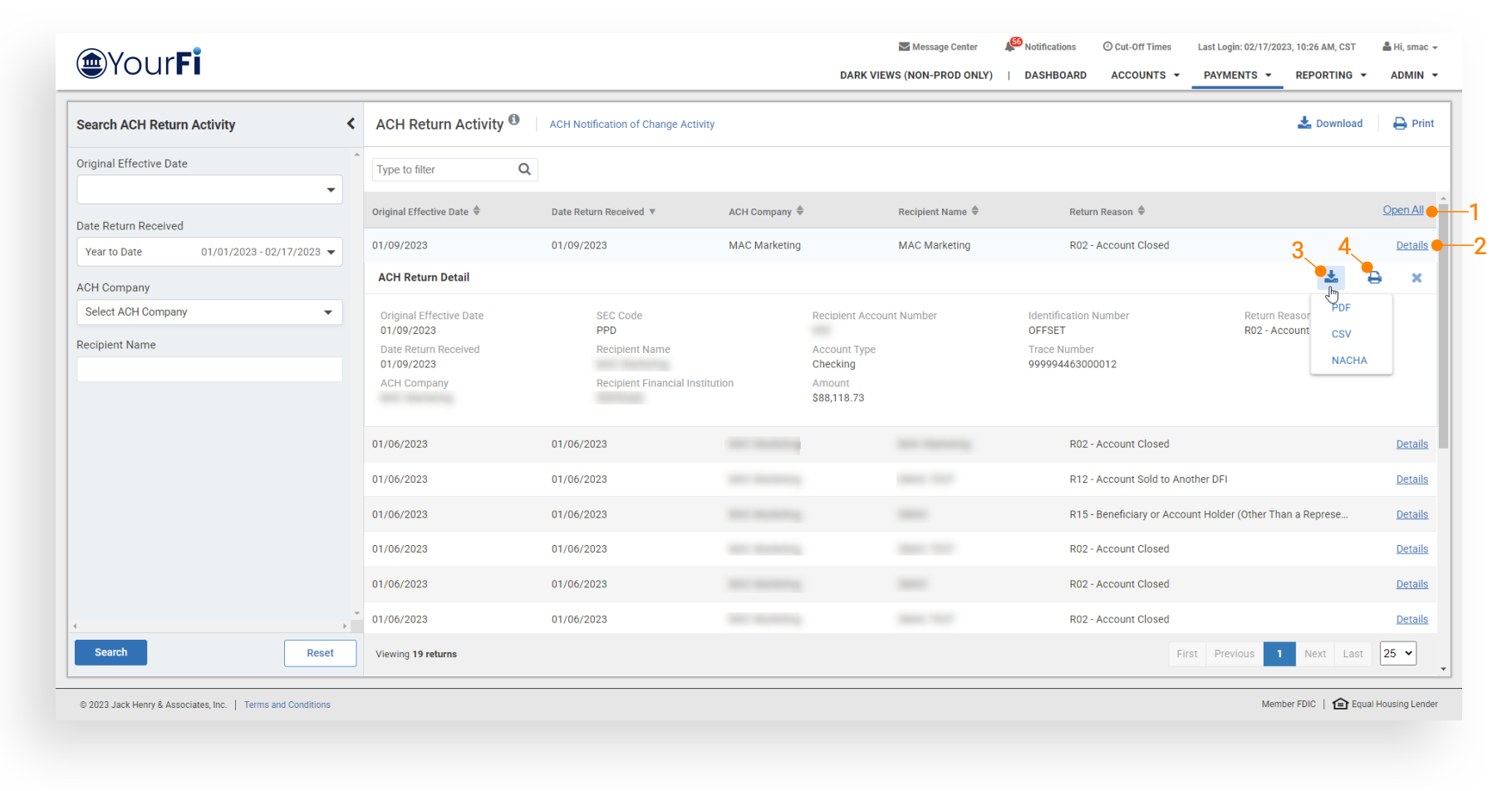
1. Open All: Customers have the option to select Open All to open the details for each return displayed on the page.
2. Individual Details: Users also have the option to open the details for each individual item by selecting the Details hyperlink.
3. Download: Within each individual return, users may select the download icon to download the details in PDF, CSV, or NACHA format.
4. Print Individual Detail: Users may print the details for an individual return by selecting the Details hyperlink to open the details and then selecting the print icon.