Tap2Local Evolution
The Tap2Local offering is undergoing a strategic evolution to enhance how our financial institutions engage with their local communities. To ensure a smooth transition and allow users to maximize these new capabilities, Jack Henry is rolling out these enhancements across a series of updates.
The sections below provide an overview of the new and upcoming enhancements to the Tap2Local experience.
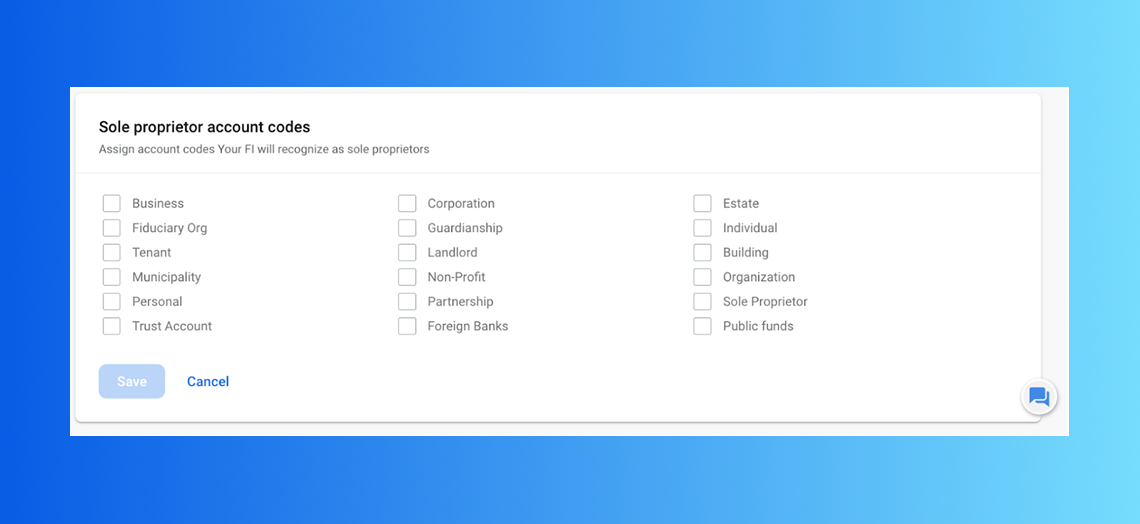
Sole proprietor enrollment access
ShippedReleased for banks in mid-December, this enhancement expanded Tap2Local eligibility to include sole proprietors who use a consumer account for their business. By allowing our financial institutions to select which specific account types, identified as “class codes,” count as business accounts – we’ve removed the barrier for micro-businesses.
Merchant Support via Conversations
ShippedIncluded in Banno Mobile 3.31 on both iOS and Android, this enhancement streamlines the support experience for local merchants by bridging the gap between Banno and Moov’s support systems. Financial institution administrators can now submit specialized support tickets directly within Banno Conversations.
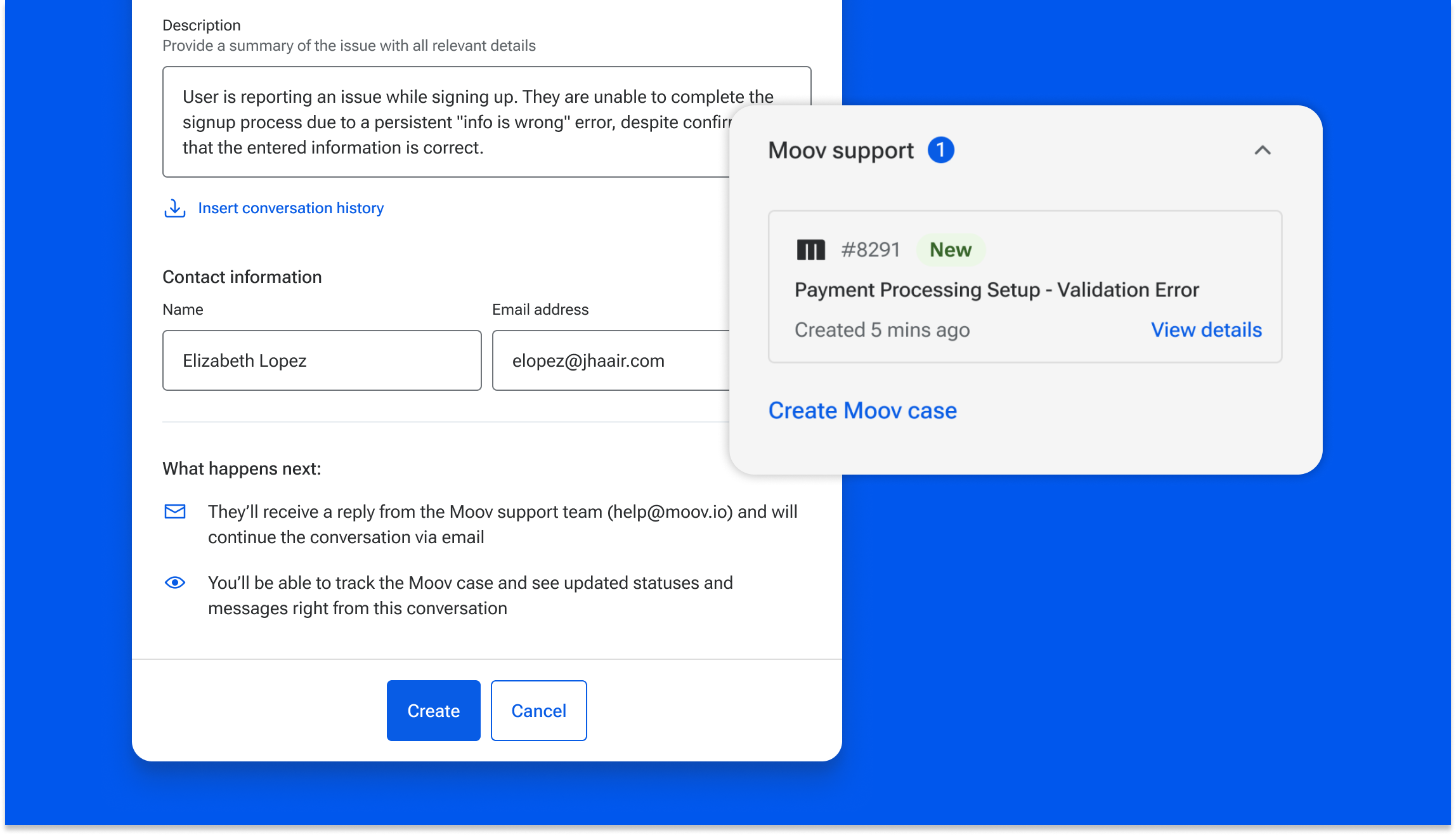
The Merchant Support experience will continually improve, and we will preview other upcoming enhancements below.
Product Catalog
ShippedReleased with Banno Mobile 3.31 on both iOS and Android, the Product Catalog for Tap2Local merchants transforms the Tap2Local experience from a simple keypad terminal into a robust point-of-sale solution. By introducing a Product Catalog, merchants can now manage their entire inventory within the app, complete with name, base price, descriptions, categories.
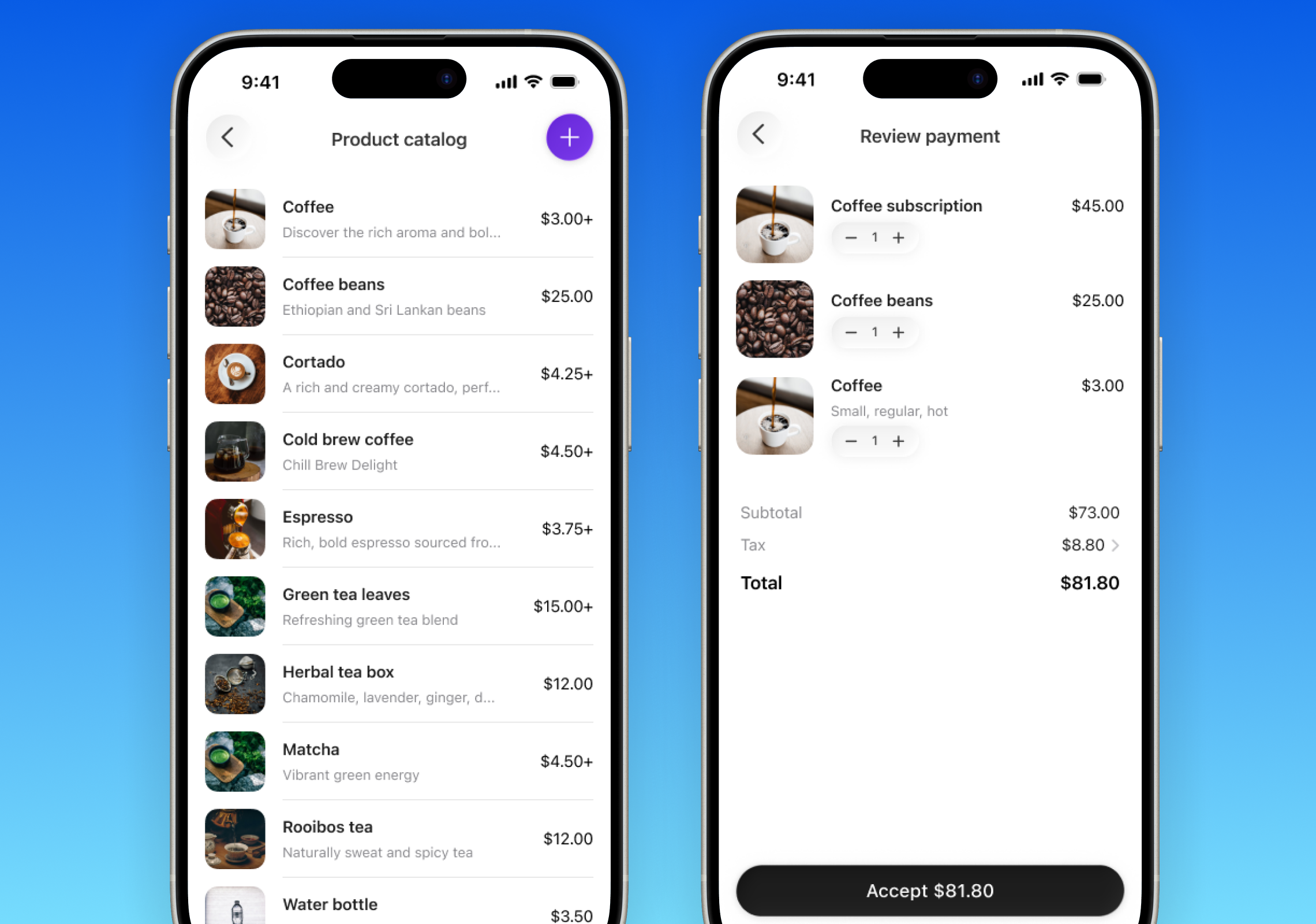
As previewed in Figure 3 above, the Product Catalog is integrated seamlessly into the merchant’s payment flow, allowing them to add products to the cart directly. Upcoming enhancement plans include further streamlining the Product Catalog setup.
Allow Merchants to handle exceptions in enrollment
ShippedThis feature will introduce a self-service resolution path for merchants during the onboarding phase, reducing the time it takes to move from application to active payments. By integrating real-time status messaging with the upcoming notification system, the platform will identify specific data inaccuracies and guide the merchant directly back to the necessary corrections.
Tap2Local Reporting
ShippedTo provide financial institutions with immediate visibility into program performance, we have introduced two new CSV exports within Banno Reports. While long-term reporting will reside in Jack Henry Insights, these initial reports will allow a financial institution to track Tap2Local adoption and usage in real time.
The reports will include merchant status (enrollment progress and active status business users) and merchant payment volume (analysis of transaction trends and total processing volume across the merchant base).
By putting this data directly into a financial institution’s hands, the reporting ensures that insights are readily available to measure success and properly support the local business community!
Early testing indicates that business owners may occasionally enter inaccurate information during the enrollment process. To streamline resolution, this feature introduces real-time status messaging that identifies specific data gaps or errors. Working in tandem with the upcoming notification system, the platform will alert merchants when additional information is required, allowing them to return directly to the enrollment screen and address the necessary corrections without manual intervention from financial institution staff. This feature will help businesses streamline their billing by allowing merchants to create, customize, and send invoices directly to their clients, replacing fragmented third-party tools with an all-in-one workflow. This update introduces a customer management tool that allows merchants to build and maintain a centralized “source of truth” for their clientele. By creating integrated customer profiles, merchants can now instantly link specific transactions and conversations to the right person. This update will introduce a notification system and customizable settings suite, giving merchants real-time oversight of critical business activities. Alerting options will include: Since Tap2Local introduces a new way of doing business directly with merchant’s financial institutions, we decided to integrate educational guidance directly into the enrollment flow. By moving product education into the onboarding experience, we ensure merchants immediately understand key benefits like that they can accept payments with their phones and address other common questions that cause confusion. This shift allows financial institutions to repurpose existing ad placements for more targeted, custom prompts tailored to specific business segments. To further simplify how small business owners manage their finances, we are planning a single, highly-focused, secure mobile app. This app will consolidate money movement—allowing merchants to accept card payments and deposit checks all in one place. By leveraging modern, cloud-based APIs from Banno, Jack Henry mRDC, and Moov, this solution empowers small businesses to maintain their own brand identity while avoiding the high fees and fragmented workflows of third-party payment processors. This feature will enable merchants to create and manage recurring card charges directly within Tap2Local. By securely storing payment methods at the customer level, merchants can automate billing schedules without re-entering card details for every transaction. This update will integrate seamlessly with the upcoming Invoices feature, allowing businesses to link recurring schedules to specific invoice templates for a fully automated “set-and-forget” billing experience. This feature will introduce a payout capability directly within Tap2Local, leveraging the high-speed Jack Henry Rapid Transfers rails to provide merchants with instant access to their funds. This update will allow financial institutions to position themselves as the central hub for their merchants’ complete money movement needs, both recieving and sending. This feature will let businesses or non profits share a payment link or QR code without setting a fixed price. The payer opens the link, enters the amount they want to pay, and completes the transaction - no back-and-forth required. Here’s a good example of this in action: a local nonprofit runs a fundraising table at a community event. Instead of collecting cash or directing donors to a separate website, they display a single QR code. Each donor scans it, enters whatever amount they want to give, and the contribution goes directly to the nonprofit’s account. One code, any amount, no manual reconciliation. This feature will add a native tip prompt to the Tap2Local payment flow, giving customers a simple way to tip at the point of sale on any mobile device or browser. Merchants don’t need extra hardware or a separate app - instead, the tip option appears as part of the normal checkout experience they already use. This matters most for service-based businesses like coffee shops, salons, and food trucks, where tipping is expected but the tools to collect it easily have always required more setup than they’re worth. Now, it just works. This feature will give small business owners a way to manage their products and services directly within Tap2Local. Merchants can build out their catalog, track what they have available, and keep their offerings up to date without jumping between tools or managing a spreadsheet on the side. For a merchant running a farmers market booth or a mobile service business, having inventory connected to the same place they accept payments means less friction at the point of sale - and fewer awkward moments when something sells out or a price changes. This feature will let business owners set their applicable tax rate once inside Tap2Local, and from that point forward, the correct tax amount is automatically calculated and added at checkout. No manual math, no separate tool, no explaining to a customer why the total looks different than the sticker price. For merchants selling taxable goods at a market, a pop-up shop, or through a payment link, this keeps the transaction accurate and professional without adding extra steps to the checkout flow. This enhancement will introduce Google Pay as a native wallet option on Tap2Local payment links, matching the existing Apple Pay capabilities. By giving Android users a seamless, single-tap checkout experience, merchants can eliminate payment friction for a significant portion of their mobile customer base. This update helps maximize transaction completion rates by ensuring a smooth checkout process regardless of the buyer’s device ecosystem.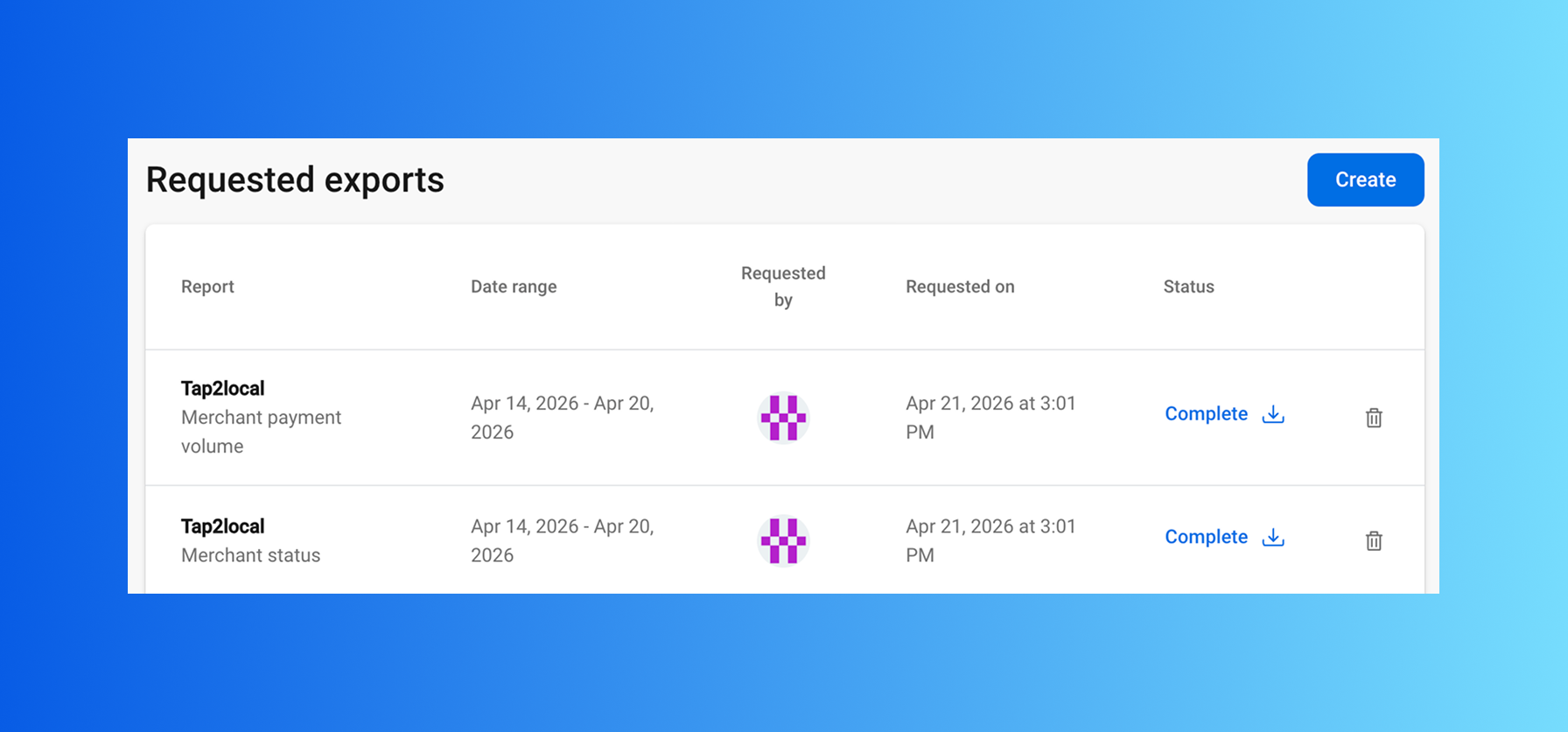
Merchant Enrollment Exception Handling
ShippedCreate, Send, and Track Invoices
Shipped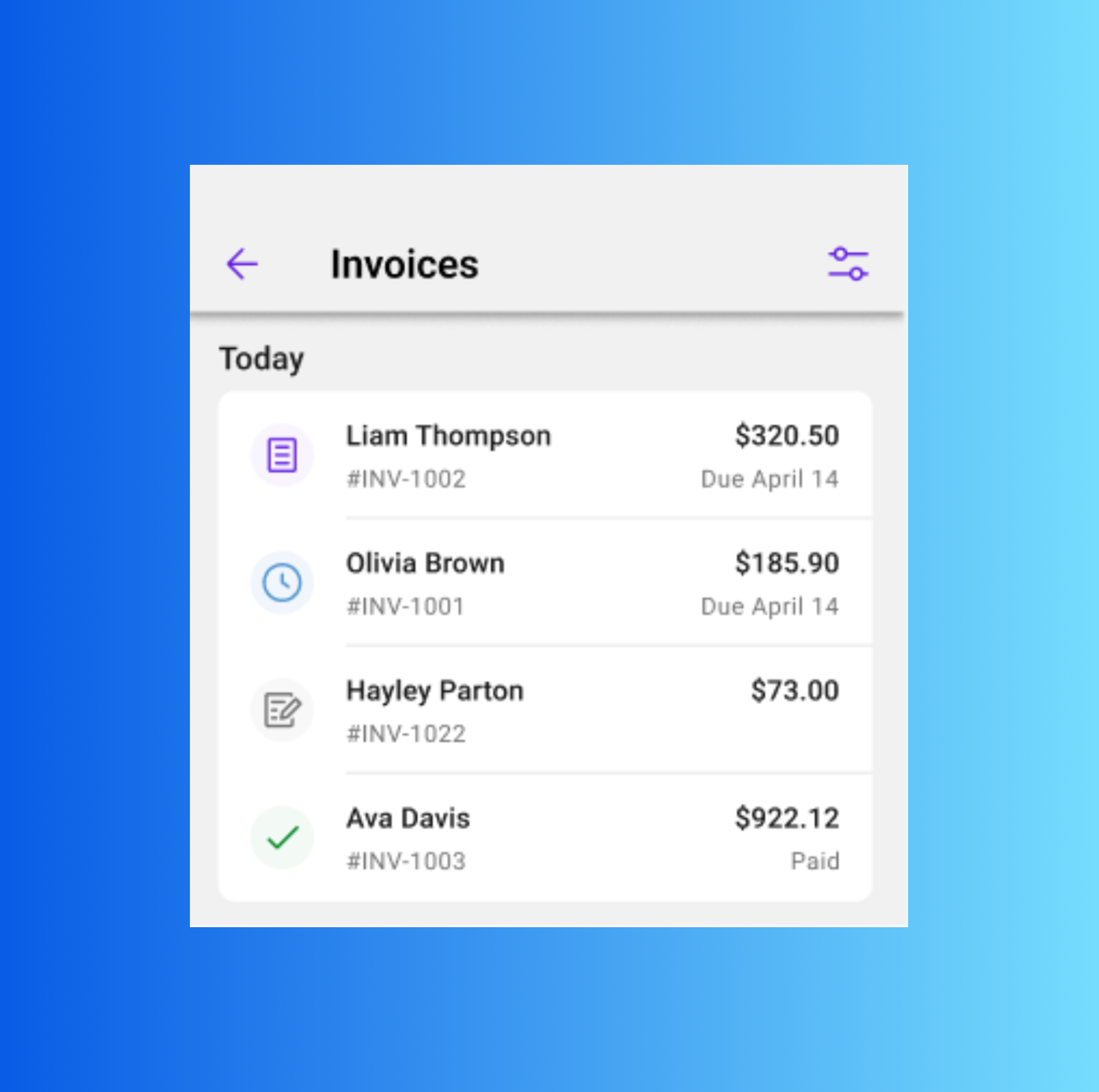
Add & Assign Customers
Shipped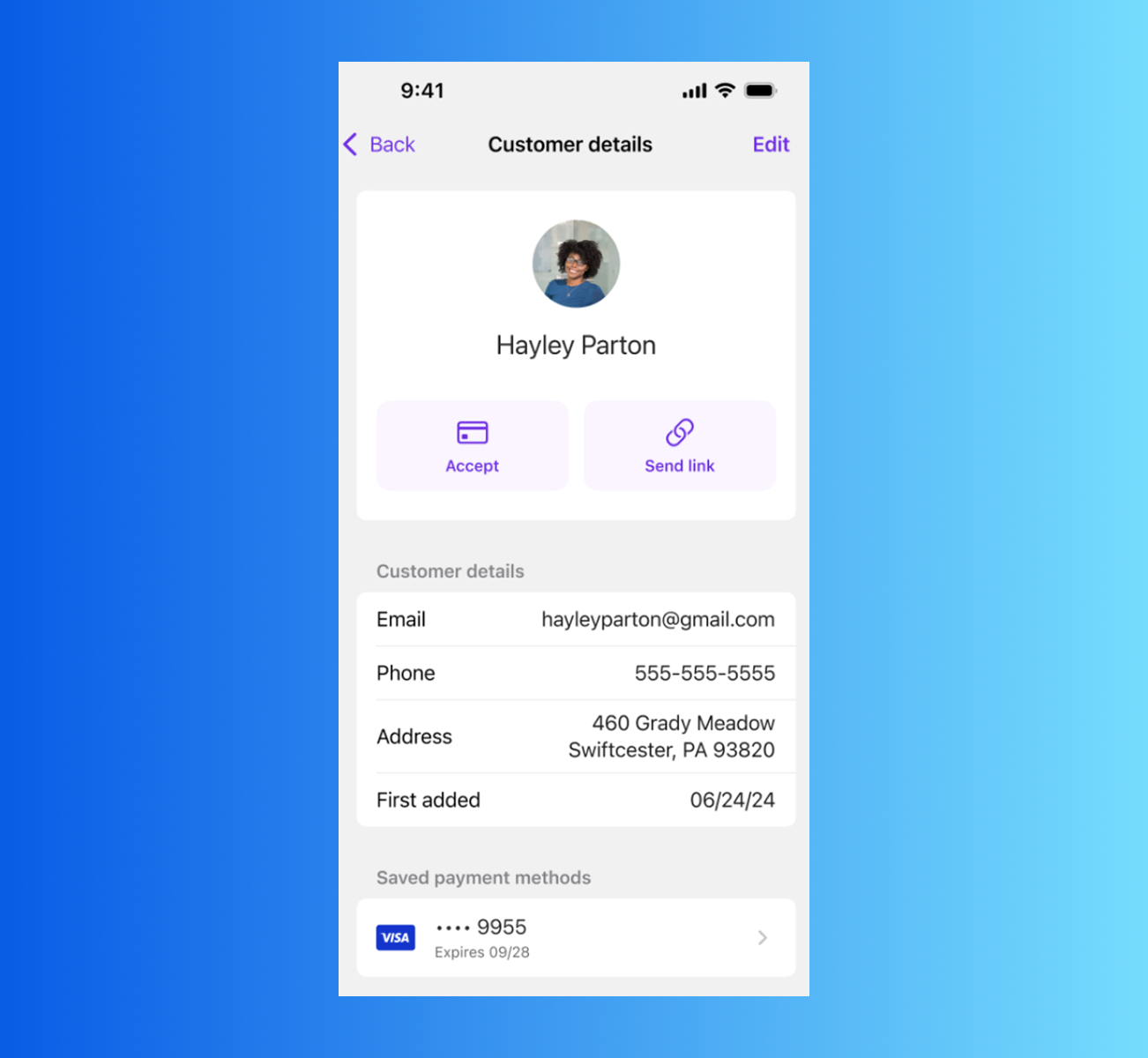
Add Notifications & Notification Settings
BuildingIn-app education during enrollment
Building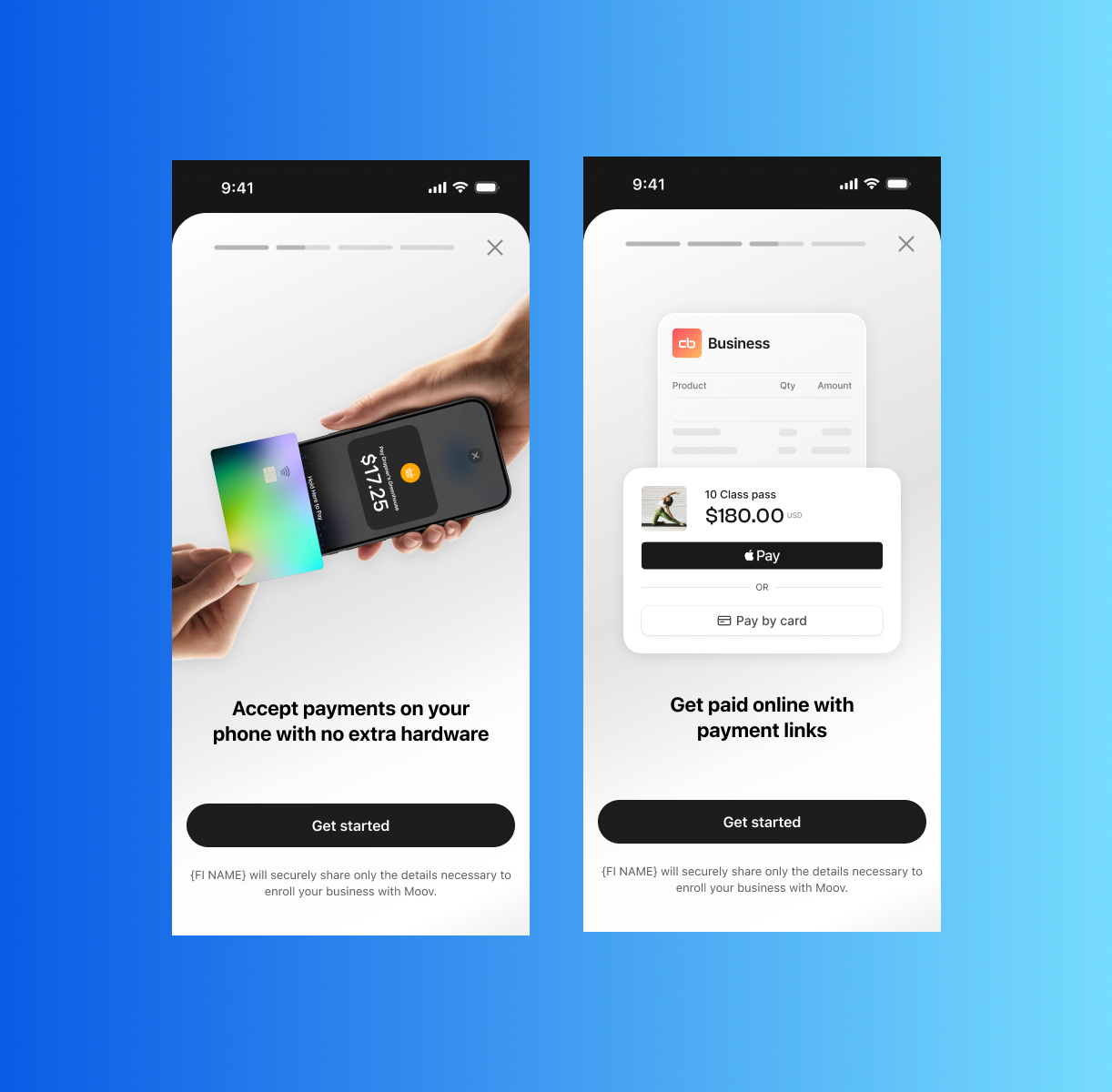
Tap2Local Companion App
BuildingAbility to create and manage recurring payments and subscriptions
BuildingSend payouts from Tap2Local
PlanningPayee-defined amount for payment links
PlanningIn-app tipping
PlanningMerchant inventory
PlanningAutomated sales tax
PlanningAdd Google Pay support through Payment Links
Planning